# Manual version 0.18.88 Table of Contents - [1. Framework](#_framework) - [1.1. Domain & Database](#_domain_database) - [1.1.1. Domain Model](#_domain_model) - [Domain modelling](#_domain_modelling) - [Core classes](#_core_framework_classes) - [Domain API](#_domain_api) - [Domain implementation](#_domain_implementation) - [Data type mapping](#_data_type_mapping) - [Foreign keys](#_foreign_keys) - [Attributes](#_attributes) - [Columns](#_columns) - [Domain](#_domain) - [Generator](#_generator) - [EntityFormatter](#_entityformatter) - [Validation](#_validation) - [Examples](#_examples_3) - [Custom data types](#_custom_data_types) - [Custom select queries](#_custom_select_queries) - [Domain composition](#_domain_composition) - [Entities in action](#_entities_in_action) - [Unit Testing](#_domain_unit_testing) - [1.1.2. Procedures & Functions](#_procedures_functions) - [Overview](#_overview) - [API Definition](#_api_definition) - [Implementation](#_implementation) - [Usage](#_usage) - [HTTP/JSON Serialization](#_httpjson_serialization) - [1.1.3. Conditions](#_conditions) - [Condition](#_condition) - [Select, Update, Count](#_select_update_count) - [1.1.4. EntityConnection](#_entityconnection) - [Selecting](#_entity_connection_selecting) - [Modifying](#_modifying) - [Procedures & Functions](#_procedures_functions_2) - [Reporting](#_reporting) - [Transaction control](#_transaction_control) - [Query cache](#_query_cache) - [1.1.5. Connection Builders](#_connection_builders) - [LocalEntityConnection](#_localentityconnection) - [RemoteEntityConnection](#_remoteentityconnection) - [HttpEntityConnection](#_httpentityconnection) - [Customizing the Description](#_customizing_the_description) - [1.1.6. HTTP & JSON clients](#_http_json_client) - [Supplying the domain](#_supplying_the_domain) - [Registering operation types](#_registering_operation_types) - [Errors](#_errors) - [Reports](#_reports) - [Deployment](#_deployment) - [1.2. Framework Model](#_framework_model) - [1.2.1. Framework Model Architecture](#_framework_model_architecture) - [The pieces](#_the_pieces) - [The reactive fabric](#_the_reactive_fabric) - [Where application logic belongs](#_where_application_logic_belongs) - [1.2.2. EntityModel](#_entitymodel) - [Detail models](#_detail_models) - [Event binding](#_event_binding) - [Examples](#_examples_5) - [1.2.3. EntityEditModel](#_entityeditmodel) - [Combo box models](#_combo_box_models) - [1.2.4. EntityEditor](#_entityeditor) - [The entity](#_the_entity) - [Editing values](#_editing_values) - [Default values and persistent values](#_default_values_and_persistent_values) - [Foreign key values: persist and propagate](#_foreign_key_values_persist_and_propagate) - [Inserting, updating and deleting](#_inserting_updating_and_deleting) - [Custom persistence](#_custom_persistence) - [Detail editors](#_detail_editors) - [Editor Events](#_editor_events) - [Application Events](#_application_events) - [1.2.5. EntityTableModel](#_entitytablemodel) - [Items, selection and query](#_items_selection_and_query) - [Application logic](#_application_logic) - [1.2.6. EntityQueryModel](#_entityquerymodel) - [Overview](#_overview_2) - [Condition Management](#_condition_management) - [Query Limits](#_query_limits) - [Result Ordering](#_result_ordering) - [Custom Data Sources](#_custom_data_sources) - [Condition Required](#_condition_required) - [Attribute Management](#_attribute_management) - [1.2.7. EntitySearchModel](#_entitysearchmodel) - [Overview](#_overview_3) - [Search Configuration](#_search_configuration) - [Selection Management](#_selection_management) - [Configuration Properties](#_configuration_properties) - [1.2.8. Model Linking](#_model_linking) - [Overview](#_overview_4) - [Building Custom Links](#_building_custom_links) - [Automatic Foreign Key Management](#_automatic_foreign_key_management) - [Simple One-to-Many](#_simple_one_to_many) - [Multi-Level Hierarchy](#_multi_level_hierarchy) - [1.2.9. EntityApplicationModel](#_entityapplicationmodel) - [1.2.10. Application load testing](#_application_load_testing) - [Examples](#_examples_6) - [1.3. Framework UI](#_framework_ui) - [1.3.1. EntityPanel](#_entitypanel) - [Basics](#_basics) - [Detail panels](#_detail_panels) - [Edit panel state](#_edit_panel_state) - [Navigation and resizing](#_entity_panel_navigation) - [1.3.2. EntityEditPanel](#_entityeditpanel) - [Detailed example](#_detailed_example) - [Input controls](#_input_controls) - [Panels & labels](#_panels_labels) - [Advanced Patterns](#_advanced_patterns) - [Custom actions](#_custom_actions) - [Query Inspector](#_edit_query_inspector) - [1.3.3. EntityTablePanel](#_entitytablepanel) - [Configuration](#_configuration) - [Editing](#_editing) - [Custom controls](#_custom_controls) - [Condition and filter panels](#_condition_and_filter_panels) - [Exporting data](#_exporting_data) - [Query Inspector](#_table_query_inspector) - [Keyboard shortcuts](#_keyboard_shortcuts) - [1.3.4. Exporting data](#_table_export) - [Using it](#_using_it) - [Configurations](#_configurations) - [Enabling](#_enabling) - [1.3.5. EntityPanel.Builder](#_entitypanel_builder) - [1.3.6. EntityApplicationPanel](#_entityapplicationpanel) - [Starting the application](#_starting_the_application) - [Layout](#_layout) - [SQL Tracing](#_sql_tracing) - [Examples](#_examples_7) - [1.3.7. EntitySearchField](#_entitysearchfield) - [Overview](#_overview_5) - [Basic Usage](#_basic_usage) - [Search Behavior](#_search_behavior) - [Customization Options](#_customization_options) - [Search Control](#_search_control) - [Advanced Features](#_advanced_features) - [Configuration Properties](#_configuration_properties_2) - [Best Practices](#_best_practices_2) - [1.3.8. Reporting with JasperReports](#_reporting_with_jasperreports) - [JDBC Reports](#_jdbc_reports) - [Export](#_export) - [JRDataSource Reports](#_jrdatasource_reports) - [Examples](#_examples_8) - [1.3.9. Keyboard shortcuts](#_client_keyboard_shortcuts) - [ControlKeys](#_controlkeys) - [Custom key bindings](#_custom_key_bindings) - [The essentials](#_the_essentials) - [1.3.10. Development tools](#_development_tools) - [Entity viewer](#_entity_viewer) - [Query inspector](#_query_inspector) - [Editor inspector](#_editor_inspector) - [Dependencies viewer](#_dependencies_viewer) - [SQL tracing](#_sql_tracing_2) - [Server monitor](#_server_monitor) - [1.4. Framework Utilities](#_framework_utilities) - [1.4.1. Domain Model Generator](#_domain_model_generator) - [Overview](#_overview_6) - [Architecture](#_architecture) - [Project Setup](#_project_setup) - [Configuration](#_configuration_2) - [User Workflow](#_user_workflow) - [Command Line Interface](#_command_line_interface) - [Generated Output](#_generated_output) - [Schema Introspection](#_schema_introspection) - [DTO Generation](#_dto_generation) - [Internationalization](#_internationalization) - [Test Generation](#_test_generation) - [Best Practices](#_best_practices_3) - [Keyboard Navigation](#_keyboard_navigation) - [Examples](#_examples_9) - [2. Common](#_common) - [2.1. Common Reactive](#_common_reactive) - [2.1.1. Reactive classes](#_reactive_classes) - [Event](#_event) - [Observer](#_observer) - [Value](#_value) - [State](#_state) - [2.1.2. Weak listeners](#_weak_listeners) - [2.1.3. Threading](#_reactive_threading) - [2.2. Common Database](#_common_database) - [2.2.1. Database](#_database) - [2.2.2. Exceptions](#_exceptions) - [2.3. Common Model](#_common_model) - [2.3.1. File Preferences](#_file_preferences) - [Motivation](#_motivation) - [Usage](#_usage_2) - [File Storage](#_file_storage) - [Features](#_features) - [Hierarchy Support](#_hierarchy_support) - [Concurrency and Multi-JVM Access](#_concurrency_and_multi_jvm_access) - [2.4. ProgressWorker](#_progressworker) - [2.4.1. Task](#_task) - [2.4.2. TaskHandler](#_taskhandler) - [2.4.3. ResultTask](#_resulttask) - [2.4.4. ResultTaskHandler](#_resulttaskhandler) - [2.4.5. ProgressTask](#_progresstask) - [2.4.6. ProgressTaskHandler](#_progresstaskhandler) - [2.4.7. ProgressResultTask](#_progressresulttask) - [2.5. Swing Common Model](#_swing_common_model) - [2.5.1. Table Model](#_table_model) - [FilterTableModel](#_filtertablemodel) - [2.6. Swing Common UI](#_swing_common_ui) - [2.6.1. Using it by itself](#_swing_common_ui_standalone) - [A complete application](#_a_complete_application) - [2.6.2. Table UI](#_table_ui) - [FilterTable](#_filtertable) - [2.6.3. Input Controls](#_input_controls_2) - [Control](#_control) - [ToggleControl](#_togglecontrol) - [Controls](#_controls) - [2.6.4. Input Components](#_input_components) - [Text](#_text_2) - [Numbers](#_numbers) - [Date & Time](#_date_time) - [Boolean](#_boolean_3) - [Selection](#_selection_3) - [Custom](#_custom_2) - [Examples](#_examples_10) - [2.6.5. Dialogs](#_dialogs) - [Component](#_component) - [Selection](#_selection_4) - [Action Dialogs](#_action_dialogs) - [Input](#_input) - [Exception](#_exception) - [Calendar](#_calendar) - [Progress](#_progress) - [2.7. Common Utilities](#_common_utilities) - [2.7.1. TaskScheduler](#_taskscheduler) - [Basic Usage](#_basic_usage_2) - [Auto-Start](#_auto_start) - [Thread Naming](#_thread_naming) - [Custom ThreadFactory](#_custom_threadfactory) - [Common Use Cases](#_common_use_cases) - [2.7.2. UI](#_ui)
Note
Most of the code used throughout this manual is available in the manual demo module included in the project.
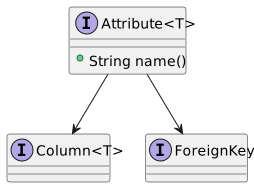
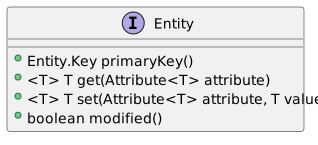
## 1. Framework ### 1.1. Domain & Database #### 1.1.1. Domain Model ##### Domain modelling - Declarative, not magical - Visible and localized behavior - Safe, testable, Java-native APIs - Avoiding runtime introspection/config injection Codion’s domain model layer is a declarative, type-safe representation of the underlying database schema, designed to provide expressive CRUD functionality without annotation overhead. At its heart is the [Entity](https://codion.is/doc/0.18.88/api/is.codion.framework.domain/is/codion/framework/domain/entity/Entity.html) interface — representing a single row of data and its modifiable state, providing access to attribute values via its **get()** and **set()** methods. ##### Core classes **[Domain](https://codion.is/doc/0.18.88/api/is.codion.framework.domain/is/codion/framework/domain/Domain.html)** Specifies a domain model, containing entity definitions, procedures, functions and reports. A Codion domain model is implemented by extending the **[DomainModel](https://codion.is/doc/0.18.88/api/is.codion.framework.domain/is/codion/framework/domain/DomainModel.html)** class and populating it with entity definitions. **[DomainType](https://codion.is/doc/0.18.88/api/is.codion.framework.domain/is/codion/framework/domain/DomainType.html)** A unique identifier for a domain model and a factory for **EntityType** instances associated with that domain model. **[EntityType](https://codion.is/doc/0.18.88/api/is.codion.framework.domain/is/codion/framework/domain/entity/EntityType.html)** A unique identifier for an entity type and a factory for **Attribute** instances associated with that entity type. **[Attribute](https://codion.is/doc/0.18.88/api/is.codion.framework.domain/is/codion/framework/domain/entity/attribute/Attribute.html)** A typed identifier for a column, foreign key or transient attribute, usually a **Column** or **ForeignKey**, allowing for type safe access to the associated value. Attributes are usually wrapped in an interface, serving as a convenient namespace. attribute diagram **[Column](https://codion.is/doc/0.18.88/api/is.codion.framework.domain/is/codion/framework/domain/entity/attribute/Column.html)** An Attribute subclass representing a table column. **[ForeignKey](https://codion.is/doc/0.18.88/api/is.codion.framework.domain/is/codion/framework/domain/entity/attribute/ForeignKey.html)** An attribute subclass representing a foreign key relationship. **[EntityDefinition](https://codion.is/doc/0.18.88/api/is.codion.framework.domain/is/codion/framework/domain/entity/EntityDefinition.html)** Encapsulates the meta-data required for presenting and persisting an entity. **[AttributeDefinition](https://codion.is/doc/0.18.88/api/is.codion.framework.domain/is/codion/framework/domain/entity/attribute/AttributeDefinition.html)** Each **Attribute** has an associated **AttributeDefinition** (or one of its subclasses) which encapsulates the meta-data required for presenting and persisting the associated value. **[Entity](https://codion.is/doc/0.18.88/api/is.codion.framework.domain/is/codion/framework/domain/entity/Entity.html)** Represents a row in a table (or query) and maps **Attributes** to their associated values while keeping track of values which have been modified since they were initially set. entity diagram **[Entity.Key](https://codion.is/doc/0.18.88/api/is.codion.framework.domain/is/codion/framework/domain/entity/Entity.Key.html)** Represents a unique key for a given entity. ##### Domain API To define a domain model API we: - Create a [DomainType](https://codion.is/doc/0.18.88/api/is.codion.framework.domain/is/codion/framework/domain/DomainType.html) constant representing the domain. - Use the **DomainType** to create [EntityType](https://codion.is/doc/0.18.88/api/is.codion.framework.domain/is/codion/framework/domain/entity/EntityType.html) constants for each table, wrapped in a namespace interface. - Use the **EntityTypes** to create [Column](https://codion.is/doc/0.18.88/api/is.codion.framework.domain/is/codion/framework/domain/entity/attribute/Column.html) constants for each column and a [ForeignKey](https://codion.is/doc/0.18.88/api/is.codion.framework.domain/is/codion/framework/domain/entity/attribute/ForeignKey.html) constant for each foreign key. These constants represent the domain API and are used when referring to tables, columns or foreign keys.
Note
The use of constant interfaces is discouraged in modern Java practice because all implementing classes inherit the constants, potentially polluting their namespaces. If this is a concern, use a public static final constants class instead — at the cost of slightly more typing.
``` java public interface Store { DomainType DOMAIN = DomainType.domainType("Store"); interface City { EntityType TYPE = DOMAIN.entityType("store.city"); //(1) Column ID = TYPE.integerColumn("id"); //(2) Column NAME = TYPE.stringColumn("name"); } interface Customer { EntityType TYPE = DOMAIN.entityType("store.customer"); Column ID = TYPE.integerColumn("id"); Column NAME = TYPE.stringColumn("name"); Column CITY_ID = TYPE.integerColumn("city_id"); ForeignKey CITY_FK = TYPE.foreignKey("city", CITY_ID, City.ID); } } ``` 1. The **DomainType** instance serves as a factory for **EntityTypes** associated with that domain. 2. Each **EntityType** instance serves as a factory for **Columns** and **ForeignKeys** associated with that entity. Typically, the underlying table name is used as the **EntityType** name, but you can use whatever identifying string you want and specify the table name via the **table()** builder method when defining the entity. The underlying column name is typically used as the **Column** name, but as with the **EntityType** you can use whatever value you want and specify the column name via the **name()** method when creating the associated **ColumnDefinition**. ##### Domain implementation The domain model is implemented by extending the [DomainModel](https://codion.is/doc/0.18.88/api/is.codion.framework.domain/is/codion/framework/domain/DomainModel.html) class and populating it with **EntityDefinitions** based on the domain tables. An **EntityDefinition** consists of **AttributeDefinitions** based on the **Attributes** associated with the entity and the information required to persist and present the entity. The **EntityType** and **Attribute** constants provide **as()** methods returning builders which allow for further configuration (such as nullability and maximum length for values and the caption and primary key generator for the entity definition).
Tip
Omitting a caption marks an attribute as hidden. Hidden attributes won’t appear in table views by default.
``` java public static class StoreImpl extends DomainModel { public StoreImpl() { super(Store.DOMAIN); //(1) add(city(), customer()); } EntityDefinition city() { return City.TYPE.as() .attributes( City.ID.as() .primaryKey() .generator(Generator.identity()), City.NAME.as() .column() .caption("Name") .nullable(false)) .caption("Cities") .build(); } EntityDefinition customer() { return Customer.TYPE.as() .attributes( Customer.ID.as() .primaryKey() .generator(Generator.identity()), Customer.NAME.as() .column() .caption("Name") .maximumLength(42), Customer.CITY_ID.as() .column(), Customer.CITY_FK.as() .foreignKey() .caption("City")) .caption("Customers") .build(); } } ``` 1. The **DomainType** constant is a required constructor parameter. [Domain](https://codion.is/doc/0.18.88/api/is.codion.framework.domain/is/codion/framework/domain/Domain.html) is a [Service Provider Interface (SPI)](https://docs.oracle.com/javase/tutorial/sound/SPI-intro.html), and it is recommended to configure the domain implementation class for the [Service Loader](https://docs.oracle.com/en/java/javase/21/docs/api/java.base/java/util/ServiceLoader.html). Without the Service Loader you are restricted to a local JDBC connection, since you must manually provide a domain instance when establishing a connection, instead of just referring to the **DomainType** constant. *src/main/java/module-info.java* ``` java provides is.codion.framework.domain.Domain with is.codion.demos.store.domain.StoreImpl; ``` or if not using Java Modules (JPMS) *src/main/resources/META-INF/services/is.codion.framework.domain.Domain* ``` java is.codion.demos.store.domain.StoreImpl ```
Note
The domain model implementation must be on the classpath when running with a local JDBC connection, but when running with an RMI or HTTP connection the domain model API is sufficient. If you foresee using RMI or HTTP connections it is recommended to split your domain model into separate API and implementation modules, to simplify client configurations (see Chinook and World demo applications, see Petclinic for a simple single class domain model).
The domain model provides an [Entities](https://codion.is/doc/0.18.88/api/is.codion.framework.domain/is/codion/framework/domain/entity/Entities.html) instance via [entities()](https://codion.is/doc/0.18.88/api/is.codion.framework.domain/is/codion/framework/domain/Domain.html#entities()), which contains the entity definitions and serves as a factory for **Entity** and **Entity.Key** instances. ``` java Domain store = new StoreImpl(); Entities entities = store.entities(); Entity city = entities.entity(City.TYPE) .with(City.NAME, "Reykjavík") .build(); Entity.Key customerKey = entities.key(Customer.TYPE) .with(Customer.ID, 42) .build(); Entity customer = Entity.builder(customerKey) .with(Customer.NAME, "John") .with(Customer.CITY_FK, city) .build(); EntityDefinition customerDefinition = entities.definition(Customer.TYPE); EntityDefinition cityDefinition = customerDefinition.foreignKeys().referencedBy(Customer.CITY_FK); List> cityPrimaryKeyColumns = cityDefinition.primaryKey().columns(); ``` ##### Data type mapping | Java type | SQL type | |--------------------|----------------------------------------| | Short | java.sql.Types.SMALLINT | | Integer | java.sql.Types.INTEGER | | Double | java.sql.Types.DOUBLE | | Long | java.sql.Types.BIGINT | | BigDecimal | java.sql.Types.DECIMAL | | LocalDateTime | java.sql.Types.TIMESTAMP | | LocalDate | java.sql.Types.DATE | | LocalTime | java.sql.Types.TIME | | OffsetTime | java.sql.Types.TIME_WITH_TIMEZONE | | OffsetDateTime | java.sql.Types.TIMESTAMP_WITH_TIMEZONE | | java.util.Date | java.sql.Types.DATE | | java.sql.Time | java.sql.Types.TIME | | java.sql.Date | java.sql.Types.DATE | | java.sql.Timestamp | java.sql.Types.TIMESTAMP | | String | java.sql.Types.VARCHAR | | Boolean | java.sql.Types.BOOLEAN | | Character | java.sql.Types.CHAR | | byte\[\] | java.sql.Types.BLOB | ##### Foreign keys ###### Examples A simple foreign key based on a single column. ``` java ForeignKey CAPITAL_FK = TYPE.foreignKey("capital_fk", CAPITAL, City.ID); ``` Foreign key based on a composite key. ``` java interface Parent { EntityType TYPE = DOMAIN.entityType("parent"); Column ID_1 = TYPE.integerColumn("id1"); Column ID_2 = TYPE.integerColumn("id2"); } interface Child { EntityType TYPE = DOMAIN.entityType("child"); Column PARENT_ID_1 = TYPE.integerColumn("parent_id1"); Column PARENT_ID_2 = TYPE.integerColumn("parent_id2"); ForeignKey PARENT_FK = TYPE.foreignKey("parent", PARENT_ID_1, Parent.ID_1, PARENT_ID_2, Parent.ID_2); } ``` ##### Attributes For the framework to know how to present and persist values, **Attributes** need further configuration. Each attribute is represented by the [AttributeDefinition](https://codion.is/doc/0.18.88/api/is.codion.framework.domain/is/codion/framework/domain/entity/attribute/AttributeDefinition.html) class or one of its subclasses, which encapsulates the required metadata. The **Attribute**, **Column** and **ForeignKey** classes provide methods for creating **AttributeDefinition.Builder** instances, which can be used to configure the attributes. An **Attribute** can be configured three ways, as transient, derived or denormalized. ###### Transient Transient attributes are nullable by default and behave like regular fields, but do not map to any underlying column. Transient attributes are always initialized with a null value. Changing the value of a transient attribute renders the Entity instance modified by default, but can be configured to not do so. Behaving like regular fields means they are editable ones: wherever the framework builds a component from an attribute definition it builds one for a transient attribute too, so a transient attribute is how an entity carries a value with no column behind it — a flag a validator reads, a value the edit model computes, an answer the user gives about the record that is not persisted. This is unlike a **derived** attribute, whose value is computed from others and is presented read-only. The distinction worth drawing is whose value it is. A transient attribute belongs to the **record** — something being answered about this row, that the domain or the edit model reads back. State belonging to the **view**, on the other hand — a selector narrowing another field’s choices, a scratch value one screen needs — is better held in the UI than added to a domain that every client and the server share. ###### Denormalized An entity can include a read-only attribute value from an entity referenced via foreign key, by defining a denormalized attribute. ``` java Country.CAPITAL_POPULATION.as() .denormalized() .from(Country.CAPITAL_FK) .using(City.POPULATION) .caption("Capital pop.") .numberGrouping(true), ``` ###### Derived A derived attribute is used to represent a value which is derived from one or more attributes in the same entity. The value of a derived attribute is provided via a [DerivedValue](https://codion.is/doc/0.18.88/api/is.codion.framework.domain/is/codion/framework/domain/entity/attribute/DerivedValue.html) implementation as shown below. A derived attribute can serve as a source attribute for another derived attribute, but an exception is thrown during enitity definition if a cycle is detected. ``` java CountryLanguage.NO_OF_SPEAKERS.as() .derived() .from(CountryLanguage.COUNTRY_FK, CountryLanguage.PERCENTAGE) .with(new NoOfSpeakers()) .caption("No. of speakers") .numberGrouping(true), ``` ``` java final class NoOfSpeakers implements DerivedValue { @Serial private static final long serialVersionUID = 1; @Override public Integer from(SourceValues values) { Double percentage = values.get(CountryLanguage.PERCENTAGE); Entity country = values.get(CountryLanguage.COUNTRY_FK); if (percentage != null && country != null && country.present(Country.POPULATION)) { return Double.valueOf(country.get(Country.POPULATION) * (percentage / 100)).intValue(); } return null; } } ``` ##### Columns ###### Column Column is used to represent attributes that are based on table columns. ``` java Country.REGION.as() .column() .caption("Region") .nullable(false) .maximumLength(26), Country.SURFACEAREA.as() .column() .caption("Surface area") .nullable(false) .numberGrouping(true) .fractionDigits(2), Country.INDEPYEAR.as() .column() .caption("Indep. year") .range(-2000, 2500), Country.INDEPYEAR_SEARCHABLE.as() .column() .expression("to_char(indepyear)") .searchable(true) .readOnly(true), Country.POPULATION.as() .column() .caption("Population") .nullable(false) .numberGrouping(true), Country.LIFE_EXPECTANCY.as() .column() .caption("Life expectancy") .fractionDigits(1) .range(0, 99), ``` Lazy loading A column can be specified as being not selected, which means its value is not selected by default. Note that entitities contain a null value by default for lazy loaded columns. ``` java Country.FLAG.as() .column() .caption("Flag") .selected(false), ``` ###### Primary key It is recommended that entities have a primary key defined, that is, one or more columns representing a unique combination. The primary key defined in the domain model does not have to correspond to an actual table primary (or unique) key, although that is of course preferable. If no primary key columns are specified, **equals()** will not work (since it is based on the primary key). You can still use the **Entity.equalValues()** method to check if all values are equal in two entities without primary keys. ``` java Country.CODE.as() .primaryKey() .caption("Code") .updatable(true) .maximumLength(3), ``` In case of composite primary keys you simply specify the primary key index. ``` java CountryLanguage.COUNTRY_CODE.as() .primaryKey(0) .updatable(true), CountryLanguage.LANGUAGE.as() .primaryKey(1) .caption("Language") .updatable(true), ``` ###### Subquery A Column can represent a subquery returning a single value. ``` java Country.NO_OF_CITIES.as() .subquery(""" SELECT COUNT(*) FROM world.city WHERE city.countrycode = country.code""") .caption("No. of cities"), ``` ###### Boolean For databases supporting **Types.BOOLEAN** you simply specify a column. ``` java CountryLanguage.IS_OFFICIAL.as() .column() .caption("Official") .withDefault(true) .nullable(false), ``` For databases lacking native boolean support we can define a boolean column and provide a converter. ``` java Item.DISABLED.as() .column() .converter(Integer.class, new BooleanConverter()) .caption(Item.DISABLED.name()) .name("disabled") .defaultValue(false) .nullable(false) ``` ``` java private static final class BooleanConverter implements Converter { @Override public Integer toColumn(Boolean value, Statement statement) throws SQLException { return value ? 1 : 0; } @Override public Boolean fromColumn(Integer columnValue) throws SQLException { return columnValue.intValue() == 1; } } ``` Note that boolean attributes always use the boolean Java type, the framework handles translating to and from the actual column values. ``` java entity.set(Customer.ACTIVE, true); Boolean isActive = entity.get(Customer.ACTIVE); ``` ###### Item A column based on a list of valid items. ``` java private static final List> CONTINENT_ITEMS = List.of( item("Africa"), item("Antarctica"), item("Asia"), item("Europe"), item("North America"), item("Oceania"), item("South America")); ``` ``` java Country.CONTINENT.as() .column() .items(CONTINENT_ITEMS) .caption("Continent") .nullable(false), ``` ###### Group by Codion provides built-in support for grouped entities through column-level `groupBy()` and `aggregate()` configuration. This is the preferred approach for working with aggregated data, offering type-safe aggregate column handling and automatic HAVING clause generation in the model layer. Defining grouped entities A grouped entity is defined by marking columns as either group-by columns or aggregate columns: ``` java EntityDefinition continent() { return Continent.TYPE.as() .attributes( Continent.NAME.as() .column() .caption("Continent") .groupBy(true), Continent.SURFACE_AREA.as() .column() .caption("Surface area") .expression("sum(surfacearea)") .aggregate(true) .numberGrouping(true), Continent.POPULATION.as() .column() .caption("Population") .expression("sum(population)") .aggregate(true) .numberGrouping(true), Continent.MIN_LIFE_EXPECTANCY.as() .column() .caption("Min. life expectancy") .expression("min(lifeexpectancy)") .aggregate(true), Continent.MAX_LIFE_EXPECTANCY.as() .column() .caption("Max. life expectancy") .expression("max(lifeexpectancy)") .aggregate(true), Continent.MIN_INDEPENDENCE_YEAR.as() .column() .caption("Min. ind. year") .expression("min(indepyear)") .aggregate(true), Continent.MAX_INDEPENDENCE_YEAR.as() .column() .caption("Max. ind. year") .expression("max(indepyear)") .aggregate(true), Continent.GNP.as() .column() .caption("GNP") .expression("sum(gnp)") .aggregate(true) .numberGrouping(true)) .table("world.country") .readOnly(true) .description("Continents of the World") .caption("Continent") .build(); } ``` Key points about grouped entities: - **Group-by columns**: Marked with `.groupBy(true)` - these columns appear in the GROUP BY clause - **Aggregate columns**: Marked with `.aggregate(true)` and must specify an `.expression()` containing the aggregate function (e.g., `sum(surfacearea)`, `min(lifeexpectancy)`) - **All columns required**: Every column must be either a group-by column or an aggregate column - the framework validates this at entity definition time - **Read-only**: Grouped entities are typically marked `.readOnly(true)` since aggregated data cannot be updated - **Base table**: Use `.table()` to specify the underlying table (e.g., `.table("world.country")`) in case the `entityType` name is different. Querying grouped entities When using grouped entities, the framework handles aggregate columns differently than regular columns: **In the connection layer (Select.Builder):** Conditions on aggregate columns must be explicitly added to the HAVING clause: ``` java // Regular column condition - goes in WHERE clause automatically connection.select(Select.where(Continent.NAME.equalTo("Europe")).build()); // Aggregate column condition - must use having() explicitly connection.select(Select.having(Continent.POPULATION.greaterThan(100_000_000L)).build()); ``` **In the model layer ([EntityConditionModel](https://codion.is/doc/0.18.88/api/is.codion.framework.model/is/codion/framework/model/EntityConditionModel.html)):** The framework model layer automatically handles aggregate columns - conditions on aggregate columns are automatically placed in the HAVING clause without explicit configuration: ``` java SwingEntityTableModel continentModel = new SwingEntityTableModel(Continent.TYPE, connection); // Condition on regular column (NAME) - automatically goes in WHERE continentModel.query().condition().get(Continent.NAME).set().equalTo("Asia"); // Condition on aggregate column (POPULATION) - automatically goes in HAVING continentModel.query().condition().get(Continent.POPULATION).set().greaterThan(1_000_000_000L); // Both conditions work together correctly continentModel.items().refresh(); ``` This automatic HAVING clause handling makes grouped entities seamless to use in UI components. When to use grouped entities vs. custom queries **Prefer grouped entities when:** - Working with straightforward aggregations on a single table - Building interactive UIs where users filter aggregated data - You want automatic HAVING clause handling in table models - Type-safe access to aggregate columns is important **Use custom queries ([EntitySelectQuery](https://codion.is/doc/0.18.88/api/is.codion.framework.domain/is/codion/framework/domain/entity/query/EntitySelectQuery.html)) when:** - Aggregating across complex joins of multiple tables - The query requires custom SQL logic beyond standard GROUP BY - You need database-specific optimizations or hints **Prefer database views when:** - The aggregation is complex and performance-critical - Multiple applications need the same aggregated data - DBAs need to optimize with indexes or materialized views - The aggregation logic is stable and rarely changes ###### Column templates Column templates provide a way to define reusable column configurations that can be applied across multiple entities. This eliminates repetition and ensures consistency for common patterns like audit columns, required searchable fields, or domain-specific column types. Templates are defined using the [ColumnTemplate](https://codion.is/doc/0.18.88/api/is.codion.framework.domain/is/codion/framework/domain/entity/attribute/ColumnTemplate.html) functional interface. ``` java private static final ColumnTemplate IDENTITY_KEY = column -> column.as() .primaryKey() .generator(identity()); private static final ColumnTemplate REQUIRED_SEARCHABLE = column -> column.as() .column() .nullable(false) .searchable(true); private static final ColumnTemplate INSERT_TIME = column -> column.as() .column() .readOnly(true) .captionResource(Chinook.class.getName(), "insert_time"); private static final ColumnTemplate INSERT_USER = column -> column.as() .column() .readOnly(true) .captionResource(Chinook.class.getName(), "insert_user"); ``` The templates above demonstrate common patterns: - `REQUIRED_SEARCHABLE` - Combines nullable(false) with searchable(true) for required fields that should be used in search fields. - `INSERT_TIME` and `INSERT_USER` - Audit columns that track when and by whom records were created, using shared resource bundle keys for consistent captions across entities Templates are applied using the [Column.as(ColumnTemplate)](https://codion.is/doc/0.18.88/api/is.codion.framework.domain/is/codion/framework/domain/entity/attribute/Column.html#as(is.codion.framework.domain.entity.attribute.ColumnTemplate)) method: ``` java Album.TITLE.as(REQUIRED_SEARCHABLE) .maximumLength(160), ``` ``` java Album.INSERT_TIME.as(INSERT_TIME), Album.INSERT_USER.as(INSERT_USER)) ``` A template configures the column from the ground up, so it is free to define a subquery or primary key column just like a regular one. It is applied first, any subsequent configuration overriding it, allowing you to apply a base configuration and then customize specific aspects as needed. Templates can be based on constants or static methods for more flexibility, and compose by applying the template being extended, see `REQUIRED_NAME` below. ``` java public static final class Store extends DomainModel { public static final DomainType DOMAIN = DomainType.domainType("store"); private static final ColumnTemplate NAME = column -> column.as() .column() .maximumLength(50) .searchable(true); private static final ColumnTemplate REQUIRED_NAME = column -> NAME.apply(column) .nullable(false); private static ColumnTemplate positiveNumber(double maximum) { return column -> column.as() .column() .nullable(false) .minimum(0) .maximum(maximum); } interface Customer { EntityType TYPE = DOMAIN.entityType("store.customer"); Column ID = TYPE.integerColumn("id"); Column FIRST_NAME = TYPE.stringColumn("first_name"); Column LAST_NAME = TYPE.stringColumn("last_name"); Column BIRTH_YEAR = TYPE.integerColumn("age"); Column DISCOUNT = TYPE.doubleColumn("discount"); } public Store() { super(DOMAIN); add(customer()); } EntityDefinition customer() { return Customer.TYPE.as() .attributes( Customer.ID.as() .primaryKey() .generator(identity()), Customer.FIRST_NAME.as(REQUIRED_NAME) .caption("First Name"), Customer.LAST_NAME.as(NAME) .caption("Last Name"), Customer.BIRTH_YEAR.as(positiveNumber(2100)) .caption("Age"), Customer.DISCOUNT.as(positiveNumber(8)) .defaultValue(0d) .caption("Discount")) .build(); } } ``` This approach provides several benefits: - **Parameterization** - Templates can accept configuration parameters at usage time - **Reusability** - Common patterns can be shared across different domains with variations - **Environment awareness** - Templates can adapt based on runtime configuration - **Type safety** - The method signature ensures correct types for parameters - **Documentation** - Method parameters make the configuration options explicit Real-world example: Geospatial column templates Column templates are particularly powerful when working with complex data types that require converters and custom formatting. Here’s an example from production applications using PostGIS geometries: ``` java public final class GeospatialTemplates { // Template for Point geometries with custom formatting public static final ColumnTemplate POINT = column -> column.as() .column() .converter(PGgeometry.class, new PGgeometryPointConverter(), new PGgeometryGetter()) .format(new PointFormat()); // Template for LineString geometries public static final ColumnTemplate LINE = column -> column.as() .column() .converter(PGgeometry.class, new PGgeometryLineConverter(), new PGgeometryGetter()); // Template for Polygon geometries public static final ColumnTemplate POLYGON = column -> column.as() .column() .converter(PGgeometry.class, new PGgeometryPolygonConverter(), new PGgeometryGetter()); // Template for MultiPolygon geometries public static final ColumnTemplate MULTI_POLYGON = column -> column.as() .column() .converter(PGgeometry.class, new PGgeometryMultiPolygonConverter(), new PGgeometryGetter()); } // Usage in entity definitions: EntityDefinition location() { return Location.TYPE.as( Location.ID.as() .primaryKey(), Location.NAME.as() .column() .nullable(false), Location.COORDINATES.as(GeospatialTemplates.POINT), Location.BOUNDARY.as(GeospatialTemplates.POLYGON), Location.ROUTE.as(GeospatialTemplates.LINE)) .build(); } ``` These templates demonstrate how column templates can: - **Encapsulate complexity** - The converter, getter, and formatter classes can remain private implementation details - **Ensure consistency** - All geometry columns of the same type use identical configuration - **Reduce boilerplate** - Complex type configuration is defined once and reused everywhere - **Improve maintainability** - Changes to geometry handling are centralized in the template definitions Attribute templates Attributes that are not columns, transient, derived and denormalized ones, are templated the same way through the [AttributeTemplate](https://codion.is/doc/0.18.88/api/is.codion.framework.domain/is/codion/framework/domain/entity/attribute/AttributeTemplate.html) functional interface, applied via [Attribute.as(AttributeTemplate)](https://codion.is/doc/0.18.88/api/is.codion.framework.domain/is/codion/framework/domain/entity/attribute/Attribute.html#as(is.codion.framework.domain.entity.attribute.AttributeTemplate)). The same production domain derives the latitude and longitude of a point column, the template taking the column it derives from: ``` java public static AttributeTemplate latitude(Attribute coordinates) { return attribute -> attribute.as() .derived() .from(coordinates) .with(new DerivedLatitude(coordinates)) .caption("Latitude"); } public static AttributeTemplate longitude(Attribute coordinates) { return attribute -> attribute.as() .derived() .from(coordinates) .with(new DerivedLongitude(coordinates)) .caption("Longitude"); } // Usage in entity definitions: Location.COORDINATES.as(GeospatialTemplates.POINT), Location.LATITUDE.as(latitude(Location.COORDINATES)), Location.LONGITUDE.as(longitude(Location.COORDINATES)) ``` Note that a column has both `as(ColumnTemplate)` and `as(AttributeTemplate)`, so a template handed to a column must be typed: a constant or a method returning one, as in the examples above, rather than an inline lambda, which is ambiguous between the two. ##### Domain Each entity is defined by creating a [EntityDefinition.Builder](https://codion.is/doc/0.18.88/api/is.codion.framework.domain/is/codion/framework/domain/entity/EntityDefinition.Builder.html) instance via [EntityType.as()](https://codion.is/doc/0.18.88/api/is.codion.framework.domain/is/codion/framework/domain/entity/EntityType.html#as()) and adding the resulting definition to the domain model, via the [add(EntityDefinition)](https://codion.is/doc/0.18.88/api/is.codion.framework.domain/is/codion/framework/domain/DomainModel.html#add(is.codion.framework.domain.entity.EntityDefinition…​)) method in the [DomainModel](https://codion.is/doc/0.18.88/api/is.codion.framework.domain/is/codion/framework/domain/DomainModel.html) class. The framework assumes the **entityType** name is the underlying table name, but the table name can be specified via the [EntityDefinition.Builder.table(String)](https://codion.is/doc/0.18.88/api/is.codion.framework.domain/is/codion/framework/domain/entity/EntityDefinition.Builder.html#table(java.lang.String)) method. ``` java EntityDefinition city() { return City.TYPE.as() .attributes( City.ID.as() .primaryKey() .generator(sequence("world.city_seq")), City.NAME.as() .column() .caption("Name") .searchable(true) .nullable(false) .maximumLength(35), City.COUNTRY_CODE.as() .column() .nullable(false), City.COUNTRY_FK.as() .foreignKey() .caption("Country"), City.DISTRICT.as() .column() .caption("District") .nullable(false) .maximumLength(20), City.POPULATION.as() .column() .caption("Population") .nullable(false) .numberGrouping(true), City.LOCATION.as() .column() .caption("Location") .converter(String.class, new LocationConverter()) .comparator(new LocationComparator()) .validator(new LocationValidator())) .validator(new CityValidator()) .orderBy(ascending(City.NAME)) .formatter(City.NAME) .description("Cities of the World") .caption("City") .build(); } ``` ###### Examples - [World domain model](https://codion.is/doc/0.18.88/tutorials/world/world.html#_domain_model) - [Employees domain model](https://codion.is/doc/0.18.88/tutorials/employees/employees.html#_domain_model) - [Chinook domain model](https://codion.is/doc/0.18.88/tutorials/chinook/chinook.html#_domain_model) - [Petstore domain model](https://codion.is/doc/0.18.88/tutorials/petstore/petstore.html#_domain_model) ##### Generator The framework provides implementations for most commonly used primary key generation strategies, identity column, sequence (with or without trigger) and auto-increment columns. The [Generator](https://codion.is/doc/0.18.88/api/is.codion.framework.domain/is/codion/framework/domain/entity/attribute/Column.Generator.html) class serves as a factory for [Generator](https://codion.is/doc/0.18.88/api/is.codion.framework.domain/is/codion/framework/domain/entity/attribute/Column.Generator.html) implementations. Static imports are assumed in the below examples. ###### Identity Based on identity columns, supported by most DBMSs. ``` java column -> column.as() .primaryKey() .generator(identity()); ``` ###### Automatic This assumes the underlying column is either an auto-increment column or is populated from a sequence using a trigger during insert. ``` java //Auto increment column in the 'store.customer' table .generator(automatic("store.customer")); //Trigger and a sequence named 'store.customer_seq' .generator(automatic("store.customer_seq")); ``` ###### Sequence When sequences are used without triggers the framework can fetch the value from a sequence before insert. ``` java .generator(sequence("world.city_seq")), ``` ###### Queried The framework can select new primary key values from a query. ``` java .generator(queried(""" select next_id from store.id_values where table_name = 'store.customer'""")) ``` ###### Custom You can provide a custom key generator strategy by implementing a [Generator](https://codion.is/doc/0.18.88/api/is.codion.framework.domain/is/codion/framework/domain/entity/attribute/Column.Generator.html). ``` java private static final class UUIDGenerator implements Generator { @Override public void beforeInsert(Entity entity, Column column, Database database, Connection connection) { entity.set(column, UUID.randomUUID().toString()); } } ``` ##### EntityFormatter The [EntityFormatter](https://codion.is/doc/0.18.88/api/is.codion.framework.domain/is/codion/framework/domain/entity/EntityFormatter.html) class provides a builder for a **Function\** instance, which is then used to provide the **toString()** implementations for entities. This value is used wherever entities are displayed, for example in a ComboBox or as foreign key values in table views. **Entity.toString()** values are cached by default and invalidated each time an attribute value changes. This caching can be turned off via [EntityDefinition.Builder.cacheToString(boolean)](https://codion.is/doc/0.18.88/api/is.codion.framework.domain/is/codion/framework/domain/entity/EntityDefinition.Builder.html#cacheToString(boolean)) ``` java return Address.TYPE.as() .attributes( Address.ID.as() .primaryKey() .generator(identity()), Address.STREET.as() .column() .caption("Street") .nullable(false) .maximumLength(120), Address.CITY.as() .column() .caption("City") .nullable(false) .maximumLength(50), Address.VALID.as() .column() .caption("Valid") .withDefault(true) .defaultValue(true) .nullable(false)) .formatter(EntityFormatter.builder() .value(Address.STREET) .text(", ") .value(Address.CITY) .build()) .smallDataset(true) .caption("Address") .build(); ``` For more complex toString() implementations you can implement a custom **Function\**. ``` java .formatter(new CustomerFormatter()) ``` ``` java private static final class CustomerFormatter implements Function, Serializable { @Serial private static final long serialVersionUID = 1; @Override public String apply(Entity customer) { return new StringBuilder() .append(customer.get(Customer.LAST_NAME)) .append(", ") .append(customer.get(Customer.FIRST_NAME)) .append(customer.optional(Customer.EMAIL) .map(email -> " <" + email + ">") .orElse("")) .toString(); } } ``` ##### Validation Custom validation of Entities is performed by implementing a [EntityValidator](https://codion.is/doc/0.18.88/api/is.codion.framework.domain/is/codion/framework/domain/entity/EntityValidator.html) or by adding a validator to an attribute via [ValueAttributeDefinition.Builder.validator(AttributeValidator)](https://codion.is/doc/0.18.88/api/is.codion.framework.domain/is/codion/framework/domain/entity/attribute/ValueAttributeDefinition.Builder.html#validator(is.codion.framework.domain.entity.attribute.AttributeValidator)). The **EntityValidator** interface provides range, string length and null validation and can be extended to provide further validations.
Warning
EntityValidator logic runs frequently — avoid expensive operations like database queries. Use edit model listeners (such as beforeInsert or beforeUpdate) for validations that require cross-entity or remote checks.
``` java final class CityValidator implements EntityValidator, Serializable { @Serial private static final long serialVersionUID = 1; @Override public void validate(Entity city, Attribute attribute) throws AttributeValidationException { EntityValidator.super.validate(city, attribute); if (attribute.equals(City.POPULATION)) { // population is guaranteed to be non-null after the call to super.validate() Integer cityPopulation = city.get(City.POPULATION); if (city.present(City.COUNTRY_FK)) { Entity country = city.get(City.COUNTRY_FK); Integer countryPopulation = country.get(Country.POPULATION); if (countryPopulation != null && cityPopulation > countryPopulation) { throw new AttributeValidationException(City.POPULATION, cityPopulation, "City population can not exceed country population"); } } } } } ``` ``` java .validator(new CityValidator()) ``` ``` java final class LocationValidator implements AttributeValidator { @Serial private static final long serialVersionUID = 1; @Override public void validate(Location value) { if (value.latitude < -90 || value.latitude > 90 || value.longitude < -180 || value.longitude > 180) { throw new IllegalArgumentException("Invalid location coordinate: " + value); } } } ``` ``` java .validator(new LocationValidator())) ``` ##### Examples - [Employees domain model](https://codion.is/doc/0.18.88/tutorials/employees/employees.html#_domain) - [Chinook domain model](https://codion.is/doc/0.18.88/tutorials/chinook/chinook.html#_chinook_tutorial) - [Petstore domain model](https://codion.is/doc/0.18.88/tutorials/petstore/petstore.html#_domain_model) ##### Custom data types ``` java Column LOCATION = TYPE.column("location", Location.class); ``` ``` java record Location(double latitude, double longitude) implements Serializable { @Override public String toString() { return "[" + latitude + "," + longitude + "]"; } } ```
Note
The custom type must be serializable for use in an application using the RMI connection.
When defining a column using a custom data type you must provide a [Converter](https://codion.is/doc/0.18.88/api/is.codion.framework.domain/is/codion/framework/domain/entity/attribute/Column.Converter.html) implementation while specifying the underlying column type. ``` java City.LOCATION.as() .column() .caption("Location") .converter(String.class, new LocationConverter()) .comparator(new LocationComparator()) .validator(new LocationValidator())) private static final class LocationConverter implements Converter { @Override public String toColumn(Location location, Statement statement) { return "POINT (" + location.longitude() + " " + location.latitude() + ")"; } @Override public Location fromColumn(String columnValue) { String[] latLon = columnValue .replace("POINT (", "") .replace(")", "") .split(" "); return new Location(parseDouble(latLon[1]), parseDouble(latLon[0])); } } ``` ``` java City.LOCATION.as() .column() .caption("Location") .converter(String.class, new LocationConverter()) .comparator(new LocationComparator()) .validator(new LocationValidator())) private static final class LocationConverter implements Converter { @Override public String toColumn(Location location, Statement statement) { return "POINT (" + location.longitude() + " " + location.latitude() + ")"; } @Override public Location fromColumn(String columnValue) { String[] latLon = columnValue .replace("POINT (", "") .replace(")", "") .split(" "); return new Location(parseDouble(latLon[1]), parseDouble(latLon[0])); } } ``` When using the HTTP connection in an application using a custom data type, you must implement a [EntityObjectMapperFactory](https://codion.is/doc/0.18.88/api/is.codion.framework.json.domain/is/codion/framework/json/domain/EntityObjectMapperFactory.html), providing a [EntityObjectMapper](https://codion.is/doc/0.18.88/api/is.codion.framework.json.domain/is/codion/framework/json/domain/EntityObjectMapper.html) instance containing a serializer/deserializer for the custom types. ``` java public final class WorldObjectMapperFactory extends AbstractEntityObjectMapperFactory { private static final String LATITUDE = "latitude"; private static final String LONGITUDE = "longitude"; public WorldObjectMapperFactory() { super(World.DOMAIN); } @Override public EntityObjectMapper entityObjectMapper(Entities entities) { EntityObjectMapper objectMapper = super.entityObjectMapper(entities); objectMapper.addSerializer(Location.class, new LocationSerializer()); objectMapper.addDeserializer(Location.class, new LocationDeserializer()); objectMapper.parameter(Country.AVERAGE_CITY_POPULATION).set(String.class); objectMapper.returnType(Country.AVERAGE_CITY_POPULATION).set(Double.class); return objectMapper; } private static final class LocationSerializer extends StdSerializer { private LocationSerializer() { super(Location.class); } @Override public void serialize(Location location, JsonGenerator generator, SerializerProvider provider) throws IOException { generator.writeStartObject(); generator.writeNumberField(LATITUDE, location.latitude()); generator.writeNumberField(LONGITUDE, location.longitude()); generator.writeEndObject(); } } private static final class LocationDeserializer extends StdDeserializer { private LocationDeserializer() { super(Location.class); } @Override public Location deserialize(JsonParser parser, DeserializationContext ctxt) throws IOException, JacksonException { JsonNode node = parser.getCodec().readTree(parser); return new Location(node.get(LATITUDE).asDouble(), node.get(LONGITUDE).asDouble()); } } } ``` This **EntityObjectMapperFactory** must be exposed to the ServiceLoader. *src/main/java/module-info.java* ``` java provides is.codion.framework.json.domain.EntityObjectMapperFactory with is.codion.demos.world.domain.WorldObjectMapperFactory; ``` See [World domain model](https://codion.is/doc/0.18.88/tutorials/world/world.html#_domain_model) ##### Custom select queries When an entity’s data cannot be adequately represented by a single table, you may need to customize the SELECT query used to populate entities. The [EntitySelectQuery](https://codion.is/doc/0.18.88/api/is.codion.framework.domain/is/codion/framework/domain/entity/query/EntitySelectQuery.html) class provides this capability through its builder API.
Important
Custom select queries should be used as an escape hatch when other approaches have been considered and rejected. In most cases, creating a database view is the preferred solution - views can be optimized by database administrators, tested independently, and changed without modifying application code. Use EntitySelectQuery when views are impractical due to deployment constraints (such as migration risks in production environments) or when the query logic needs to be version-controlled with the application code.
###### When to use custom select queries Consider using `EntitySelectQuery` when: - **Database views are impractical** - Deployment environments where schema migrations carry significant risk (offline systems, mission-critical applications) - **Application-specific logic** - Query patterns that are tightly coupled to application features and likely to evolve with the code - **Rapid iteration** - During development when query logic is still being refined and database schema changes would slow progress - **Multi-table joins** - Denormalizing data from related tables without creating a view Consider using **database views** instead when: - **Stable, foundational queries** - Well-established query patterns that rarely change - **Cross-application usage** - Queries needed by multiple applications or reporting tools - **DBA optimization** - Complex queries requiring database-specific hints, indexes, or performance tuning - **Production stability** - Mission-critical systems where application code changes are safer than schema migrations ###### Custom FROM clause The most common use case is customizing the FROM clause to join additional tables, allowing you to include columns from related tables without using foreign key references. ``` java // Domain API interface Album { EntityType TYPE = DOMAIN.entityType("store.album"); Column ID = TYPE.longColumn("id"); Column TITLE = TYPE.stringColumn("title"); // Further attributes skipped for brevity } interface Track { EntityType TYPE = DOMAIN.entityType("store.track"); Column ID = TYPE.longColumn("id"); Column NAME = TYPE.stringColumn("name"); Column ALBUM_ID = TYPE.longColumn("album_id"); Column ALBUM_TITLE = TYPE.stringColumn("album_title"); Column ARTIST_NAME = TYPE.stringColumn("artist_name"); ForeignKey ALBUM_FK = TYPE.foreignKey("album_fk", ALBUM_ID, Album.ID); } // Domain implementation static class StoreDomain extends DomainModel { StoreDomain() { super(DOMAIN); // add(Album.TYPE.as(.... add(Track.TYPE.as() .attributes( Track.ID.as() .primaryKey(), Track.NAME.as() .column() .caption("Name") // set the expression since the column 'NAME' is ambiguous .expression("track.name"), Track.ALBUM_ID.as() .column(), Track.ALBUM_FK.as() .foreignKey(), // These columns come from the joined tables, Track.ARTIST_NAME.as() .column() .caption("Artist") // set the expression since the column 'NAME' is ambiguous .expression("artist.name") .readOnly(true), // always mark denormalized values as read-only Track.ALBUM_TITLE.as() .column() .caption("Album") // No need for an expression, since 'TITLE' is unambiguous .readOnly(true)) // always mark denormalized values as read-only // Custom FROM clause to join album and artist tables .selectQuery(EntitySelectQuery.builder() .from("store.track " + "JOIN store.album ON track.album_id = album.id " + "JOIN store.artist ON album.artist_id = artist.id") .build()) .build()); } } ```
Note
Always mark denormalized values as readOnly(true).
In this example, the Track entity includes `album_title` and `artist_name` columns by joining the album and artist tables. The framework automatically generates the SELECT and WHERE clauses based on the column definitions.
Note
The columns() method is rarely needed - the framework constructs the SELECT clause from column definitions using their expression() values, which typically works correctly. Only specify columns() when you need non-standard column expressions or aliases.
###### GROUP BY and aggregation
Note
For aggregated data on a single table, use Codion’s built-in grouped entity support with .groupBy(true) and .aggregate(true) at the column level. This provides type-safe aggregate column handling and automatic HAVING clause generation. Use EntitySelectQuery with groupBy() only when aggregating across complex joins of multiple tables.
The framework includes aggregate expressions from column definitions in the SELECT clause. Entities representing aggregated data should be marked as read-only. ###### Static WHERE clause Use the `where()` method to apply a static filter that applies to all queries for this entity: ``` java interface AvailableTrack { EntityType TYPE = DOMAIN.entityType("store.available_track"); Column ID = TYPE.longColumn("id"); Column TITLE = TYPE.stringColumn("title"); } static class AvailableTracksDomain extends DomainModel { AvailableTracksDomain() { super(DOMAIN); add(AvailableTrack.TYPE.as() .attributes( AvailableTrack.ID.as() .primaryKey(), AvailableTrack.TITLE.as() .column() .caption("Title")) // Static WHERE clause filters to available tracks only .selectQuery(EntitySelectQuery.builder() .from("store.track") .where("available = true") .build()) .readOnly(true) .build()); } } ```
Important
The WHERE clause specified in EntitySelectQuery is always included and automatically combined (using AND) with any dynamic conditions from the Condition framework. This allows static filtering (like active = 1) to coexist with dynamic user-driven filters.
###### Best practices When using custom select queries: - **Mark columns as read-only** - Columns from joined tables cannot be updated: `.readOnly(true)` - **Avoid specifying columns** - Let the framework generate the SELECT columns clause from column definitions unless you need special expressions - **Watch out for ambiguous column names** - Use `.expression()` when column names become ambiguous due to joins - **Use table aliases carefully** - Ensure column expressions in attribute definitions match the aliases used in your FROM clause - **Test thoroughly** - Custom queries bypass some framework validations, so verify behavior with actual data - **Document the rationale** - Include comments explaining why a custom query is used instead of a view This pattern is useful when you frequently need data from related tables and want to avoid the overhead of foreign key lookups, while maintaining the option to use a database view in the future if the query becomes performance-critical. ##### Domain composition Domain models can be composed of other domain models, allowing you to build modular, reusable domain definitions. This composition can be complete (including all entity definitions) or selective (cherry-picking specific entities or functionality). ###### Complete composition The simplest form of composition is to include an entire domain model within another. This is done by passing a domain instance to the `add()` method in the constructor. ``` java // Base domain with product catalog static class Products extends DomainModel { static final DomainType DOMAIN = domainType("products"); interface Product { EntityType TYPE = DOMAIN.entityType("products.product"); Column ID = TYPE.integerColumn("id"); Column NAME = TYPE.stringColumn("name"); ReportType, JasperPrint> REPORT = reportType("product_report"); } public Products() { super(DOMAIN); add(product()); add(Product.REPORT, classPathReport(Products.class, "product_report.jasper")); } EntityDefinition product() { return Product.TYPE.as() .attributes( Product.ID.as() .primaryKey(), Product.NAME.as() .column()) .build(); } } // Orders domain composes Products and adds customer/order entities static class Orders extends DomainModel { static final DomainType DOMAIN = domainType("orders"); interface Customer { EntityType TYPE = DOMAIN.entityType("orders.customer"); Column ID = TYPE.integerColumn("id"); Column NAME = TYPE.stringColumn("first_name"); } interface Order { EntityType TYPE = DOMAIN.entityType("orders.order"); Column ID = TYPE.integerColumn("id"); Column CUSTOMER_ID = TYPE.integerColumn("customer_id"); Column PRODUCT_ID = TYPE.integerColumn("product_id"); ForeignKey CUSTOMER_FK = TYPE.foreignKey("customer_fk", CUSTOMER_ID, Customer.ID); // Foreign key referencing composed Products domain ForeignKey PRODUCT_FK = TYPE.foreignKey("product_fk", PRODUCT_ID, Product.ID); } public Orders() { super(DOMAIN); // Include entire Products domain add(new Products()); add(customer(), order()); } EntityDefinition customer() { return Customer.TYPE.as() .attributes( Customer.ID.as() .primaryKey(), Customer.NAME.as() .column()) .build(); } EntityDefinition order() { return Order.TYPE.as() .attributes( Order.ID.as() .primaryKey(), Order.CUSTOMER_ID.as() .column(), Order.CUSTOMER_FK.as() .foreignKey(), Order.PRODUCT_ID.as() .column(), Order.PRODUCT_FK.as() .foreignKey()) .build(); } } // Store domain composes Orders (which transitively includes Products) static class Store extends DomainModel { static final DomainType DOMAIN = domainType("store"); interface Employee { EntityType TYPE = DOMAIN.entityType("store.employee"); Column ID = TYPE.integerColumn("id"); Column NAME = TYPE.stringColumn("first_name"); } public Store() { super(DOMAIN); // Includes Orders domain (and transitively Products) add(new Orders()); add(employee()); } EntityDefinition employee() { return Employee.TYPE.as() .attributes( Employee.ID.as() .primaryKey(), Employee.NAME.as() .column()) .build(); } } ``` In this example: - The `Products` domain defines a single `Product` entity - The `Orders` domain includes the entire `Products` domain via `add(new Products())` and adds its own `Customer` and `Order` entities - The `Store` domain includes the entire `Orders` domain (which transitively includes `Products`) and adds an `Employee` entity - The resulting `Store` domain contains all entities from all three domains: `Product`, `Customer`, `Order`, and `Employee` - Foreign key references can cross domain boundaries - `Order.PRODUCT_FK` references `Product.ID` from the composed `Products` domain This hierarchical composition allows you to: - Build complex domains from smaller, focused components - Reuse domain definitions across different applications - Maintain clear separation of concerns between different parts of your model - Establish cross-domain relationships through foreign keys ###### Selective composition For more fine-grained control, you can selectively include specific entities or functionality from other domains: ``` java // Website domain selectively includes entities and functionality from other domains static class StoreWebSite extends DomainModel { static final DomainType DOMAIN = domainType("website"); public StoreWebSite() { super(DOMAIN); // Selectively add specific entities from Orders domain addEntities(new Orders(), Product.TYPE, Customer.TYPE); // Include only reports from Products domain addReports(new Products()); // Include only functions from Store domain addFunctions(new Store()); // Include only procedures from Orders domain addProcedures(new Orders()); } } ``` Selective composition provides several specialized methods: - `addEntities(Domain)` - Includes only the entity definitions from another domain - `addReports(Domain)` - Includes only the reports from another domain - `addFunctions(Domain)` - Includes only the functions from another domain - `addProcedures(Domain)` - Includes only the procedures from another domain This approach is useful when: - Building a subset of functionality for specific clients (e.g., a public website vs. internal admin application) - Sharing database functions/procedures across different domain models - Creating lightweight domain models that reference only the entities they actually use - Avoiding circular dependencies between domain modules
Note
When selectively adding entity definitions, definitions of all entities referenced via foreign keys are automatically included as well.
###### Idempotent composition behavior **IMPORTANT:** All composition methods (`add(Domain)`, `addEntities()`, `addReports()`, `addFunctions()`, `addProcedures()`) silently skip entries that already exist. This idempotent behavior means: - You can safely compose domains that may have already been composed - Only the first occurrence of each type is included - Types cannot be overridden or replaced through composition - Duplicate composition is safe and has no effect ``` java public class MyDomain extends DomainModel { public MyDomain() { super(DOMAIN_TYPE); // These can be called in any order without issues add(new SharedDomain()); add(new AnotherDomain()); // May also include SharedDomain // Even if both domains above include the same entities, // only the first occurrence is registered } } ``` This behavior contrasts with **surgical addition** of individual items: ``` java // Surgical addition via add(EntityDefinition), add(ReportType, Report), etc. // throws IllegalArgumentException if the type already exists add(SomeEntity.TYPE.as()...build()); // First time: OK add(SomeEntity.TYPE.as()...build()); // Second time: throws exception // To check before surgical addition: if (!entities().contains(SomeEntity.TYPE)) { add(domain.entities().definition(SomeEntity.TYPE)); } ``` **When to use each approach:** - **Composition methods** (`add(Domain)`, `addEntities()`, etc.) - For building layered domains where duplicate inclusion is expected and should be silently ignored - **Surgical addition** (`add(EntityDefinition)`, `add(ReportType, Report)`, etc.) - For direct entity/report/function/procedure definition where duplicates indicate a configuration error that should fail fast ##### Entities in action Using the Entity class is rather straight forward. ``` java EntityConnection connection = EntityConnection.builder() .domain(Petstore.DOMAIN) .user(User.parse("scott:tiger")) .build(); Entities entities = connection.entities(); //populate a new category Entity insects = entities.entity(Category.TYPE) .with(Category.NAME, "Insects") .with(Category.DESCRIPTION, "Creepy crawlies") .build(); insects = connection.insertSelect(insects); //populate a new product for the insect category Entity smallBeetles = entities.entity(Product.TYPE) .with(Product.CATEGORY_FK, insects) .with(Product.NAME, "Small Beetles") .with(Product.DESCRIPTION, "Beetles on the smaller side") .build(); connection.insert(smallBeetles); //see what products are available for the Cats category Entity categoryCats = connection.selectSingle(Category.NAME.equalTo("Cats")); List cats = connection.select(Product.CATEGORY_FK.equalTo(categoryCats)); cats.forEach(System.out::println); ``` ##### Unit Testing ###### Introduction To unit test the CRUD operations on the domain model extend [DomainTest](https://codion.is/doc/0.18.88/api/is.codion.framework.domain.test/is/codion/framework/domain/test/DomainTest.html). The unit tests are run within a single transaction which is rolled back after the test finishes, so these tests are pretty much guaranteed to leave no junk data behind. ###### DomainTest The DomainTest uses a default [EntityFactory](https://codion.is/doc/0.18.88/api/is.codion.framework.domain.test/is/codion/framework/domain/test/DefaultEntityFactory.html) implementation which provides test entities with randomly created values, based on the value constraints set in the domain model. Extend this class and pass to the super constructor, overriding the required methods. - [entity(ForeignKey)](https://codion.is/doc/0.18.88/api/is.codion.framework.domain.test/is/codion/framework/domain/test/DomainTest.EntityFactory.html#entity(is.codion.framework.domain.entity.attribute.ForeignKey)) should return an entity instance for the given foreign key to use for a foreign key reference required for inserting the entity being tested. - [entity(EntityType)](https://codion.is/doc/0.18.88/api/is.codion.framework.domain.test/is/codion/framework/domain/test/DomainTest.EntityFactory.html#entity(is.codion.framework.domain.entity.EntityType)) should return an entity to use as basis for the unit test, that is, the entity that should be inserted, selected, updated and finally deleted. - [modify(Entity)](https://codion.is/doc/0.18.88/api/is.codion.framework.domain.test/is/codion/framework/domain/test/DomainTest.EntityFactory.html#modify(is.codion.framework.domain.entity.Entity)) should simply leave the entity in a modified state so that it can be used for update test, since the database layer throws an exception if an unmodified entity is updated. If **modify** returns an unmodified entity, the update test is skipped. To run the full CRUD test for a domain entity you need to call the **test(EntityType entityType)** method with the entity type as parameter. You can either create a single **testDomain()** method and call the **test** method in turn for each entityType or create a **entityName** method for each domain entity, as we do in the example below. ``` java public class StoreTest extends DomainTest { private static final Store DOMAIN = new Store(); public StoreTest() { super(DOMAIN, StoreEntityFactory::new); } @Test public void customer() { test(Customer.TYPE); } @Test public void address() { test(Address.TYPE); } @Test public void customerAddress() { test(CustomerAddress.TYPE); } private static final class StoreEntityFactory extends DefaultEntityFactory { private StoreEntityFactory(EntityConnection connection) { super(connection); } @Override public Optional entity(ForeignKey foreignKey) { // See if the currently running test requires an ADDRESS entity if (foreignKey.referencedType().equals(Address.TYPE)) { return Optional.of(connection().insertSelect(entities().entity(Address.TYPE) .with(Address.ID, 21L) .with(Address.STREET, "One Way") .with(Address.CITY, "Sin City") .build())); } return super.entity(foreignKey); } @Override public Entity entity(EntityType entityType) { if (entityType.equals(Address.TYPE)) { // Initialize an entity representing a record in the // STORE.ADDRESS table, to use for testing return entities().entity(Address.TYPE) .with(Address.ID, 42L) .with(Address.STREET, "Street") .with(Address.CITY, "City") .with(Address.VALID, true) .build(); } else if (entityType.equals(Customer.TYPE)) { // Initialize an entity representing a record in the // STORE.CUSTOMER table, to use for testing return entities().entity(Customer.TYPE) .with(Customer.ID, UUID.randomUUID().toString()) .with(Customer.FIRST_NAME, "Robert") .with(Customer.LAST_NAME, "Ford") .with(Customer.ACTIVE, true) .build(); } else if (entityType.equals(CustomerAddress.TYPE)) { return entities().entity(CustomerAddress.TYPE) .with(CustomerAddress.CUSTOMER_FK, entity(CustomerAddress.CUSTOMER_FK).orElseThrow()) .with(CustomerAddress.ADDRESS_FK, entity(CustomerAddress.ADDRESS_FK).orElseThrow()) .build(); } return super.entity(entityType); } @Override public void modify(Entity entity) { if (entity.type().equals(Address.TYPE)) { entity.set(Address.STREET, "New Street"); entity.set(Address.CITY, "New City"); } else if (entity.type().equals(Customer.TYPE)) { // It is sufficient to change the value of a // single attribute, but the more, the merrier entity.set(Customer.FIRST_NAME, "Jesse"); entity.set(Customer.LAST_NAME, "James"); entity.set(Customer.ACTIVE, false); } } } } ``` ###### Examples - [Employees domain model test](https://codion.is/doc/0.18.88/tutorials/employees/employees.html#_domain_unit_test) - [Chinook domain model test](https://codion.is/doc/0.18.88/tutorials/chinook/chinook.html#_domain_unit_test) - [Petstore domain model test](https://codion.is/doc/0.18.88/tutorials/petstore/petstore.html#_domain_unit_test) #### 1.1.2. Procedures & Functions
Note
All examples are from the Chinook demo
##### Overview Codion’s procedure and function support provides a type-safe abstraction for executing database operations that go beyond simple CRUD. While you can implement procedures and functions by directly calling database stored procedures, Codion encourages implementing business logic in Java using the [EntityConnection](https://codion.is/doc/0.18.88/api/is.codion.framework.db/is/codion/framework/db/EntityConnection.html) API. **[ProcedureType](https://codion.is/doc/0.18.88/api/is.codion.framework.domain/is/codion/framework/domain/operation/ProcedureType.html)** A typed identifier for a procedure that performs an operation without returning a value. **[DatabaseProcedure](https://codion.is/doc/0.18.88/api/is.codion.framework.domain/is/codion/framework/domain/operation/DatabaseProcedure.html)** The implementation interface for procedures, taking a connection and optional argument. **[FunctionType](https://codion.is/doc/0.18.88/api/is.codion.framework.domain/is/codion/framework/domain/operation/FunctionType.html)** A typed identifier for a function that performs an operation and returns a result. **[DatabaseFunction](https://codion.is/doc/0.18.88/api/is.codion.framework.domain/is/codion/framework/domain/operation/DatabaseFunction.html)** The implementation interface for functions, taking a connection and optional argument, returning a result. Both procedures and functions are: - Registered with the domain model - Executed via [EntityConnection](https://codion.is/doc/0.18.88/api/is.codion.framework.db/is/codion/framework/db/EntityConnection.html) - Type-safe with compile-time checking
Tip
Transaction control should be external to procedures and functions. Let the caller manage transactions rather than implementing transaction control within the procedure or function itself.
##### API Definition Procedures and functions are defined as constants within the domain API, typically in the same interface that defines the related entity. The type parameters specify: - `C` - The connection type (usually `EntityConnection`) - `P` - The parameter type (can be `Void` for no parameter) - `R` - The return type (functions only) ###### Function with Custom Parameter Object The `RAISE_PRICE` function demonstrates a function with a custom parameter record and collection return type: ``` java FunctionType> RAISE_PRICE = functionType("chinook.raise_price"); ``` ###### Procedure with Collection Parameter The `UPDATE_TOTALS` procedure demonstrates a procedure with a collection parameter type: ``` java ProcedureType> UPDATE_TOTALS = procedureType("chinook.update_totals"); ``` ###### Function Returning an Entity The `RANDOM_PLAYLIST` function demonstrates a function that creates data and returns the resulting entity: ``` java FunctionType RANDOM_PLAYLIST = functionType("chinook.random_playlist"); ``` ##### Implementation Procedure and function implementations are registered with the domain model in the DomainModel constructor using the `add()` method. Implementations can be: - Inline lambda expressions for simple operations - Named classes for complex logic - Calls to database stored procedures/functions ###### Registration Procedures and functions are registered alongside entity definitions: ``` java public ChinookImpl() { super(DOMAIN); add(artist(), artistTag(), album(), employee(), customer(), genre(), preferences(), mediaType(), track(), invoice(), invoiceLine(), playlist(), playlistTrack(), artistRevenue()); add(Customer.REPORT, export(classPathReport(ChinookImpl.class, "customer_report.jasper"), JRExport.SERIALIZED)); add(Invoice.REPORT, export(classPathReport(ChinookImpl.class, "invoice.jasper"), JRExport.SERIALIZED)); add(Track.RAISE_PRICE, new RaisePrice()); add(Invoice.UPDATE_TOTALS, new UpdateTotals()); add(Playlist.RANDOM_PLAYLIST, new CreateRandomPlaylist(entities())); } ``` ###### Function Implementation `RaisePrice` ``` java private static final class RaisePrice implements DatabaseFunction> { @Override public Collection execute(EntityConnection connection, RaisePriceParameters parameters) { List tracks = connection.select(where(Track.ID.in(parameters.trackIds())) .attributes(Track.UNITPRICE) .forUpdate()).stream() .map(track -> raisePrice(track, parameters.priceIncrease())) .toList(); return connection.updateSelect(tracks); } private static Entity raisePrice(Entity track, BigDecimal priceIncrease) { track.set(Track.UNITPRICE, track.get(Track.UNITPRICE).add(priceIncrease)); return track; } } ``` ###### Procedure Implementation `UpdateTotals` ``` java private static final class UpdateTotals implements DatabaseProcedure> { @Override public void execute(EntityConnection connection, Collection invoiceIds) { Collection invoices = connection.select(where(Invoice.ID.in(invoiceIds)) .attributes(Invoice.TOTAL, Invoice.CALCULATED_TOTAL) .forUpdate()); connection.update(invoices.stream() .map(UpdateTotals::updateTotal) .filter(Entity::modified) .toList()); } private static Entity updateTotal(Entity invoice) { invoice.set(Invoice.TOTAL, invoice.optional(Invoice.CALCULATED_TOTAL).orElse(BigDecimal.ZERO)); return invoice; } } ``` ###### Complex Function Implementation `CreateRandomPlaylist` ``` java private static final class CreateRandomPlaylist implements DatabaseFunction { private final Entities entities; private CreateRandomPlaylist(Entities entities) { this.entities = entities; } @Override public Entity execute(EntityConnection connection, RandomPlaylistParameters parameters) { List trackIds = randomTrackIds(connection, parameters.noOfTracks(), parameters.genres()); return insertPlaylist(connection, parameters.playlistName(), trackIds); } private Entity insertPlaylist(EntityConnection connection, String playlistName, List trackIds) { Entity playlist = connection.insertSelect(createPlaylist(playlistName)); connection.insert(createPlaylistTracks(playlist.primaryKey().value(), trackIds)); return playlist; } private Entity createPlaylist(String playlistName) { return entities.entity(Playlist.TYPE) .with(Playlist.NAME, playlistName) .build(); } private List createPlaylistTracks(Long playlistId, List trackIds) { return trackIds.stream() .map(trackId -> createPlaylistTrack(playlistId, trackId)) .toList(); } private Entity createPlaylistTrack(Long playlistId, Long trackId) { return entities.entity(PlaylistTrack.TYPE) .with(PlaylistTrack.PLAYLIST_ID, playlistId) .with(PlaylistTrack.TRACK_ID, trackId) .build(); } private static List randomTrackIds(EntityConnection connection, int noOfTracks, Collection genres) { return connection.select(Track.ID, where(Track.GENRE_FK.in(genres)) .orderBy(ascending(Track.RANDOM)) .limit(noOfTracks)); } } ``` ##### Usage Procedures and functions are executed via [EntityConnection.execute()](https://codion.is/doc/0.18.88/api/is.codion.framework.db/is/codion/framework/db/EntityConnection.html#execute(is.codion.framework.domain.operation.FunctionType,P)). The connection is passed to the implementation, which can use it for database operations. ###### Executing a Function ``` java public final class RaisePriceTask implements ResultTaskHandler> { private final BigDecimal increase; private RaisePriceTask(BigDecimal increase) { this.increase = increase; } @Override public Collection execute() throws Exception { Collection trackIds = Entity.values(Track.ID, selection().items().get()); return connection().execute(Track.RAISE_PRICE, new RaisePriceParameters(trackIds, increase)); } @Override public void onResult(Collection result) { replace(result); } } ``` ###### Executing a Procedure ``` java private static Collection updateTotals(Collection invoiceLines, EntityConnection connection) { // Get the IDs of the invoices that need their totals updated Collection invoiceIds = distinct(InvoiceLine.INVOICE_ID, invoiceLines); // Execute the UPDATE_TOTALS procedure connection.execute(Invoice.UPDATE_TOTALS, invoiceIds); return invoiceLines; } ``` ###### Transactional Execution Use [EntityConnection.transaction()](https://codion.is/doc/0.18.88/api/is.codion.framework.db/is/codion/framework/db/EntityConnection.html#transaction(is.codion.framework.db.EntityConnection,is.codion.framework.db.EntityConnection.TransactionalResult)) to execute procedures or functions, when multiple operations must succeed or fail together: ``` java public Entity createRandomPlaylist(RandomPlaylistParameters parameters) { EntityConnection connection = connection(); return transaction(connection, () -> connection.execute(Playlist.RANDOM_PLAYLIST, parameters)); } ``` ##### HTTP/JSON Serialization When using HTTP-based connections with JSON serialization enabled (via [HttpEntityConnection](https://codion.is/doc/0.18.88/api/is.codion.framework.db.http/is/codion/framework/db/http/HttpEntityConnection.html)), procedures and functions are executed by serializing arguments and return values as JSON. This requires registering the argument and return types with the [EntityObjectMapper](https://codion.is/doc/0.18.88/api/is.codion.framework.json.domain/is/codion/framework/json/domain/EntityObjectMapper.html). ###### Why Type Registration is Needed Jackson’s `ObjectMapper` requires target types to deserialize JSON. While `FunctionType` and `ProcedureType` carry generic type parameters, these are erased at runtime. The type registry provides this information to the JSON serialization layer. A function called over a JSON connection therefore requires a registered return type, and fails with a message naming the function and the registration if it has none. Register a generic type via a `TypeReference`, `new TypeReference>() {}`, whose type arguments, unlike those of a `Class`, survive to the deserialization site. ###### EntityObjectMapperFactory Create an [EntityObjectMapperFactory](https://codion.is/doc/0.18.88/api/is.codion.framework.json.domain/is/codion/framework/json/domain/EntityObjectMapperFactory.html) implementation and define your procedure and function types: ``` java public final class ChinookObjectMapperFactory extends AbstractEntityObjectMapperFactory { public ChinookObjectMapperFactory() { super(Chinook.DOMAIN); } @Override public EntityObjectMapper entityObjectMapper(Entities entities) { EntityObjectMapper objectMapper = super.entityObjectMapper(entities); objectMapper.parameter(Invoice.UPDATE_TOTALS).set(new TypeReference<>() {}); objectMapper.parameter(Track.RAISE_PRICE).set(RaisePriceParameters.class); objectMapper.parameter(Playlist.RANDOM_PLAYLIST).set(RandomPlaylistParameters.class); objectMapper.parameter(Customer.REPORT).set(new TypeReference<>() {}); objectMapper.returnType(Customer.REPORT).set(new TypeReference<>() {}); objectMapper.returnType(Track.RAISE_PRICE).set(new TypeReference<>() {}); objectMapper.returnType(Playlist.RANDOM_PLAYLIST).set(Entity.class); return objectMapper; } } ``` ###### Service Registration Register your factory implementation using Java’s ServiceLoader mechanism in *src/main/java/module-info.java*: ``` java provides is.codion.framework.json.domain.EntityObjectMapperFactory with is.codion.demos.chinook.domain.ChinookObjectMapperFactory; ``` or by creating a file at ``` nowrap src/main/resources/META-INF/services/is.codion.framework.json.domain.EntityObjectMapperFactory ``` Containing the fully qualified class name: ``` nowrap is.codion.demos.chinook.domain.ChinookObjectMapperFactory ``` ###### HTTP Connection Protocol When a procedure or function is executed via HTTP: 1. Client serializes the argument to JSON 2. HTTP POST sends the request to the server 3. Server deserializes using the registered argument type 4. Server executes the procedure/function 5. Server serializes the result (functions only) 6. Client deserializes using the registered return type
Note
Only HTTP connections with JSON serialization enabled require type registration.
#### 1.1.3. Conditions Conditions in Codion are composable, strongly-typed query filters used to construct WHERE or HAVING clauses for select, update, and count operations. They are typically created via domain attributes (like Column or ForeignKey), and can be freely combined using logical operators like `AND` and `OR`. The [Chinook domain model](https://codion.is/doc/0.18.88/tutorials/chinook/chinook.html#_domain_model) is used in the examples below. ##### Condition **[Condition](https://codion.is/doc/0.18.88/api/is.codion.framework.domain/is/codion/framework/domain/entity/condition/Condition.html)** Represents a query condition and contains factory methods for creating `Condition` instances. **[ColumnCondition](https://codion.is/doc/0.18.88/api/is.codion.framework.domain/is/codion/framework/domain/entity/condition/ColumnCondition.html)** Represents a column based `Condition`.
Note
Column and ForeignKey implement their respective condition factory interfaces (ColumnConditions and ForeignKeyConditions), so you can create Condition instances directly from them using fluent methods like .equalTo(), .isNull(), .in(), etc.
``` java Condition allArtistsCondition = Condition.all(Artist.TYPE); List artists = connection.select(allArtistsCondition); ``` ``` java Condition liveAlbums = Album.TITLE.likeIgnoreCase("%Live%"); List albums = connection.select(liveAlbums); ``` ``` java Entity metallica = connection.selectSingle( Artist.NAME.equalTo("Metallica")); Condition albums = Album.ARTIST_FK.equalTo(metallica); ``` **[CustomCondition](https://codion.is/doc/0.18.88/api/is.codion.framework.domain/is/codion/framework/domain/entity/condition/CustomCondition.html)** A CustomCondition can be used when your logic can’t be expressed through column-based or foreign-key-based conditions — for example, when writing native SQL fragments or using DB-specific syntax. ``` java List classicalPlaylistIds = List.of(42L, 43L); Condition noneClassical = Track.NOT_IN_PLAYLIST.get( Playlist.ID, classicalPlaylistIds); List tracks = connection.select(noneClassical); ``` **[Condition.Combination](https://codion.is/doc/0.18.88/api/is.codion.framework.domain/is/codion/framework/domain/entity/condition/Condition.Combination.html)** Allows you to combine multiple conditions using logical `AND` / `OR` operators. Conditions can be nested to build expressive and complex query logic. ``` java Condition liveMetallicaAlbums = Condition.and(liveAlbums, metallicaAlbums); List albums = connection.select(liveMetallicaAlbums); ``` ##### Select, Update, Count The `EntityConnection.Select`, `EntityConnection.Update`, and `EntityConnection.Count` classes each provide a `.where(Condition)` factory method returning a builder object for further configuration. [Select.where](https://codion.is/doc/0.18.88/api/is.codion.framework.db/is/codion/framework/db/EntityConnection.Select.html#where(is.codion.framework.domain.entity.condition.Condition)) returns a [Select.Builder](https://codion.is/doc/0.18.88/api/is.codion.framework.db/is/codion/framework/db/EntityConnection.Select.Builder.html). [Update.where](https://codion.is/doc/0.18.88/api/is.codion.framework.db/is/codion/framework/db/EntityConnection.Update.html#where(is.codion.framework.domain.entity.condition.Condition)) returns a [Update.Builder](https://codion.is/doc/0.18.88/api/is.codion.framework.db/is/codion/framework/db/EntityConnection.Update.Builder.html). [Count.where](https://codion.is/doc/0.18.88/api/is.codion.framework.db/is/codion/framework/db/EntityConnection.Count.html#where(is.codion.framework.domain.entity.condition.Condition)) returns a [Count.Builder](https://codion.is/doc/0.18.88/api/is.codion.framework.db/is/codion/framework/db/EntityConnection.Count.Builder.html) ###### Select **[EntityConnection.Select](https://codion.is/doc/0.18.88/api/is.codion.framework.db/is/codion/framework/db/EntityConnection.Select.html)** Represents a `WHERE` condition as well as extended configuration specifically for selecting, such as **orderBy**, **limit**, **offset** and **referenceDepth**. ``` java List albums = connection.select(Select.where(liveMetallicaAlbums) .orderBy(OrderBy.descending(Album.NUMBER_OF_TRACKS))); ``` ###### Update **[EntityConnection.Update](https://codion.is/doc/0.18.88/api/is.codion.framework.db/is/codion/framework/db/EntityConnection.Update.html)** Represents a `WHERE` condition as well as the columns and values for updating one or more entities. ``` java int updateCount = connection.update(Update.where(liveMetallicaAlbums) .set(Album.COVER, null)); ``` ###### Count **[EntityConnection.Count](https://codion.is/doc/0.18.88/api/is.codion.framework.db/is/codion/framework/db/EntityConnection.Count.html)** Represents a `WHERE` condition specifically for counting records. ``` java Count countAlbumsWithCover = Count.where(Album.COVER.isNotNull()); int count = connection.count(countAlbumsWithCover); ``` #### 1.1.4. EntityConnection Codion’s [EntityConnection](https://codion.is/doc/0.18.88/api/is.codion.framework.db/is/codion/framework/db/EntityConnection.html) is the primary interface for executing database operations — including querying, modifying, transaction control, calling procedures and functions and filling reports. It exposes a small, explicit API for working with Entity instances and makes no assumptions about your database engine or schema design. Codion’s database layer is intentionally minimal. It does not perform SQL joins, nor does it rely on DB-specific features — except where needed for primary key generation via [Generator](#_generator) strategies. Instead, it gives you predictable, queryable access to individual Entity objects and their associated foreign keys — controlled through a feature called reference depth. The [Chinook domain model](https://codion.is/doc/0.18.88/tutorials/chinook/chinook.html#_domain_model) is used in the examples below. ##### Selecting By default, when you select a row using [EntityConnection](https://codion.is/doc/0.18.88/api/is.codion.framework.db/is/codion/framework/db/EntityConnection.html) you receive an Entity instance along with a single level of foreign key references, that is a so-called reference depth of one. This means that selecting a track you get all the entities referenced via foreign keys as well. The reference depth can be configured on a foreign key basis when defining entities. A depth larger than one is a budget for the whole subtree, not merely a limit on the foreign key it is specified for: the referenced entity is fetched along with its own foreign key references, to the same depth, whatever depth those specify. This is what makes a depth of two fetch the references of the referenced entity, since those typically use the default depth of one, which on its own would stop the fetching. A depth of zero is the exception, and is absolute: such a foreign key is never populated automatically, not even when it is reached via a foreign key specifying a greater depth. This is how a foreign key is kept from being fetched at all, whether to keep a child from fetching its parent back, to leave an expensive reference alone or to break a reference cycle. It can still be fetched by asking for it explicitly when selecting. A negative reference depth means no limit with the whole dependency graph fetched. This limiting of foreign key reference depth can be turned off, meaning the full reference graph is always fetched — including foreign keys specifying a depth of zero — via a system property: ``` java codion.db.limitReferenceDepth=false ``` or the [LocalEntityConnection.LIMIT_REFERENCE_DEPTH](https://codion.is/doc/0.18.88/api/is.codion.framework.db.local/is/codion/framework/db/local/LocalEntityConnection.html#LIMIT_REFERENCE_DEPTH) configuration value: ``` java LocalEntityConnection.LIMIT_REFERENCE_DEPTH.set(false); ``` or on a connection instance via [limitReferenceDepth(boolean limitReferenceDepth)](https://codion.is/doc/0.18.88/api/is.codion.framework.db.local/is/codion/framework/db/local/LocalEntityConnection.html#limitReferenceDepth(boolean)) ``` java connection.limitReferenceDepth(false); ``` You can specify that the foreign key should never be populated automatically by using a reference depth of 0. Here an invoice line does not fetch the invoice it belongs to, which is already at hand wherever invoice lines are being displayed. ``` java InvoiceLine.INVOICE_FK.as() .foreignKey() .referenceDepth(0) .hidden(true), ``` Or you can specify that the foreign key should be populated along with one more level by using a reference depth of 2. Here a track fetches its album along with the album’s artist. ``` java Track.ALBUM_FK.as() .foreignKey() .referenceDepth(2) .include(Album.ARTIST_FK, Album.TITLE), ``` Note the `include()` in the example above, which restricts the attributes fetched for the referenced entity. It doubles as a way to prune the fetching, since only the foreign keys among the included attributes are populated — here the album’s cover, a potentially large blob, is left behind, while its artist is included so that the reference depth of 2 has something to reach. ``` java List tracks = connection.select(Track.NAME.like("Bad%")); Entity track = tracks.get(0); Entity genre = track.get(Track.GENRE_FK); Entity mediaType = track.get(Track.MEDIATYPE_FK); Entity album = track.get(Track.ALBUM_FK); // reference depth for Track.ALBUM_FK is 2, which means two levels of // references are fetched, so we have the artist here as well Entity artist = album.get(Album.ARTIST_FK); ``` The reference depth can also be configured on a query basis, either for the whole query or one or more foreign keys. Both apply wherever the foreign keys occur while fetching the referenced entities, not merely to the entities being selected, and a depth specified for a single foreign key overrides both the depth that foreign key specifies and the depth specified for the query as a whole. This is also how a foreign key specifying a depth of 0 is fetched when it is needed. ``` java List tracks = connection.select( Select.where(Track.NAME.like("Bad%")) .referenceDepth(0)); Entity track = tracks.get(0); // reference depth is 0, so this 'genre' instance is null Entity genre = track.get(Track.GENRE_FK); // using track.entity(Track.GENRE_FK) you get a 'genre' // instance containing only the primary key, since the condition // reference depth limit prevented it from being selected genre = track.entity(Track.GENRE_FK); ``` ``` java List tracks = connection.select( Select.where(Track.NAME.like("Bad%")) .referenceDepth(Track.ALBUM_FK, 0)); Entity track = tracks.get(0); Entity genre = track.get(Track.GENRE_FK); Entity mediaType = track.get(Track.MEDIATYPE_FK); // this 'album' instance is null, since the condition // reference depth limit prevented it from being selected Entity album = track.get(Track.ALBUM_FK); // using track.entity(Track.ALBUM_FK) you get an 'album' // instance containing only the primary key, since the condition // reference depth limit prevented it from being selected album = track.entity(Track.ALBUM_FK); ``` ###### Reference Depth Values - 0 – Never fetch, unless asked for explicitly when selecting - 1 (default) – Fetch directly referenced foreign key entities - N – Fetch up to N levels deep - -1 – Fetch entire reference graph (no limit) ###### The N+1 problem Selecting tracks performs four queries (track + album, mediatype and genre), but that number of queries is the same whether you select one or a thousand tracks. ###### Selecting entities [select(Condition condition)](https://codion.is/doc/0.18.88/api/is.codion.framework.db/is/codion/framework/db/EntityConnection.html#select(is.codion.framework.domain.entity.condition.Condition)) [select(Select select)](https://codion.is/doc/0.18.88/api/is.codion.framework.db/is/codion/framework/db/EntityConnection.html#select(is.codion.framework.db.EntityConnection.Select)) [selectSingle(Condition condition)](https://codion.is/doc/0.18.88/api/is.codion.framework.db/is/codion/framework/db/EntityConnection.html#selectSingle(is.codion.framework.domain.entity.condition.Condition)) [selectSingle(Select select)](https://codion.is/doc/0.18.88/api/is.codion.framework.db/is/codion/framework/db/EntityConnection.html#selectSingle(is.codion.framework.db.EntityConnection.Select)) ``` java List artists = connection.select( Artist.NAME.like("The %")); List nonLiveAlbums = connection.select(and( Album.ARTIST_FK.in(artists), Album.TITLE.notLikeIgnoreCase("%live%"))); Entity aliceInChains = connection.selectSingle( Artist.NAME.equalTo("Alice In Chains")); List aliceInChainsAlbums = connection.select( Album.ARTIST_FK.equalTo(aliceInChains)); Entity metal = connection.selectSingle( Genre.NAME.equalToIgnoreCase("metal")); List metalTracks = connection.select( Select.where(Track.GENRE_FK.equalTo(metal)) .orderBy(descending(Track.NAME))); Entity metallica = connection.selectSingle( Select.where(Artist.NAME.equalTo("Metallica")) .exclude(Artist.NUMBER_OF_ALBUMS, Artist.NUMBER_OF_TRACKS)); Long classicalPlaylistId = connection.select( Playlist.ID, Playlist.NAME.equalTo("Classical")).get(0); List nonClassicalTracks = connection.select( Track.NOT_IN_PLAYLIST.get(Playlist.ID, classicalPlaylistId)); ``` [select(Key key)](https://codion.is/doc/0.18.88/api/is.codion.framework.db/is/codion/framework/db/EntityConnection.html#select(is.codion.framework.domain.entity.Entity.Key)) ``` java Entities entities = connection.entities(); Entity.Key key = entities.primaryKey(Artist.TYPE, 42L); Entity artist = connection.select(key); ``` [select(Collection\ keys)](https://codion.is/doc/0.18.88/api/is.codion.framework.db/is/codion/framework/db/EntityConnection.html#select(java.util.Collection)) ``` java Entities entities = connection.entities(); Entity.Key key42 = entities.primaryKey(Artist.TYPE, 42L); Entity.Key key43 = entities.primaryKey(Artist.TYPE, 43L); Collection artists = connection.select(List.of(key42, key43)); ``` ###### Selecting values For selecting the values of a single column. [select(Column\ column)](https://codion.is/doc/0.18.88/api/is.codion.framework.db/is/codion/framework/db/EntityConnection.html#select(is.codion.framework.domain.entity.attribute.Column)) [select(Column\ column, Condition condition)](https://codion.is/doc/0.18.88/api/is.codion.framework.db/is/codion/framework/db/EntityConnection.html#select(is.codion.framework.domain.entity.attribute.Column,is.codion.framework.domain.entity.condition.Condition)) [select(Column\ column, Select select)](https://codion.is/doc/0.18.88/api/is.codion.framework.db/is/codion/framework/db/EntityConnection.html#select(is.codion.framework.domain.entity.attribute.Column,is.codion.framework.db.EntityConnection.Select)) ``` java List customerUsStates = connection.select(Customer.STATE, Customer.COUNTRY.equalTo("USA")); ``` ###### iterator For iterating over a result set instead of loading it entirely into memory. This is useful when processing large result sets or when memory is constrained.
Important
When using remote connections, each call to hasNext() and next() involves a network round-trip. For large result sets, consider using select() instead to load entities in a single batch. Iterators over remote connections that remain idle for longer than the configured timeout (codion.db.remote.iteratorTimeout, default 5 minutes) are automatically closed server-side.
Note
iterator() is not supported on HTTP based connections, and throws UnsupportedOperationException.
[iterator(Condition condition)](https://codion.is/doc/0.18.88/api/is.codion.framework.db/is/codion/framework/db/EntityConnection.html#iterator(is.codion.framework.domain.entity.condition.Condition)) [iterator(Select select)](https://codion.is/doc/0.18.88/api/is.codion.framework.db/is/codion/framework/db/EntityConnection.html#iterator(is.codion.framework.db.EntityConnection.Select)) ``` java try (EntityResultIterator iterator = connection.iterator(Customer.EMAIL.isNotNull())) { while (iterator.hasNext()) { System.out.println(iterator.next().get(Customer.EMAIL)); } } ``` ###### dependencies For selecting entities that depend on a set of entities via foreign keys. [dependencies(Collection\ entities)](https://codion.is/doc/0.18.88/api/is.codion.framework.db/is/codion/framework/db/EntityConnection.html#dependencies(java.util.Collection)) ``` java List employees = connection.select(all(Employee.TYPE)); Map> dependencies = connection.dependencies(employees); Collection customersDependingOnEmployees = dependencies.get(Customer.TYPE); ``` ###### count For selecting the row count given a count condition. [count(Count count)](https://codion.is/doc/0.18.88/api/is.codion.framework.db/is/codion/framework/db/EntityConnection.html#count(is.codion.framework.db.EntityConnection.Count)) ``` java int numberOfItStaff = connection.count( Count.where(Employee.TITLE.equalTo("IT Staff"))); ``` ##### Modifying ###### insert For inserting rows. - [insert(Entity entity)](https://codion.is/doc/0.18.88/api/is.codion.framework.db/is/codion/framework/db/EntityConnection.html#insert(is.codion.framework.domain.entity.Entity)) - [insertSelect(Entity entity)](https://codion.is/doc/0.18.88/api/is.codion.framework.db/is/codion/framework/db/EntityConnection.html#insertSelect(is.codion.framework.domain.entity.Entity)) - [insert(Collection\ entities)](https://codion.is/doc/0.18.88/api/is.codion.framework.db/is/codion/framework/db/EntityConnection.html#insert(java.util.Collection)) - [insertSelect(Collection\ entities)](https://codion.is/doc/0.18.88/api/is.codion.framework.db/is/codion/framework/db/EntityConnection.html#insertSelect(java.util.Collection)) ``` java Entities entities = connection.entities(); Entity myBand = entities.entity(Artist.TYPE) .with(Artist.NAME, "My Band") .build(); myBand = connection.insertSelect(myBand); Entity firstAlbum = entities.entity(Album.TYPE) .with(Album.ARTIST_FK, myBand) .with(Album.TITLE, "First album") .build(); Entity secondAlbum = entities.entity(Album.TYPE) .with(Album.ARTIST_FK, myBand) .with(Album.TITLE, "Second album") .build(); Collection albumKeys = connection.insert(List.of(firstAlbum, secondAlbum)); ``` ###### update For updating one or more entity instances.
Important
These methods throw an exception if any of the entities is unmodified.
- [update(Entity entity)](https://codion.is/doc/0.18.88/api/is.codion.framework.db/is/codion/framework/db/EntityConnection.html#update(is.codion.framework.domain.entity.Entity)) - [updateSelect(Entity entity)](https://codion.is/doc/0.18.88/api/is.codion.framework.db/is/codion/framework/db/EntityConnection.html#updateSelect(is.codion.framework.domain.entity.Entity)) - [update(Collection\ entities)](https://codion.is/doc/0.18.88/api/is.codion.framework.db/is/codion/framework/db/EntityConnection.html#update(java.util.Collection)) - [updateSelect(Collection\ entities)](https://codion.is/doc/0.18.88/api/is.codion.framework.db/is/codion/framework/db/EntityConnection.html#updateSelect(java.util.Collection)) ``` java Entity myBand = connection.selectSingle( Artist.NAME.equalTo("My Band")); myBand.set(Artist.NAME, "Proper Name"); myBand = connection.updateSelect(myBand); List customersWithoutPhoneNo = connection.select(Customer.PHONE.isNull()); customersWithoutPhoneNo.forEach(customer -> customer.set(Customer.PHONE, "")); connection.update(customersWithoutPhoneNo); ``` Optimistic locking The framework performs optimistic locking during updates using the methods above. This is done by selecting the entities being updated **FOR UPDATE** (when supported by the underlying database) and comparing all original values to the current row values, throwing an exception if one or more values differ or the row is missing. Optimistic locking is field-based: any difference between original and current values causes an update to fail. ``` java entity.set(Album.TITLE, "New Title"); connection.update(entity); // fails if the row has been changed by someone else ```
Note
Excluding attributes when selecting entities results in those attributes (lazy loaded ones for example) not being included when optimistic locking is performed on subsequent updates, since optimistic locking relies on the original attribute value being available for making a comparison.
Optimistic locking can be turned off system-wide using a system property: ``` java codion.db.optimisticLocking=false ``` or by using the [LocalEntityConnection.OPTIMISTIC_LOCKING](https://codion.is/doc/0.18.88/api/is.codion.framework.db.local/is/codion/framework/db/local/LocalEntityConnection.html#OPTIMISTIC_LOCKING) configuration value: ``` java LocalEntityConnection.OPTIMISTIC_LOCKING.set(false); ``` or on a connection instance via [optimisticLocking()](https://codion.is/doc/0.18.88/api/is.codion.framework.db.local/is/codion/framework/db/local/LocalEntityConnection.html#optimisticLocking(boolean)): ``` java connection.optimisticLocking(false); ``` or on a per-entity basis via [EntityDefinition.Builder.optimisticLocking(false)](https://codion.is/doc/0.18.88/api/is.codion.framework.domain/is/codion/framework/domain/entity/EntityDefinition.Builder.html#optimisticLocking(boolean)). For updating by condition. - [update(Update update)](https://codion.is/doc/0.18.88/api/is.codion.framework.db/is/codion/framework/db/EntityConnection.html#update(is.codion.framework.db.EntityConnection.Update)) ``` java connection.update( Update.where(Artist.NAME.equalTo("Azymuth")) .set(Artist.NAME, "Azymouth")); int updateCount = connection.update( Update.where(Customer.EMAIL.isNull()) .set(Customer.EMAIL, "")); ``` ###### delete For deleting existing rows. - [delete(Condition condition)](https://codion.is/doc/0.18.88/api/is.codion.framework.db/is/codion/framework/db/EntityConnection.html#delete(is.codion.framework.domain.entity.condition.Condition)) ``` java Entity aquaman = connection.selectSingle( Artist.NAME.equalTo("Aquaman")); List aquamanAlbumIds = connection.select(Album.ID, Album.ARTIST_FK.equalTo(aquaman)); List aquamanTrackIds = connection.select(Track.ID, Track.ALBUM_ID.in(aquamanAlbumIds)); int playlistTracksDeleted = connection.delete( PlaylistTrack.TRACK_ID.in(aquamanTrackIds)); int tracksDeleted = connection.delete( Track.ALBUM_ID.in(aquamanAlbumIds)); int albumsDeleted = connection.delete( Album.ARTIST_FK.equalTo(aquaman)); ``` - [delete(Key key)](https://codion.is/doc/0.18.88/api/is.codion.framework.db/is/codion/framework/db/EntityConnection.html#delete(is.codion.framework.domain.entity.Entity.Key)) - [delete(Collection\ keys)](https://codion.is/doc/0.18.88/api/is.codion.framework.db/is/codion/framework/db/EntityConnection.html#delete(java.util.Collection)) ``` java Entity audioslave = connection.selectSingle( Artist.NAME.equalTo("Audioslave")); List albums = connection.select( Album.ARTIST_FK.equalTo(audioslave)); List tracks = connection.select( Track.ALBUM_FK.in(albums)); List playlistTracks = connection.select( PlaylistTrack.TRACK_FK.in(tracks)); List invoiceLines = connection.select( InvoiceLine.TRACK_FK.in(tracks)); List toDelete = new ArrayList<>(); toDelete.addAll(invoiceLines); toDelete.addAll(playlistTracks); toDelete.addAll(tracks); toDelete.addAll(albums); toDelete.add(audioslave); connection.delete(Entity.primaryKeys(toDelete)); ``` ##### Procedures & Functions - Functions return a single value. - Procedures perform logic with no return value. - Both are executed through the same API: `EntityConnection.execute(…​)`. ###### Function - [execute(FunctionType functionType)](https://codion.is/doc/0.18.88/api/is.codion.framework.db/is/codion/framework/db/EntityConnection.html#execute(is.codion.framework.domain.operation.FunctionType)) - [execute(FunctionType functionType, P parameter)](https://codion.is/doc/0.18.88/api/is.codion.framework.db/is/codion/framework/db/EntityConnection.html#execute(is.codion.framework.domain.operation.FunctionType,P)) ``` java List trackIds = List.of(123L, 1234L); BigDecimal priceIncrease = BigDecimal.valueOf(0.1); Collection modifiedTracks = connection.execute(Track.RAISE_PRICE, new RaisePriceParameters(trackIds, priceIncrease)); String playlistName = "Random playlist"; int numberOfTracks = 100; Collection playlistGenres = connection.select( Genre.NAME.in("Classical", "Soundtrack")); Entity playlist = connection.execute(Playlist.RANDOM_PLAYLIST, new RandomPlaylistParameters(playlistName, numberOfTracks, playlistGenres)); ``` ###### Procedure - [execute(ProcedureType procedureType)](https://codion.is/doc/0.18.88/api/is.codion.framework.db/is/codion/framework/db/EntityConnection.html#execute(is.codion.framework.domain.operation.ProcedureType)) - [execute(ProcedureType procedureType, P parameter)](https://codion.is/doc/0.18.88/api/is.codion.framework.db/is/codion/framework/db/EntityConnection.html#execute(is.codion.framework.domain.operation.ProcedureType,P)) ``` java connection.execute(Invoice.UPDATE_TOTALS, List.of(1234L, 3412L)); ``` ##### Reporting ###### report - [report(ReportType reportType, P reportParameters)](https://codion.is/doc/0.18.88/api/is.codion.framework.db/is/codion/framework/db/EntityConnection.html#report(is.codion.framework.domain.report.ReportType,P)) ``` java Map reportParameters = new HashMap<>(); reportParameters.put("CUSTOMER_IDS", List.of(42, 43, 45)); JasperPrint jasperPrint = JasperReports.loadPrint( connection.report(Customer.REPORT, reportParameters)); ``` ##### Transaction control ###### Transactional Codion encourages declarative transaction boundaries using lambdas or anonymous classes. This ensures transaction safety (commit/rollback) with minimal boilerplate. Most use cases are covered by: - [EntityConnection.transaction(EntityConnection, Transactional transactional)](https://codion.is/doc/0.18.88/api/is.codion.framework.db/is/codion/framework/db/EntityConnection.html#transaction(is.codion.framework.db.EntityConnection,is.codion.framework.db.EntityConnection.Transactional)) – no return value - [EntityConnection.transaction(EntityConnection, TransactionalResult transactional)](https://codion.is/doc/0.18.88/api/is.codion.framework.db/is/codion/framework/db/EntityConnection.html#transaction(is.codion.framework.db.EntityConnection,is.codion.framework.db.EntityConnection.TransactionalResult)) – with return value These methods perform a commit on success and rollback on failure.
Note
If a transaction is already open on the connection, the code is executed within the existing transaction without starting a new one. The outermost caller controls the transaction boundary.
Transaction without a result ``` java EntityConnection.transaction(connection, () -> { Entities entities = connection.entities(); Entity artist = entities.entity(Artist.TYPE) .with(Artist.NAME, "The Band") .build(); artist = connection.insertSelect(artist); Entity album = entities.entity(Album.TYPE) .with(Album.ARTIST_FK, artist) .with(Album.TITLE, "The Album") .build(); connection.insert(album); }); ``` Same example using an anonymous class ``` java Transactional transactional = new Transactional() { @Override public void execute() { Entities entities = connection.entities(); Entity artist = entities.entity(Artist.TYPE) .with(Artist.NAME, "The Band") .build(); artist = connection.insertSelect(artist); Entity album = entities.entity(Album.TYPE) .with(Album.ARTIST_FK, artist) .with(Album.TITLE, "The Album") .build(); connection.insert(album); } }; EntityConnection.transaction(connection, transactional); ``` Transaction with a result ``` java Entity.Key albumKey = EntityConnection.transaction(connection, () -> { Entities entities = connection.entities(); Entity artist = entities.entity(Artist.TYPE) .with(Artist.NAME, "The Band") .build(); artist = connection.insertSelect(artist); Entity album = entities.entity(Album.TYPE) .with(Album.ARTIST_FK, artist) .with(Album.TITLE, "The Album") .build(); return connection.insert(album); }); ``` Same example using an anonymous class ``` java TransactionalResult transactional = new TransactionalResult() { @Override public Entity.Key execute() { Entities entities = connection.entities(); Entity artist = entities.entity(Artist.TYPE) .with(Artist.NAME, "The Band") .build(); artist = connection.insertSelect(artist); Entity album = entities.entity(Album.TYPE) .with(Album.ARTIST_FK, artist) .with(Album.TITLE, "The Album") .build(); return connection.insert(album); } }; Entity.Key albumKey = EntityConnection.transaction(connection, transactional); ``` ###### Transaction For a more fine-grained transaction control and the ability to rollback, transactions can be started and ended manually, note that this is more complex and thereby error-prone and should not be used unless the method described above does not work for your use-case. ``` java // This example demonstrates full manual transaction control, including rollback safety // and protection against leaving transactions open in the presence of unexpected failures. Entities entities = connection.entities(); // It is very important to start the transaction here, outside the try/catch block, // otherwise, trying to start a transaction on a connection already with an open transaction // (which is a bug in itself), would cause the current transaction to be rolled back // in the Exception catch block, which is probably not what you want. connection.startTransaction(); try { Entity artist = entities.entity(Artist.TYPE) .with(Artist.NAME, "The Band") .build(); connection.insert(artist); Entity album = entities.entity(Album.TYPE) .with(Album.ARTIST_FK, artist) .with(Album.TITLE, "The Album") .build(); connection.insert(album); connection.commitTransaction(); } catch (DatabaseException e) { connection.rollbackTransaction(); throw e; } catch (RuntimeException e) { // It is a good practice, but not necessary, to catch RuntimeException, // in order to not wrap a RuntimeException in another RuntimeException. connection.rollbackTransaction(); throw e; } catch (Exception e) { // Always include a catch for the top level Exception, otherwise unexpected // exceptions may cause a transaction to remain open, which is a very serious bug. connection.rollbackTransaction(); throw new RuntimeException(e); } catch (Throwable e) { // It's rare, but including a catch for Throwable ensures rollback safety // even in the face of serious errors (e.g., OutOfMemoryError, LinkageError). connection.rollbackTransaction(); throw e; } ``` ##### Query cache [cacheQueries()](https://codion.is/doc/0.18.88/api/is.codion.framework.db/is/codion/framework/db/EntityConnection.html#cacheQueries()) enables query result caching on the connection until the returned QueryCache is closed. While active, identical selects return the cached result, which is intended for short-lived, read-only scopes, such as application or model initialization, where the same lookup entities would otherwise be selected repeatedly. ``` java try (QueryCache cache = connection.cacheQueries()) { // Each of these selects hits the database once, the repeated // ones are served from the cache, as would the identical selects // performed while initializing a set of combo box models. connection.select(Genre.NAME.equalTo("Metal")); connection.select(Genre.NAME.equalTo("Metal")); connection.select(MediaType.NAME.equalTo("MPEG audio file")); connection.select(MediaType.NAME.equalTo("MPEG audio file")); } // The cache is cleared and caching disabled here, also in case of an exception ``` A cached result is shared by every cache hit, so it is handed out as an unmodifiable list of immutable entities, along with their foreign key references, preventing one caller from modifying what the next one receives. Use `entity.copy().mutable()` to obtain a modifiable copy. Note that the cache is not invalidated by inserts, updates, deletes or transaction rollback, that selects for update always bypass the cache and return mutable entities, and that these scopes do not nest. #### 1.1.5. Connection Builders An [EntityConnection](https://codion.is/doc/0.18.88/api/is.codion.framework.db/is/codion/framework/db/EntityConnection.html) built via one of the builders below manages itself, regardless of protocol (JDBC, RMI, HTTP): it connects on demand, validates the underlying connection before each operation and re-establishes it when it has gone bad. A client therefore holds on to a single **EntityConnection** instance for its lifetime, handing it to the models requiring database access. The instance stays valid across a network failure or a server restart, only the connection underneath it being replaced. If no connection can be established the operation throws.
Tip
Use EntityConnection.builder() to build a connection of the type specified by the CLIENT_CONNECTION_TYPE configuration value, instead of naming a transport at compile time.
##### LocalEntityConnection [LocalEntityConnection](https://codion.is/doc/0.18.88/api/is.codion.framework.db.local/is/codion/framework/db/local/LocalEntityConnection.html) A connection based on a local JDBC connection, available via [connection()](https://codion.is/doc/0.18.88/api/is.codion.framework.db.local/is/codion/framework/db/local/LocalEntityConnection.html#connection()). ``` java Database.URL.set("jdbc:h2:mem:h2db"); Database.INIT_SCRIPTS.set("src/main/sql/create_schema.sql"); Database database = Database.instance(); LocalEntityConnection entityConnection = LocalEntityConnection.builder() .database(database) .domain(new ChinookImpl()) .user(User.parse("scott:tiger")) .build(); // the underlying JDBC connection is available in a local connection Connection connection = entityConnection.connection(); entityConnection.close(); ``` ##### RemoteEntityConnection [RemoteEntityConnection](https://codion.is/doc/0.18.88/api/is.codion.framework.db.rmi/is/codion/framework/db/rmi/RemoteEntityConnection.html) A connection based on a remote RMI connection. Requires a server. ``` java EntityConnection entityConnection = RemoteEntityConnection.builder() .domain(Chinook.DOMAIN) .user(User.parse("scott:tiger")) .hostname("localhost") .registryPort(1099) .build(); Entities entities = entityConnection.entities(); Entity track = entityConnection.select(entities.primaryKey(Track.TYPE, 42L)); entityConnection.close(); ``` ##### HttpEntityConnection [HttpEntityConnection](https://codion.is/doc/0.18.88/api/is.codion.framework.db.http/is/codion/framework/db/http/HttpEntityConnection.html) A connection based on a remote HTTP connection. Requires a server. ``` java EntityConnection entityConnection = HttpEntityConnection.builder() .domain(Chinook.DOMAIN) .user(User.parse("scott:tiger")) .hostname("localhost") .port(8080) .https(false) .build(); Entities entities = entityConnection.entities(); entityConnection.select(entities.primaryKey(Track.TYPE, 42L)); entityConnection.close(); ``` For more information see [HTTP Connections](https://codion.is/doc/0.18.88/technical/technical.html#_http_connections) in the technical docs. ##### Customizing the Description The connection description is displayed in the application frame title (e.g., "Chinook - SCOTT@SERVER@HOST") and can be retrieved via `EntityConnection.description()`. ###### Default Descriptions Each connection type has its own default description: - **LocalEntityConnection** - Database name in uppercase (e.g., "H2DB") - **RemoteEntityConnection** - Server name and hostname (e.g., "SERVER@HOST") - **HttpEntityConnection** - Hostname or URL (e.g., "example.com") ###### Overriding the Description You can override the default description using the configuration property [EntityConnection.DESCRIPTION](https://codion.is/doc/0.18.88/api/is.codion.framework.db/is/codion/framework/db/EntityConnection.html#DESCRIPTION) ``` java EntityConnection.DESCRIPTION.set("MyDescription"); ``` or the associated JVM argument ``` java -Dis.codion.framework.db.EntityConnection.description=MyDescription ``` This is particularly useful when: - Using HTTP connections with long URLs - Hiding production server details from the frame title - Providing a more user-friendly connection identifier Example: Production client with generic description ``` java java -Dis.codion.framework.db.EntityConnection.description=production \ -jar myapp-client.jar ``` Result: `MyApp - SCOTT@PRODUCTION` instead of `MyApp - SCOTT@`[`SERVER@PROD-DB-01.COMPANY.COM`](mailto:SERVER@PROD-DB-01.COMPANY.COM) #### 1.1.6. HTTP & JSON clients A client connecting over HTTP (see [HttpEntityConnection](#_httpentityconnection)) uses one of two wire formats: **JSON**, the default, or **Java serialization**. The serialization format requires the exchanged classes on both ends and a deserialization filter; the JSON format exchanges typed JSON documents — entities, conditions, error envelopes — and is the format for clients outside the trusted network, such as mobile clients. This chapter covers what a JSON client must provide: its domain, and JSON type registrations for the database operations it calls. The format is selected via the connection builder or the **codion.client.http.json** configuration value (default **true**): ``` java HttpEntityConnection.builder() .json(true) ... ``` ##### Supplying the domain A client provides its domain model to the connection builder via [HttpEntityConnection.Builder.domain(Domain)](https://codion.is/doc/0.18.88/api/is.codion.framework.db.http/is/codion/framework/db/http/HttpEntityConnection.Builder.html#domain(is.codion.framework.domain.Domain)). Without it, the client fetches the entity definitions from the server on connect — that reply is the one JSON-mode response carrying a Java-serialized object. A client with an injected domain skips the round trip and, if it avoids Java-serialized report results (see below), performs **no Java deserialization at all**. The choice carries a trade-off in the other direction as well. The domain **implementation** contains the database-level details — physical table and column names (the domain API constants may well be aliases), column expressions, custom select and subquery SQL — and injecting it packages all of that inside the client, where it can be read out of the distributed application. The entity definitions served by the **entities route** deliberately omit these: the database-level fields are transient, so a client that fetches its definitions sees only the domain API surface. - A client you distribute within your own walls — the typical desktop deployment — injects the domain; the implementation details were never secret from those users. - For a client distributed beyond them, injecting means treating your schema and query SQL as public. If that is unacceptable, have the client fetch its definitions and accept the single Java-deserialized response, from the server it authenticated to, over TLS. ##### Registering operation types Entities, keys and conditions serialize out of the box. The parameter and return values of database [procedures, functions](#_procedures_functions) and reports are domain-specific types, so the domain registers how they travel, in an [EntityObjectMapperFactory](https://codion.is/doc/0.18.88/api/is.codion.framework.json.domain/is/codion/framework/json/domain/EntityObjectMapperFactory.html): ``` java public final class ChinookObjectMapperFactory extends AbstractEntityObjectMapperFactory { public ChinookObjectMapperFactory() { super(Chinook.DOMAIN); } @Override public EntityObjectMapper entityObjectMapper(Entities entities) { EntityObjectMapper objectMapper = super.entityObjectMapper(entities); objectMapper.parameter(Invoice.UPDATE_TOTALS).set(new TypeReference<>() {}); objectMapper.parameter(Track.RAISE_PRICE).set(RaisePriceParameters.class); objectMapper.parameter(Playlist.RANDOM_PLAYLIST).set(RandomPlaylistParameters.class); objectMapper.parameter(Customer.REPORT).set(new TypeReference<>() {}); objectMapper.returnType(Customer.REPORT).set(new TypeReference<>() {}); objectMapper.returnType(Track.RAISE_PRICE).set(new TypeReference<>() {}); objectMapper.returnType(Playlist.RANDOM_PLAYLIST).set(Entity.class); return objectMapper; } } ``` Registration is mandatory for the operations a JSON client calls — a function with an unregistered return type fails at the first call, with a message naming the function and the registration site. Both client and server resolve these registrations from the same factory, so there is one source of truth and no type name ever crosses the wire. The factory is discovered via the **ServiceLoader**, so it must be registered as a service provider — in **module-info.java** for the module path, and in **META-INF/services** for clients running on the classpath, Android included, where JPMS **provides** clauses are inert.
Tip
Keeping the mapper factory in its own module, depending only on the domain API, lets clients that need it (HTTP/JSON) include it while others (local, RMI) skip it — and keeps Jackson off the classpaths that don’t need it.
##### Errors Over JSON, an error response is a typed envelope, never a serialized exception. The client reconstructs the exception from a closed set of error kinds — nothing on the wire names a class — so the exceptions application code catches are the same as over any other connection type: **ReferentialIntegrityException**, **EntityModifiedException** with the conflicting entity, **UniqueConstraintException**, **ReportException** and so on, with their messages intact. An error the server does not recognize yields a generic message and a correlation id identifying the server log entry. ##### Reports A report result travels as JSON like a function result, using a registered return type — a report exported to **PDF** on the server simply arrives as **byte\[\]**. A client displaying reports with the JasperReports viewer can keep working with **JasperPrint** over a JSON connection via **JRExport.SERIALIZED** and **JasperReports.loadPrint()** — see [Reporting with JasperReports](#_reporting_with_jasperreports). ##### Deployment Exposing the HTTP service outside a trusted network is a deployment decision with security consequences — authentication, authorization, rate limiting, TLS. See [Internet deployment](https://codion.is/doc/0.18.88/technical/technical.html#_internet_deployment) before opening the port. ### 1.2. Framework Model #### 1.2.1. Framework Model Architecture The model layer is a complete, UI-independent application: data retrieval, editing, validation, selection, master-detail coordination and all associated state live here, exposed through the framework’s [reactive classes](#_reactive_classes). The UI layer **renders** models — it does not extend them with logic. Nothing in the model layer depends on a UI toolkit, which has two practical consequences: application logic is unit-testable without showing a window, and the same models can drive different client technologies. ##### The pieces An [EntityModel](https://codion.is/doc/0.18.88/api/is.codion.framework.model/is/codion/framework/model/EntityModel.html) is the composition root for a single entity type: an [edit model](#_entityeditmodel) (wrapping the [editor](#_entityeditor) — the write path), usually a [table model](#_entitytablemodel) (with its [query model](#_entityquerymodel) — the read path), and any detail models. ``` java SwingEntityModel customerModel = new SwingEntityModel(Customer.TYPE, connection); SwingEntityModel invoiceModel = new SwingEntityModel(Invoice.TYPE, connection); // Establish master-detail relationship customerModel.detail().add(invoiceModel); ``` Master-detail relationships are expressed by linking models, to arbitrary depth — a detail model’s query condition tracks its master’s selection automatically: ``` java // Three-level hierarchy SwingEntityModel customerModel = new SwingEntityModel(Customer.TYPE, connection); SwingEntityModel invoiceModel = new SwingEntityModel(Invoice.TYPE, connection); SwingEntityModel invoiceLineModel = new SwingEntityModel(InvoiceLine.TYPE, connection); customerModel.detail().add(invoiceModel); invoiceModel.detail().add(invoiceLineModel); // Selection cascades down the hierarchy Entity customer = getCustomer(connection); customerModel.tableModel().selection().item().set(customer); // Invoices for selected customer are loaded Entity invoice = invoiceModel.tableModel().items().included().get(0); invoiceModel.tableModel().selection().item().set(invoice); // Invoice lines for selected invoice are loaded ``` See [Model linking](#_model_linking) for the linking configuration — what happens on selection, insert, update and delete. ##### The reactive fabric Everything a model knows is exposed as an observable **Value**, **State** or **Event** — which is all a UI needs to render it, and all application logic needs to react to it: ``` java SwingEntityModel customerModel = new SwingEntityModel(Customer.TYPE, connection); SwingEntityEditModel editModel = customerModel.editModel(); SwingEntityTableModel tableModel = customerModel.tableModel(); // Edit model states State updateEnabled = editModel.editor().settings().updateEnabled(); State updateMultipleEnabled = editModel.editor().settings().updateMultipleEnabled(); ObservableState modified = editModel.editor().entity().modified(); // Table model states ObservableState refreshing = tableModel.items().refresher().active(); ObservableState selectionPresent = tableModel.selection().present(); // Combine states ObservableState canDelete = State.and(selectionPresent, refreshing.not()); ``` Entity values are observable per attribute, so values can be bound — to input components, or across models: ``` java SwingEntityModel trackModel = new SwingEntityModel(Track.TYPE, connection); SwingEntityEditModel editModel = trackModel.editModel(); // Bind edit model value to UI state EditorValue priceValue = editModel.editor().value(Track.UNITPRICE); ObservableState priceValid = editModel.editor().value(Track.UNITPRICE).valid(); // React to value changes priceValue.addConsumer(this::updateTotalPrice); // React to value edits priceValue.edited().addConsumer(newPrice -> System.out.println("Price: " + newPrice)); priceValid.when(false) .addListener(() -> System.out.println("Invalid price: " + priceValue.get())); ``` ##### Where application logic belongs Logic belongs in the models — reacting to edits, persistence events and selection there means it works the same regardless of which UI (or test) drives it. The chinook demo’s models are the reference examples: value dependencies and custom persistence in **InvoiceLineEditModel**, value propagation in **InvoiceEditModel**, selection-scoped operations in **TrackTableModel** — each documented in the chapters that follow.
Note
Since models are UI-free, they are constructed and exercised directly in unit tests — create the model with a test connection, edit, insert, assert.
#### 1.2.2. EntityModel The application model layer consists of the [EntityModel](https://codion.is/doc/0.18.88/api/is.codion.framework.model/is/codion/framework/model/EntityModel.html) class and its associates; the [EntityTableModel](https://codion.is/doc/0.18.88/api/is.codion.framework.model/is/codion/framework/model/EntityTableModel.html), which provides a table representation of entities and the [EntityEditModel](https://codion.is/doc/0.18.88/api/is.codion.framework.model/is/codion/framework/model/EntityEditModel.html) which provides the CRUD operations. An **EntityModel** always contains an **EntityEditModel** instance and usually contains a **EntityTableModel** as well. A default edit model implementation is created automatically by the **EntityTableModel** if one is not supplied via a constructor argument. entity model diagram ``` java public class AddressModel extends SwingEntityModel { public AddressModel(EntityConnection connection) { super(Address.TYPE, connection); } } ``` ``` java public class CustomerAddressModel extends SwingEntityModel { public CustomerAddressModel(EntityConnection connection) { super(new CustomerAddressTableModel(connection)); } } ``` ##### Detail models An **EntityModel** can contain one or more detail models, usually based on foreign key relationships. entity detail model diagram ``` java public class StoreApplicationModel extends SwingEntityApplicationModel { public StoreApplicationModel(EntityConnection connection) { super(connection, List.of(createCustomerModel(connection))); } private static SwingEntityModel createCustomerModel(EntityConnection connection) { CustomerModel customerModel = new CustomerModel(connection); CustomerAddressModel customerAddressModel = new CustomerAddressModel(connection); customerModel.detail().add(customerAddressModel); //populate the model with rows from the database customerModel.tableModel().items().refresh(); return customerModel; } } ``` ##### Event binding The model layer classes expose a number of [**Event**, **State** and **Value** observers](#_reactive_classes). ``` java private void bindEvents() { CustomerTableModel tableModel = (CustomerTableModel) tableModel(); tableModel.selection().items() .addConsumer(selected -> System.out.println("Items selected: " + selected)); tableModel.items().refresher().result() .addListener(() -> System.out.println("Refresh successful")); CustomerEditModel editModel = (CustomerEditModel) editModel(); editModel.editor().events().after().insert() .addConsumer(inserted -> System.out.println("Entities inserted" + inserted)); editModel.editor().value(Customer.FIRST_NAME).edited() .addConsumer(firstName -> System.out.println("First name changed to " + firstName)); } ``` ##### Examples - [Employees entity models](https://codion.is/doc/0.18.88/tutorials/employees/employees.html#_model) #### 1.2.3. EntityEditModel entity edit model diagram The [EntityEditModel](https://codion.is/doc/0.18.88/api/is.codion.framework.model/is/codion/framework/model/EntityEditModel.html) binds an [EntityEditor](#_entityeditor) to a connection, and is the model an [EntityEditPanel](https://codion.is/doc/0.18.88/api/is.codion.swing.framework.ui/is/codion/swing/framework/ui/EntityEditPanel.html) is based on. The editing itself — values, validation, dirty state, insert, update and delete — is the [EntityEditor](https://codion.is/doc/0.18.88/api/is.codion.framework.model/is/codion/framework/model/EntityEditor.html)'s job, accessed via [editor()](https://codion.is/doc/0.18.88/api/is.codion.framework.model/is/codion/framework/model/EntityEditModel.html#editor()). The simplest edit model requires nothing but a constructor: ``` java public class CustomerEditModel extends SwingEntityEditModel { public CustomerEditModel(EntityConnection connection) { super(Customer.TYPE, connection); } } ``` Application logic belongs in the edit model (or its editor), not in the UI: default values, value dependencies and custom persistence configured here work identically whether the entity is edited through an edit panel, a table or a dialog. ``` java public final class InvoiceEditModel extends SwingEntityEditModel { public InvoiceEditModel(EntityConnection connection) { super(Invoice.TYPE, connection); EditorValue customer = editor().value(Invoice.CUSTOMER_FK); // By default, foreign key values persist when the model // is cleared, here we disable that for CUSTOMER_FK customer.persist().set(false); // We populate the invoice address fields with // the customer address when the customer is edited customer.propagate(Invoice.BILLINGADDRESS, cust -> valueOrNull(cust, Customer.ADDRESS)); customer.propagate(Invoice.BILLINGCITY, cust -> valueOrNull(cust, Customer.CITY)); customer.propagate(Invoice.BILLINGPOSTALCODE, cust -> valueOrNull(cust, Customer.POSTALCODE)); customer.propagate(Invoice.BILLINGSTATE, cust -> valueOrNull(cust, Customer.STATE)); customer.propagate(Invoice.BILLINGCOUNTRY, cust -> valueOrNull(cust, Customer.COUNTRY)); } private static @Nullable T valueOrNull(Entity customer, Attribute attribute) { return customer == null ? null : customer.get(attribute); } } ``` See [EntityEditor](#_entityeditor) for the editor API this builds on: editing values, default values, value propagation, custom persistence and detail editors. ##### Combo box models The Swing implementation, [SwingEntityEditModel](https://codion.is/doc/0.18.88/api/is.codion.swing.framework.model/is/codion/swing/framework/model/SwingEntityEditModel.html), provides combo box models for foreign keys and column values, shared by the input components bound to them. A combo box model can be initialized eagerly in the constructor — otherwise it is created and refreshed on first use, by the component requesting it. ``` java public final class TrackEditModel extends SwingEntityEditModel { public TrackEditModel(EntityConnection connection) { super(Track.TYPE, connection); // Creates and populates the combo box models for the given foreign keys, otherwise this // would happen when the associated combo boxes are created, as the UI is initialized. editor().comboBoxModels().initialize(Track.MEDIATYPE_FK, Track.GENRE_FK); } } ``` Combo box models based on entities stay consistent automatically: entities inserted, updated or deleted elsewhere in the application are added to, replaced in or removed from the combo box model, via the editor’s insert, update and delete events. #### 1.2.4. EntityEditor The [EntityEditor](https://codion.is/doc/0.18.88/api/is.codion.framework.model/is/codion/framework/model/EntityEditor.html) is the framework’s write path: it manages a single entity instance being edited — its values, their validity, dirty state and default values — and performs the insert, update and delete operations. An editor is available from every edit model via [editor()](https://codion.is/doc/0.18.88/api/is.codion.framework.model/is/codion/framework/model/EntityEditModel.html#editor()), and everything an [EntityEditPanel](https://codion.is/doc/0.18.88/api/is.codion.swing.framework.ui/is/codion/swing/framework/ui/EntityEditPanel.html) does — component enabling, validation indicators, dirty warnings — it does by observing the editor. The editor exposes two things: the **entity** being edited, via [entity()](https://codion.is/doc/0.18.88/api/is.codion.framework.model/is/codion/framework/model/EntityEditor.html#entity()), and an observable **value** for each attribute, via [value(attribute)](https://codion.is/doc/0.18.88/api/is.codion.framework.model/is/codion/framework/model/EntityEditor.html#value(is.codion.framework.domain.entity.attribute.Attribute)). ##### The entity [EditorEntity](https://codion.is/doc/0.18.88/api/is.codion.framework.model/is/codion/framework/model/EntityEditor.EditorEntity.html) represents the entity being edited: **set()** populates the editor, **defaults()** initializes a new entity with default values, **clear()** empties it, **revert()** reverts all modifications. Its [exists()](https://codion.is/doc/0.18.88/api/is.codion.framework.model/is/codion/framework/model/EntityEditor.Exists.html), [modified()](https://codion.is/doc/0.18.88/api/is.codion.framework.model/is/codion/framework/model/EntityEditor.Modified.html) and **valid()** observable states drive the UI — an update control is enabled while the entity exists and is modified. The example below shows the full life cycle: defaults, setting values, insert, modify, update and delete. ``` java EntityConnection connection = EntityConnection.builder() .domain(Store.DOMAIN) .user(User.parse("scott:tiger")) .clientType("StoreMisc") .build(); CustomerEditModel editModel = new CustomerEditModel(connection); SwingEntityEditor editor = editModel.editor(); editor.value(Customer.ID).defaultValue() .set(() -> UUID.randomUUID().toString()); //sets the defaults editor.entity().defaults(); //set the values editor.value(Customer.FIRST_NAME).set("Björn"); editor.value(Customer.LAST_NAME).set("Sigurðsson"); editor.value(Customer.ACTIVE).set(true); //inserts and returns the inserted entity Entity customer = editor.insert(); //modify some values editor.value(Customer.FIRST_NAME).set("John"); editor.value(Customer.LAST_NAME).set("Doe"); //updates and returns the updated entity customer = editor.update(); //deletes the active entity editor.delete(); ``` ##### Editing values [EditorValue](https://codion.is/doc/0.18.88/api/is.codion.framework.model/is/codion/framework/model/EntityEditor.EditorValue.html) is a full [Value](https://codion.is/doc/0.18.88/api/is.codion.common.reactive/is/codion/common/reactive/value/Value.html) implementation for a single attribute, so anything that can be linked to a **Value** — an input component, another value — can be linked to an attribute of the entity being edited. Each editor value also exposes the state the UI needs: **valid()** and **modified()** observable states, the validation **error()**, the soft **warned()** / **warning()** pair, the **original()** value and **revert()**. Two observers notify of changes, with an important distinction: - **Value.observer()** — notified whenever the value changes, whether by the user or by the framework populating the editor. - [edited()](https://codion.is/doc/0.18.88/api/is.codion.framework.model/is/codion/framework/model/EntityEditor.EditorValue.html#edited()) — notified only when the value is changed **through this EditorValue**, that is, by an actual edit, not when the entity is set or cleared. Use **edited()** to react to user edits without also reacting every time an entity is selected into the editor: ``` java // We populate the unit price when the track is edited Observer trackEdited = editor().value(InvoiceLine.TRACK_FK).edited(); trackEdited.when(Objects::nonNull) .addConsumer(this::setUnitPrice); trackEdited.when(Objects::isNull) .addListener(this::clearUnitPrice); ``` ##### Default values and persistent values Each editor value has a [defaultValue()](https://codion.is/doc/0.18.88/api/is.codion.framework.model/is/codion/framework/model/EntityEditor.EditorValue.html#defaultValue()) supplier, used by **entity().defaults()** when initializing a new entity. A default value can be configured in the domain model, via the attribute definition, or set on the editor value directly, as in the **UUID** example in the previous section. The [persist()](https://codion.is/doc/0.18.88/api/is.codion.framework.model/is/codion/framework/model/EntityEditor.EditorValue.html#persist()) state controls whether a value survives **defaults()** — whether it carries over from one entity to the next. Foreign key values persist by default, since when entering a batch of records the reference typically stays the same, while the other values change. ##### Foreign key values: persist and propagate The example below disables persistence for a foreign key and uses [propagate()](https://codion.is/doc/0.18.88/api/is.codion.framework.model/is/codion/framework/model/EntityEditor.EditorValue.html#propagate(is.codion.framework.domain.entity.attribute.Attribute,java.util.function.Function)) to populate the invoice billing address from the customer, each time the customer is edited. A propagated value is applied only when the source value actually changes and remains editable by the user afterwards. ``` java public final class InvoiceEditModel extends SwingEntityEditModel { public InvoiceEditModel(EntityConnection connection) { super(Invoice.TYPE, connection); EditorValue customer = editor().value(Invoice.CUSTOMER_FK); // By default, foreign key values persist when the model // is cleared, here we disable that for CUSTOMER_FK customer.persist().set(false); // We populate the invoice address fields with // the customer address when the customer is edited customer.propagate(Invoice.BILLINGADDRESS, cust -> valueOrNull(cust, Customer.ADDRESS)); customer.propagate(Invoice.BILLINGCITY, cust -> valueOrNull(cust, Customer.CITY)); customer.propagate(Invoice.BILLINGPOSTALCODE, cust -> valueOrNull(cust, Customer.POSTALCODE)); customer.propagate(Invoice.BILLINGSTATE, cust -> valueOrNull(cust, Customer.STATE)); customer.propagate(Invoice.BILLINGCOUNTRY, cust -> valueOrNull(cust, Customer.COUNTRY)); } private static @Nullable T valueOrNull(Entity customer, Attribute attribute) { return customer == null ? null : customer.get(attribute); } } ``` ##### Inserting, updating and deleting [insert()](https://codion.is/doc/0.18.88/api/is.codion.framework.model/is/codion/framework/model/EntityEditor.html#insert()), [update()](https://codion.is/doc/0.18.88/api/is.codion.framework.model/is/codion/framework/model/EntityEditor.html#update()) and [delete()](https://codion.is/doc/0.18.88/api/is.codion.framework.model/is/codion/framework/model/EntityEditor.html#delete()) operate on the entity being edited and return the resulting entity (or entities, for the collection variants). The entity is validated before insert and update, using the [validator()](https://codion.is/doc/0.18.88/api/is.codion.framework.model/is/codion/framework/model/EntityEditor.html#validator()), and an invalid entity fails with an **EntityValidationException** — the same validation continuously reflected by the **valid()** states and **error()** of each editor value. Validation has a second, softer severity. **EntityValidator.warning()** reports a value the entity may carry but probably should not — implausible, out of the ordinary, worth a second look — and blocks nothing: insert and update proceed and **valid()** stays true. It is the tier for a value that is frequently odd *and* correct, where rejecting outright either blocks a true record or teaches the user to enter a plausible lie. Each editor value reflects it through **warned()** and **warning()**, and components indicate it separately from invalidity (**EntityEditPanel.Config.warningIndicator**).
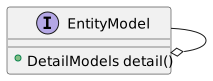
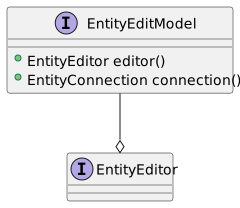
Note
These methods perform the operation on the calling thread. UI code, such as EntityEditPanel, uses tasks() to prepare an operation for background execution, keeping the UI responsive.
##### Custom persistence [EntityPersistence](https://codion.is/doc/0.18.88/api/is.codion.framework.model/is/codion/framework/model/EntityPersistence.html), set via [persistence()](https://codion.is/doc/0.18.88/api/is.codion.framework.model/is/codion/framework/model/EntityEditor.html#persistence()), replaces how the editor performs its insert, update and delete — without changing anything else about it. Here invoice line operations run in a transaction which also updates the totals of the affected invoices, via a database procedure: ``` java private static final class InvoiceLinePersistence implements EntityPersistence { @Override public Collection insert(Collection invoiceLines, EntityConnection connection) { // Use a transaction to update the invoice totals when an invoice line is inserted return transaction(connection, () -> updateTotals(connection.insertSelect(invoiceLines), connection)); } @Override public Collection update(Collection invoiceLines, EntityConnection connection) { // Use a transaction to update the invoice totals when an invoice line is updated return transaction(connection, () -> updateTotals(connection.updateSelect(invoiceLines), connection)); } @Override public void delete(Collection invoiceLines, EntityConnection connection) { // Use a transaction to update the invoice totals when an invoice line is deleted transaction(connection, () -> { connection.delete(primaryKeys(invoiceLines)); updateTotals(invoiceLines, connection); }); } private static Collection updateTotals(Collection invoiceLines, EntityConnection connection) { // Get the IDs of the invoices that need their totals updated Collection invoiceIds = distinct(InvoiceLine.INVOICE_ID, invoiceLines); // Execute the UPDATE_TOTALS procedure connection.execute(Invoice.UPDATE_TOTALS, invoiceIds); return invoiceLines; } } ``` ##### Detail editors An editor can edit related entities alongside its own, via [detail()](https://codion.is/doc/0.18.88/api/is.codion.framework.model/is/codion/framework/model/EntityEditor.html#detail()) and [EditorLink](https://codion.is/doc/0.18.88/api/is.codion.framework.model/is/codion/framework/model/EditorLink.html). A detail editor is populated when the master entity is set, and its entity is inserted, updated or deleted along with the master, in the same transaction. The link’s **present** predicate decides whether the detail entity should exist at all — a detail entity failing the predicate is deleted rather than saved. Here customer preferences are edited alongside the customer: ``` java public final class CustomerEditModel extends SwingEntityEditModel { public CustomerEditModel(EntityConnection connection) { super(Customer.TYPE, connection); editor().comboBoxModels().initialize(Customer.SUPPORTREP_FK); // Set a detail editor, in order to edit customer preferences alongside the customer SwingEntityEditor preferences = new SwingEntityEditor(Preferences.TYPE, connection); preferences.value(Preferences.PREFERRED_GENRE_FK).persist().set(false); preferences.comboBoxModels().initialize(Preferences.PREFERRED_GENRE_FK); editor().detail().add(EditorLink.builder() .editor(preferences) .foreignKey(Preferences.CUSTOMER_FK) .select(customer -> where(Preferences.CUSTOMER_FK.equalTo(customer)) .referenceDepth(Preferences.CUSTOMER_FK, 0) .build()) .present(new PreferencesPresent()) .build()); } private static final class PreferencesPresent implements Predicate { @Override public boolean test(Entity preferences) { // Preferences without both preferred genre and newsletter are deleted return preferences.present(Preferences.PREFERRED_GENRE_FK) || preferences.present(Preferences.NEWSLETTER); } } } ``` The link’s **select** provides the query fetching the detail entity for a given master, which the artist editor below uses to edit a fixed number of tag entities, one link per tag slot: ``` java public final class ArtistEditModel extends SwingEntityEditModel { public static final int TAG_SLOTS = 6; public static final String TAG_PREFIX = "tag"; public ArtistEditModel(EntityConnection connection) { super(Artist.TYPE, connection); TagPresent present = new TagPresent(); for (int i = 0; i < TAG_SLOTS; i++) { editor().detail().add(EditorLink.builder() .editor(new SwingEntityEditor(ArtistTag.TYPE, connection)) .foreignKey(ArtistTag.ARTIST_FK) .select(new TagSelect(i)) .present(present) .name(TAG_PREFIX + i) .caption(String.valueOf(i + 1)) .build()); } } private static final class TagSelect implements DetailSelect { private final int index; private TagSelect(int index) { this.index = index; } @Override public Select get(Entity artist) { return Select.where(ArtistTag.ARTIST_FK.equalTo(artist)) .orderBy(ascending(ArtistTag.TAG)) .referenceDepth(0) .offset(index) .limit(1) .build(); } } private static final class TagPresent implements Predicate { @Override public boolean test(Entity tag) { return tag.present(ArtistTag.TAG); } } } ``` ##### Editor Events [EntityEditor.PersistEvents](https://codion.is/doc/0.18.88/api/is.codion.framework.model/is/codion/framework/model/EntityEditor.PersistEvents.html) available via [EntityEditor.events()](https://codion.is/doc/0.18.88/api/is.codion.framework.model/is/codion/framework/model/EntityEditor.html#events()) provides before and after notifications for insert, update and delete, as well as a general post-persistence notification. ``` java SwingEntityModel invoiceLineModel = new SwingEntityModel(InvoiceLine.TYPE, connection); // Update summary when details change PersistEvents events = invoiceLineModel.editor().events(); events.after().insert().addConsumer(entities -> updateInvoiceTotal()); events.after().update().addConsumer(entities -> updateInvoiceTotal()); events.after().delete().addConsumer(entities -> updateInvoiceTotal()); ``` ##### Application Events [PersistenceEvents](https://codion.is/doc/0.18.88/api/is.codion.framework.model/is/codion/framework/model/PersistenceEvents.html) provides application-wide insert, update and delete notifications for all available entity types. These are what keep the rest of a running application consistent without any wiring: combo box models refresh or reconcile, search model selections receive updated instances, table models react to insert and delete, and foreign key values in other editors are replaced when the entity they reference is updated or deleted elsewhere. Reach for these events when application logic must react to persistence outcomes regardless of **which** editor performed the operation. By default, an EntityEditor posts its persist events to the global **PersistenceEvents** instance, but that can be configured either globally via the [EntityEditor.PUBLISH_PERSISTENCE_EVENTS](https://codion.is/doc/0.18.88/api/is.codion.framework.model/is/codion/framework/model/EntityEditor.html#PUBLISH_PERSISTENCE_EVENTS) configuration value or per instance using [EntityEditor.settings()](https://codion.is/doc/0.18.88/api/is.codion.framework.model/is/codion/framework/model/EntityEditor.html#settings()). #### 1.2.5. EntityTableModel entity table model diagram The [EntityTableModel](https://codion.is/doc/0.18.88/api/is.codion.framework.model/is/codion/framework/model/EntityTableModel.html) provides a table representation of entities: the **items** fetched by its [EntityQueryModel](#_entityquerymodel), a **selection** and an **editModel** for editing them. Every **EntityTableModel** contains an **EntityEditModel** instance — a default one is created automatically unless one is supplied via a constructor argument. ``` java public class CustomerTableModel extends SwingEntityTableModel { public CustomerTableModel(EntityConnection connection) { super(new CustomerEditModel(connection)); } } ``` ``` java public class CustomerAddressTableModel extends SwingEntityTableModel { public CustomerAddressTableModel(EntityConnection connection) { super(CustomerAddress.TYPE, connection); } } ``` ##### Items, selection and query **items().refresh()** populates the table by running the [query model](#_entityquerymodel)'s query — the condition, attributes, order by and limit it is configured with. **selection()** provides the selected items and indexes as observable values, which is what selection-scoped controls bind their enabled state to, and what master models propagate to their detail models. When entities of the table’s type are inserted, updated or deleted anywhere in the application, the table model reacts: updated rows are replaced in place, deleted rows removed, and inserted entities added according to the [onInsert()](https://codion.is/doc/0.18.88/api/is.codion.framework.model/is/codion/framework/model/EntityTableModel.html#onInsert()) strategy — prepended by default, appended, or ignored. ##### Application logic Operations on the selected rows belong in the table model, keeping the UI layer free of business logic. Here a database function raises the price of the selected tracks, and the updated entities are reconciled back into the table with **replace()**: ``` java public final class RaisePriceTask implements ResultTaskHandler> { private final BigDecimal increase; private RaisePriceTask(BigDecimal increase) { this.increase = increase; } @Override public Collection execute() throws Exception { Collection trackIds = Entity.values(Track.ID, selection().items().get()); return connection().execute(Track.RAISE_PRICE, new RaisePriceParameters(trackIds, increase)); } @Override public void onResult(Collection result) { replace(result); } } ``` The task above is a **ResultTaskHandler**, prepared by the model and executed by the UI on a background thread, with the result applied on the UI thread. #### 1.2.6. EntityQueryModel The [EntityQueryModel](https://codion.is/doc/0.18.88/api/is.codion.framework.model/is/codion/framework/model/EntityQueryModel.html) manages how entities are fetched from the database for table models. It provides fine-grained control over query conditions, result limits, ordering, and custom data sources. ##### Overview `EntityQueryModel` acts as the data retrieval engine for `EntityTableModel`, encapsulating: - Query conditions (WHERE and HAVING clauses) - Result limits to prevent excessive data loading - Custom ordering specifications - Attribute selection for optimization - Custom data sources for specialized queries ``` java SwingEntityModel customerModel = new SwingEntityModel(Customer.TYPE, connection); SwingEntityTableModel tableModel = customerModel.tableModel(); EntityQueryModel query = tableModel.query(); // Configure query behavior query.limit().set(200); query.conditionRequired().set(true); query.orderBy().set(OrderBy.ascending(Customer.LASTNAME)); ``` ##### Condition Management ###### Entity Condition Model The primary condition mechanism is the [EntityConditionModel](https://codion.is/doc/0.18.88/api/is.codion.framework.model/is/codion/framework/model/EntityConditionModel.html), which provides a flexible way to build complex queries: ``` java SwingEntityModel customerModel = new SwingEntityModel(Customer.TYPE, connection); EntityConditionModel condition = customerModel.tableModel().query().condition(); // Set condition values condition.get(Customer.EMAIL).set().isNotNull(); condition.get(Customer.COUNTRY).set().equalTo("Iceland"); // The resulting query will include: // WHERE email is not null AND country = 'Iceland' ``` Negative operators and null values In SQL no comparison to null holds, so `commission <> 0` and `state NOT IN ('KA', 'MH')` both exclude the rows without a value, which is rarely what the user typing *not in* into a condition panel expects. The condition model therefore treats a negation as the complement of its positive counterpart: for a nullable column or foreign key, `NOT_EQUAL`, `NOT_IN`, `NOT_BETWEEN` and `NOT_BETWEEN_EXCLUSIVE` also match the rows without a value, `(state NOT IN (?, ?) OR state IS NULL)`, which is also how the same condition behaves when used as a table filter. `NOT_EQUAL` and `NOT_IN` without an operand still mean *is not null*, and the positive operators never match a row without a value. This only applies to the conditions created by the condition model, conditions created via the domain API, `Customer.STATE.notIn("KA", "MH")`, are plain SQL. Set `EntityConditionModel.NEGATION_INCLUDES_NULL` to `false` for SQL semantics, or configure a single condition when building the model, `condition(Customer.STATE, condition → condition.negationIncludesNull(false))`. ###### Additional Conditions Beyond the table condition model, you can add custom WHERE and/or HAVING conditions: ``` java SwingEntityModel customerModel = new SwingEntityModel(Customer.TYPE, connection); AdditionalConditions additional = customerModel.tableModel().query().condition().additional(); // Single additional condition additional.where().set(() -> Customer.COUNTRY.equalTo("Iceland")); // Multiple conditions with custom conjunction additional.where().set(() -> Condition.or( Customer.CITY.equalTo("Reykjavik"), Customer.CITY.equalTo("Akureyri") )); ``` ##### Query Limits Prevent loading excessive data by setting query limits: ``` java SwingEntityModel customerModel = new SwingEntityModel(Customer.TYPE, connection); EntityQueryModel query = customerModel.tableModel().query(); // Set a specific limit query.limit().set(500); // Resets to the default limit specified by the // EntityQueryModel.LIMIT configuration setting, // if one is specified, otherwise clears the // limit and allows fetching of all matching rows query.limit().clear(); // Add a max limit validator query.limit().addValidator(newLimit -> { if (newLimit > 10.000) { throw new IllegalArgumentException("Limit may not exceed 10.000"); } }); // Listen for limit changes query.limit().addConsumer(newLimit -> System.out.println("Query limit changed to: " + newLimit)); ``` ##### Result Ordering Specify how results should be ordered: ``` java SwingEntityModel invoiceModel = new SwingEntityModel(Invoice.TYPE, connection); EntityQueryModel query = invoiceModel.tableModel().query(); // Single column ordering query.orderBy().set(OrderBy.descending(Invoice.DATE)); // Multiple columns query.orderBy().set(OrderBy.builder() .ascending(Invoice.BILLINGCOUNTRY) .descending(Invoice.DATE) .build() ); ``` ##### Custom Data Sources For complex queries that can’t be expressed through conditions, provide a custom data source: ``` java SwingEntityModel customerModel = new SwingEntityModel(Customer.TYPE, connection); customerModel.tableModel().query().dataSource().set(query -> { // Custom query with complex joins or database-specific features return query.connection().select(Select.where(customComplexCondition()) .attributes(Customer.ADDRESS, Customer.CITY, Customer.COUNTRY)); }); ``` ##### Condition Required Prevent accidental full table scans: ``` java SwingEntityModel customerModel = new SwingEntityModel(Customer.TYPE, connection); EntityQueryModel query = customerModel.tableModel().query(); // Require at least one condition query.conditionRequired().set(true); // Specify that a certain condition must be enabled query.conditionEnabled().set(query.condition().get(Customer.SUPPORTREP_FK).enabled()); ``` ##### Attribute Management Optimize queries by selecting only needed attributes: ``` java SwingEntityModel albumModel = new SwingEntityModel(Album.TYPE, connection); EntityQueryModel query = albumModel.tableModel().query(); // Exclude large columns by default query.attributes().excluded().add(Album.COVER); // Include them only when needed State detailView = State.state(); detailView.addConsumer(showDetails -> { if (showDetails) { query.attributes().excluded().remove(Album.COVER); } else { query.attributes().excluded().add(Album.COVER); } }); ``` #### 1.2.7. EntitySearchModel The [EntitySearchModel](https://codion.is/doc/0.18.88/api/is.codion.framework.model/is/codion/framework/model/EntitySearchModel.html) is the model component underlying the [EntitySearchField](https://codion.is/doc/0.18.88/api/is.codion.swing.framework.ui/is/codion/swing/framework/ui/component/EntitySearchField.html) UI component. It provides entity search functionality with support for multi-column text searching and entity selection. ##### Overview `EntitySearchModel` provides: - Multi-column text searching with configurable wildcards - Result limiting to prevent excessive data retrieval - Case-sensitive or insensitive search options - The model component for `EntitySearchField` UI component - Automatic updates when entities are modified Basic search model ``` java EntitySearchModel searchModel = EntitySearchModel.builder() .entityType(Customer.TYPE) .connection(connection) .search(Customer.FIRSTNAME, Customer.LASTNAME, Customer.EMAIL) .limit(50) .build(); // Add a base condition searchModel.condition().set(Customer.EMAIL::isNotNull); // Get search result List result = searchModel.search().perform(); ``` ##### Search Configuration ###### Search Settings Configure search behavior per column: Search settings configuration ``` java EntitySearchModel searchModel = EntitySearchModel.builder() .entityType(Customer.TYPE) .connection(connection) .search(Customer.FIRSTNAME, Customer.LASTNAME) .build(); // Get settings for a specific column EntitySearchModel.Settings settings = searchModel.settings().get(Customer.LASTNAME); // Add wildcards automatically settings.wildcardPrefix().set(true); // Adds % before search text settings.wildcardPostfix().set(true); // Adds % after search text // Replace spaces with wildcards settings.spaceAsWildcard().set(true); // "john smith" → "john%smith" // Case sensitivity settings.caseSensitive().set(false); // Case-insensitive search ``` ###### Wildcard Strategies The search model supports different wildcard configurations: - **Prefix search** (autocomplete style): `wildcardPrefix().set(false)`, `wildcardPostfix().set(true)` - "joh" → "joh%" - **Contains search**: `wildcardPrefix().set(true)`, `wildcardPostfix().set(true)` - "ohn" → "%ohn%" - **Exact search**: `wildcardPrefix().set(false)`, `wildcardPostfix().set(false)` - "john" → "john" - **Multi-word search**: `spaceAsWildcard().set(true)` - "john reyk" → "%john%reyk%" ##### Selection Management The search model holds a single selected entity. To collect several, a UI component wraps the search field in a multi-value input, which keeps the collected entities itself. Search model selection ``` java EntitySearchModel searchModel = EntitySearchModel.builder() .entityType(Album.TYPE) .connection(connection) .search(Album.TITLE) .build(); // Set selection programmatically Entity album = getAlbum(connection); searchModel.selection().entity().set(album); // React to selection changes searchModel.selection().entity().addConsumer(selectedAlbum -> { if (selectedAlbum != null) { displayAlbumDetails(selectedAlbum); } }); // Clear selection searchModel.selection().clear(); ``` ##### Configuration Properties | Configuration value | Default | Description | |--------------------------------------------------------------------------------------------------------------------------------------------|---------|-----------------------------------------------------------------------------------------------------------------------------------| | [EntitySearchModel.PERSISTENCE_AWARE](https://codion.is/doc/0.18.88/api/is.codion.framework.model/is/codion/framework/model/EntitySearchModel.html#PERSISTENCE_AWARE) | true | Whether search models react to entity persistence events, replacing the selected entity when updated and clearing it when deleted | | [EntitySearchModel.DEFAULT_LIMIT](https://codion.is/doc/0.18.88/api/is.codion.framework.model/is/codion/framework/model/EntitySearchModel.html#DEFAULT_LIMIT) | none | The default search result limit | | [EntitySearchModel.WILDCARD_PREFIX](https://codion.is/doc/0.18.88/api/is.codion.framework.model/is/codion/framework/model/EntitySearchModel.html#WILDCARD_PREFIX) | true | Whether a wildcard is prepended to the search string by default | | [EntitySearchModel.WILDCARD_POSTFIX](https://codion.is/doc/0.18.88/api/is.codion.framework.model/is/codion/framework/model/EntitySearchModel.html#WILDCARD_POSTFIX) | true | Whether a wildcard is appended to the search string by default | | [EntitySearchModel.SPACE_AS_WILDCARD](https://codion.is/doc/0.18.88/api/is.codion.framework.model/is/codion/framework/model/EntitySearchModel.html#SPACE_AS_WILDCARD) | true | Whether spaces in the search string are replaced with wildcards by default | | [EntitySearchModel.CASE_SENSITIVE](https://codion.is/doc/0.18.88/api/is.codion.framework.model/is/codion/framework/model/EntitySearchModel.html#CASE_SENSITIVE) | false | Whether searching is case-sensitive by default | Table 1. EntitySearchModel Configuration #### 1.2.8. Model Linking Model linking provides the mechanism for establishing master-detail relationships between entity models. The framework automatically synchronizes detail models based on master model selection and data changes. ##### Overview The [ModelLink](https://codion.is/doc/0.18.88/api/is.codion.framework.model/is/codion/framework/model/ModelLink.html) API enables automatic detail model filtering based on master selection and propagation of data changes. ``` java // Invoice -> InvoiceLines SwingEntityModel invoiceModel = new SwingEntityModel(Invoice.TYPE, connection); SwingEntityModel invoiceLineModel = new SwingEntityModel(InvoiceLine.TYPE, connection); invoiceModel.detail().add(invoiceLineModel); // Configure detail model for optimal performance invoiceLineModel.tableModel().query().conditionRequired().set(true); // Don't load all lines invoiceLineModel.tableModel().query().limit().set(1000); // Reasonable limit ``` ##### Building Custom Links Create links with specific behavior: ``` java SwingEntityModel customerModel = new SwingEntityModel(Customer.TYPE, connection); SwingEntityModel invoiceModel = new SwingEntityModel(Invoice.TYPE, connection); ModelLink customLink = ForeignKeyModelLink.builder() .model(invoiceModel) .foreignKey(Invoice.CUSTOMER_FK) .active(true) .onSelection(selectedCustomers -> { // Custom selection logic if (selectedCustomers.size() > 1) { // Handle multi-selection differently invoiceModel.tableModel().query().condition().clear(); invoiceModel.tableModel().query().condition().additional().where().set(() -> Invoice.CUSTOMER_FK.in(selectedCustomers) ); } }) .build(); customerModel.detail().add(customLink); ``` ##### Automatic Foreign Key Management The [ForeignKeyModelLink](https://codion.is/doc/0.18.88/api/is.codion.framework.model/is/codion/framework/model/ForeignKeyModelLink.html) specializes `ModelLink` for foreign key relationships: ``` java SwingEntityModel customerModel = new SwingEntityModel(Customer.TYPE, connection); SwingEntityModel invoiceModel = new SwingEntityModel(Invoice.TYPE, connection); // ForeignKeyModelLink is created automatically when foreign key is detected customerModel.detail().add(invoiceModel); // Or configure explicitly customerModel.detail().add(ForeignKeyModelLink.builder() .model(invoiceModel) .foreignKey(Invoice.CUSTOMER_FK) // Clear foreign key value when master has no selection .clearValueOnEmptySelection(true) // Set foreign key value automatically on insert .setValueOnInsert(true) // Control when to refresh detail data .refreshOnSelection(true) // Set search condition based on master insert .setConditionOnInsert(true) .build()); ``` ##### Simple One-to-Many Classic master-detail relationship: ``` java // Invoice -> InvoiceLines SwingEntityModel invoiceModel = new SwingEntityModel(Invoice.TYPE, connection); SwingEntityModel invoiceLineModel = new SwingEntityModel(InvoiceLine.TYPE, connection); invoiceModel.detail().add(invoiceLineModel); // Configure detail model for optimal performance invoiceLineModel.tableModel().query().conditionRequired().set(true); // Don't load all lines invoiceLineModel.tableModel().query().limit().set(1000); // Reasonable limit ``` ##### Multi-Level Hierarchy Deep master-detail chains: ``` java // Customer -> Invoice -> InvoiceLine SwingEntityModel customerModel = new SwingEntityModel(Customer.TYPE, connection); SwingEntityModel invoiceModel = new SwingEntityModel(Invoice.TYPE, connection); SwingEntityModel invoiceLineModel = new SwingEntityModel(InvoiceLine.TYPE, connection); // Build hierarchy customerModel.detail().add(invoiceModel); invoiceModel.detail().add(invoiceLineModel); // Configure each level invoiceModel.tableModel().query().conditionRequired().set(true); invoiceLineModel.tableModel().query().conditionRequired().set(true); // Selection cascades down the hierarchy automatically Entity customer = getCustomer(connection); customerModel.tableModel().selection().item().set(customer); // Invoices for customer are loaded // When an invoice is selected, its lines are loaded invoiceModel.tableModel().selection().indexes().increment();// selects first ``` #### 1.2.9. EntityApplicationModel entity application model diagram The **EntityApplicationModel** class serves as the base for the application. Its main purpose is to hold references to the root EntityModel instances used by the application. When extending this class you must provide a constructor with a single **EntityConnection** parameter, as seen below. ``` java public class StoreApplicationModel extends SwingEntityApplicationModel { public StoreApplicationModel(EntityConnection connection) { super(connection, List.of(createCustomerModel(connection))); } private static SwingEntityModel createCustomerModel(EntityConnection connection) { CustomerModel customerModel = new CustomerModel(connection); CustomerAddressModel customerAddressModel = new CustomerAddressModel(connection); customerModel.detail().add(customerAddressModel); //populate the model with rows from the database customerModel.tableModel().items().refresh(); return customerModel; } } ``` #### 1.2.10. Application load testing The application load testing harness is used to see how your application, server and database handle multiple concurrent users. This is done by using the [LoadTestModel](https://codion.is/doc/0.18.88/api/is.codion.tools.loadtest.model/is/codion/tools/loadtest/model/LoadTestModel.html) and [LoadTestPanel](https://codion.is/doc/0.18.88/api/is.codion.tools.loadtest.ui/is/codion/tools/loadtest/ui/LoadTestPanel.html) classes as shown below. ``` java public class StoreLoadTest { private static final class StoreApplicationModelFactory implements Function { @Override public StoreApplicationModel apply(User user) { EntityConnection connection = RemoteEntityConnection.builder() .user(user) .domain(Store.DOMAIN) .build(); return new StoreApplicationModel(connection); } } private static class StoreScenarioPerformer implements Performer { private static final Random RANDOM = new Random(); @Override public void perform(StoreApplicationModel application) { SwingEntityModel customerModel = application.models().get(Customer.TYPE); customerModel.tableModel().items().refresh(); selectRandomRow(customerModel.tableModel()); } private static void selectRandomRow(SwingEntityTableModel tableModel) { if (tableModel.items().included().size() > 0) { tableModel.selection().index().set(RANDOM.nextInt(tableModel.items().included().size())); } } } public static void main(String[] args) { LoadTest loadTest = LoadTest.builder() .createApplication(new StoreApplicationModelFactory()) .closeApplication(application -> application.connection().close()) .user(User.parse("scott:tiger")) .scenarios(List.of(scenario(new StoreScenarioPerformer()))) .name("Store LoadTest - " + EntityConnection.CLIENT_CONNECTION_TYPE.get()) .build(); loadTestPanel(loadTestModel(loadTest)).run(); } } ``` ##### Examples - [Employees application load test](https://codion.is/doc/0.18.88/tutorials/employees/employees.html#_load_test) - [Chinook application load test](https://codion.is/doc/0.18.88/tutorials/chinook/chinook.html#_load_test) - [Petstore application load test](https://codion.is/doc/0.18.88/tutorials/petstore/petstore.html#_load_test) ### 1.3. Framework UI #### 1.3.1. EntityPanel entity panel diagram The [EntityPanel](https://codion.is/doc/0.18.88/api/is.codion.swing.framework.ui/is/codion/swing/framework/ui/EntityPanel.html) is the base UI class for working with entity instances. It usually consists of an [EntityTablePanel](https://codion.is/doc/0.18.88/api/is.codion.swing.framework.ui/is/codion/swing/framework/ui/EntityTablePanel.html), an [EntityEditPanel](https://codion.is/doc/0.18.88/api/is.codion.swing.framework.ui/is/codion/swing/framework/ui/EntityEditPanel.html), and a set of detail panels representing the entities having a master/detail relationship with the underlying entity. ##### Basics You can either extend the EntityPanel class or instantiate one directly, depending on your needs. ``` java public class AddressPanel extends EntityPanel { public AddressPanel(SwingEntityModel addressModel) { super(addressModel, new AddressEditPanel(addressModel.editModel())); } } ``` ``` java SwingEntityModel addressModel = new SwingEntityModel(Address.TYPE, connection); EntityPanel addressPanel = new EntityPanel(addressModel, new AddressEditPanel(addressModel.editModel())); ``` ##### Detail panels Adding a detail panel is done with a single method call, but note that the underlying EntityModel must contain the corresponding detail model, see [detail models](#_detail_models). The detail panel hierarchy typically mirrors the model hierarchy — here the customer panel adds an invoice panel, whose model is the customer model’s detail model: ``` java public final class CustomerPanel extends EntityPanel { public CustomerPanel(CustomerModel customerModel) { super(customerModel, new CustomerEditPanel(customerModel.editModel()), new CustomerTablePanel(customerModel.tableModel())); detail().add(new InvoicePanel(customerModel.detail().get(Invoice.TYPE))); } } ``` A detail panel is just an **EntityPanel** — extended or instantiated directly: ``` java public final class AlbumPanel extends EntityPanel { public AlbumPanel(AlbumModel albumModel) { super(albumModel, new AlbumEditPanel(albumModel.editModel()), new AlbumTablePanel(albumModel.tableModel())); SwingEntityModel trackModel = albumModel.detail().get(Track.TYPE); EntityPanel trackPanel = new EntityPanel(trackModel, new TrackEditPanel((TrackEditModel) trackModel.editModel(), trackModel.tableModel().selection()), new TrackTablePanel((TrackTableModel) trackModel.tableModel())); detail().add(trackPanel); } } ``` ###### Detail panel layout By default, detail panels are laid out by a [TabbedDetailLayout](https://codion.is/doc/0.18.88/api/is.codion.swing.framework.ui/is/codion/swing/framework/ui/TabbedDetailLayout.html): the master panel and its detail panels share a split pane, with the detail panels in a tabbed pane on the right. A detail panel can be expanded, collapsed or torn out into a separate window, with both the mouse and the keyboard (see [navigation](#_entity_panel_navigation) below). The layout is configurable per panel — the invoice panel below opts out entirely, since its invoice line panel is embedded in the edit panel itself, while still registering the panel for keyboard navigation: ``` java public final class InvoicePanel extends EntityPanel { public InvoicePanel(SwingEntityModel invoiceModel) { super(invoiceModel, new InvoiceEditPanel(invoiceModel.editModel(), invoiceModel.detail().get(InvoiceLine.TYPE)), new InvoiceTablePanel(invoiceModel.tableModel()), // The InvoiceLine panel is embedded in InvoiceEditPanel, // so this panel doesn't need a detail panel layout. config -> config.detailLayout(DetailLayout.NONE)); InvoiceEditPanel editPanel = (InvoiceEditPanel) editPanel(); // We still add the InvoiceLine panel as a detail panel for keyboard navigation detail().add(editPanel.invoiceLinePanel()); } } ``` ##### Edit panel state The edit panel can be **embedded** (the default, above the table), displayed in a separate **window**, or **hidden**, toggled via the toolbar or CTRL-ALT-E. The available states — and whether the toggle uses a frame or a dialog — are configurable via the panel’s **Config**. ##### Navigation and resizing Entity panels form a keyboard-navigable hierarchy: CTRL-ALT-UP/DOWN moves between master and detail panels, CTRL-ALT-LEFT/RIGHT between sibling panels — with focus following, so the active panel is always the one under the keyboard. SHIFT-ALT-LEFT/RIGHT resizes a master/detail split, and CTRL-SHIFT-ALT-LEFT/RIGHT expands or collapses it. Within a panel, CTRL-E transfers focus to the edit panel, CTRL-T to the table, CTRL-I to the initial input field, CTRL-F to the table search field. The complete, current shortcut reference is available in any running application via the **Help** menu (**Keyboard shortcuts**). #### 1.3.2. EntityEditPanel The [EntityEditPanel](https://codion.is/doc/0.18.88/api/is.codion.swing.framework.ui/is/codion/swing/framework/ui/EntityEditPanel.html) manages the input components (text fields, combo boxes and such) for editing an entity instance. When extending an **EntityEditPanel** you must implement the **initializeUI()** method, which initializes the edit panel UI. The **EntityEditPanel** class exposes methods for creating input components and linking them to the underlying [EntityEditModel](https://codion.is/doc/0.18.88/api/is.codion.framework.model/is/codion/framework/model/EntityEditModel.html) instance. ``` java public class CustomerEditPanel extends EntityEditPanel { public CustomerEditPanel(SwingEntityEditModel editModel) { super(editModel); } @Override protected void initializeUI() { //methods creating an input field also create a label by default, //which is accessible via component(Customer.FIRST_NAME).label() create().textField(Customer.FIRST_NAME); create().textField(Customer.LAST_NAME); create().textField(Customer.EMAIL); create().checkBox(Customer.ACTIVE); setLayout(gridLayout(4, 1)); //the addInputPanel method creates and adds a panel containing the //component associated with the attribute as well as a JLabel with the //property caption as defined in the domain model addInputPanel(Customer.FIRST_NAME); addInputPanel(Customer.LAST_NAME); addInputPanel(Customer.EMAIL); addInputPanel(Customer.ACTIVE); } } ``` ``` java public class AddressEditPanel extends EntityEditPanel { public AddressEditPanel(SwingEntityEditModel editModel) { super(editModel); } @Override protected void initializeUI() { create().textField(Address.STREET) .columns(25); create().textField(Address.CITY) .columns(25); create().checkBox(Address.VALID); setLayout(gridLayout(3, 1)); addInputPanel(Address.STREET); addInputPanel(Address.CITY); addInputPanel(Address.VALID); } } ``` ``` java public class CustomerAddressEditPanel extends EntityEditPanel { public CustomerAddressEditPanel(SwingEntityEditModel editModel) { super(editModel); } @Override protected void initializeUI() { create().comboBoxInput(CustomerAddress.ADDRESS_FK, this::createAddressEditPanel) .preferredWidth(280) .includeAddButton(true); setLayout(borderLayout()); addInputPanel(CustomerAddress.ADDRESS_FK); } private AddressEditPanel createAddressEditPanel() { return new AddressEditPanel(new SwingEntityEditModel(Address.TYPE, model().connection())); } } ``` ##### Detailed example Here’s how a text field is created and added to the edit panel. ``` java create().textField(Customer.FIRST_NAME) .columns(12); setLayout(gridLayout(1, 1)); addInputPanel(Customer.FIRST_NAME); ``` And here’s the equivilent code, showing what’s going on behind the scenes. ``` java ColumnDefinition firstNameDefinition = model().entityDefinition().columns().definition(Customer.FIRST_NAME); //create the text field JTextField firstNameField = new JTextField(); firstNameField.setColumns(12); firstNameDefinition.description() .ifPresent(firstNameField::setToolTipText); //associate the text field with the first name attribute component(Customer.FIRST_NAME).set(firstNameField); //wrap the text field in a ComponentValue ComponentValue firstNameFieldValue = new AbstractTextComponentValue(firstNameField) { @Override protected String getComponentValue() { return component().getText(); } @Override protected void setComponentValue(String text) { component().setText(text); } }; //link the component value to the attribute value in the editor firstNameFieldValue.link(editor().value(Customer.FIRST_NAME)); //create the first name label JLabel firstNameLabel = new JLabel(firstNameDefinition.caption()); //associate the label with the text field firstNameLabel.setLabelFor(firstNameField); //create an input panel, with the label and text field JPanel firstNamePanel = new JPanel(borderLayout()); firstNamePanel.add(firstNameLabel, BorderLayout.NORTH); firstNamePanel.add(firstNameField, BorderLayout.CENTER); setLayout(gridLayout(1, 1)); add(firstNamePanel); ``` ##### Input controls ###### Boolean [booleanComboBox(attribute)](https://codion.is/doc/0.18.88/api/is.codion.swing.framework.ui/is/codion/swing/framework/ui/EditorComponents.ComponentFactory.html#booleanComboBox(is.codion.framework.domain.entity.attribute.Attribute)) [checkBox(attribute)](https://codion.is/doc/0.18.88/api/is.codion.swing.framework.ui/is/codion/swing/framework/ui/EditorComponents.ComponentFactory.html#checkBox(is.codion.framework.domain.entity.attribute.Attribute)) ``` java JCheckBox checkBox = create() .checkBox(Demo.BOOLEAN) .build(); NullableCheckBox nullableCheckBox = create() .nullableCheckBox(Demo.BOOLEAN_NULLABLE) .build(); JComboBox> comboBox = create() .booleanComboBox(Demo.BOOLEAN_NULLABLE) .build(); ``` ###### Foreign key [comboBox(foreignKey)](https://codion.is/doc/0.18.88/api/is.codion.swing.framework.ui/is/codion/swing/framework/ui/EditorComponents.ComponentFactory.html#comboBox(is.codion.framework.domain.entity.attribute.ForeignKey)) [searchField(foreignKey)](https://codion.is/doc/0.18.88/api/is.codion.swing.framework.ui/is/codion/swing/framework/ui/EditorComponents.ComponentFactory.html#searchField(is.codion.framework.domain.entity.attribute.ForeignKey)) [textField(foreignKey)](https://codion.is/doc/0.18.88/api/is.codion.swing.framework.ui/is/codion/swing/framework/ui/EditorComponents.ComponentFactory.html#textField(is.codion.framework.domain.entity.attribute.ForeignKey)) [label(foreignKey)](https://codion.is/doc/0.18.88/api/is.codion.swing.framework.ui/is/codion/swing/framework/ui/EditorComponents.ComponentFactory.html#label(is.codion.framework.domain.entity.attribute.Attribute)) ``` java EntityComboBox comboBox = create() .comboBox(Demo.FOREIGN_KEY) .build(); // Include add/edit buttons EntityComboBoxInput comboBoxInput = create() .comboBoxInput(Demo.FOREIGN_KEY, this::createEditPanel) .includeAddButton(true) .includeEditButton(true) .build(); EntitySearchField searchField = create() .searchField(Demo.FOREIGN_KEY) .build(); // Include add/edit buttons EntitySearchInput searchFieldInput = create() .searchFieldInput(Demo.FOREIGN_KEY, this::createEditPanel) .includeAddButton(true) .includeEditButton(true) .build(); //readOnly JTextField textField = create() .textField(Demo.FOREIGN_KEY) .build(); ``` ###### Temporal [temporalFieldInput(attribute)](https://codion.is/doc/0.18.88/api/is.codion.swing.framework.ui/is/codion/swing/framework/ui/EditorComponents.ComponentFactory.html#temporalFieldInput(is.codion.framework.domain.entity.attribute.Attribute)) [temporalField(attribute)](https://codion.is/doc/0.18.88/api/is.codion.swing.framework.ui/is/codion/swing/framework/ui/EditorComponents.ComponentFactory.html#temporalField(is.codion.framework.domain.entity.attribute.Attribute)) ``` java TemporalField textField = (TemporalField) create() .textField(Demo.LOCAL_DATE) .build(); TemporalField localDateField = create() .temporalField(Demo.LOCAL_DATE) .build(); TemporalInput temporalInput = create() .temporalInput(Demo.LOCAL_DATE) .build(); ``` ###### Numerical ``` java NumberField integerField = (NumberField) create() .textField(Demo.INTEGER) .build(); integerField = create() .integerField(Demo.INTEGER) .build(); NumberField longField = (NumberField) create() .textField(Demo.LONG) .build(); longField = create() .longField(Demo.LONG) .build(); NumberField doubleField = (NumberField) create() .textField(Demo.DOUBLE) .build(); doubleField = create() .doubleField(Demo.DOUBLE) .build(); NumberField bigDecimalField = (NumberField) create() .textField(Demo.BIG_DECIMAL) .build(); bigDecimalField = create() .bigDecimalField(Demo.BIG_DECIMAL) .build(); NumberField bigIntegerField = (NumberField) create() .textField(Demo.BIG_DECIMAL) .build(); bigIntegerField = create() .bigIntegerField(Demo.BIG_INTEGER) .build(); ``` ###### Text [textField(attribute)](https://codion.is/doc/0.18.88/api/is.codion.swing.framework.ui/is/codion/swing/framework/ui/EditorComponents.ComponentFactory.html#textField(is.codion.framework.domain.entity.attribute.Attribute)) [maskedTextField(attribute)](https://codion.is/doc/0.18.88/api/is.codion.swing.framework.ui/is/codion/swing/framework/ui/EditorComponents.ComponentFactory.html#maskedTextField(is.codion.framework.domain.entity.attribute.Attribute)) [textArea(attribute)](https://codion.is/doc/0.18.88/api/is.codion.swing.framework.ui/is/codion/swing/framework/ui/EditorComponents.ComponentFactory.html#textArea(is.codion.framework.domain.entity.attribute.Attribute)) [textInput(attribute)](https://codion.is/doc/0.18.88/api/is.codion.swing.framework.ui/is/codion/swing/framework/ui/EditorComponents.ComponentFactory.html#textInput(is.codion.framework.domain.entity.attribute.Attribute)) Text fields, search fields, text inputs and temporal inputs are created with a default number of columns, 12 unless configured, so that an empty field has a reasonable width instead of growing with its contents and distorting the form it occupies. The columns do not restrict the field from stretching when the layout calls for it. The default is specified for the application via [EditorComponents.TEXT_FIELD_COLUMNS](https://codion.is/doc/0.18.88/api/is.codion.swing.framework.ui/is/codion/swing/framework/ui/EditorComponents.html#TEXT_FIELD_COLUMNS), for a panel via [components().defaults().textFieldColumns()](https://codion.is/doc/0.18.88/api/is.codion.swing.framework.ui/is/codion/swing/framework/ui/EditorComponents.ComponentDefaults.html#textFieldColumns()), and for a single field via **columns(int)** on the builder. Masked text fields are excluded, since the mask determines their width. Setting the default to 0 disables it, for the application or for a panel, in case the fields should size to their contents. ``` java JTextField textField = create() .textField(Demo.TEXT) .build(); JFormattedTextField maskedField = create() .maskedTextField(Demo.FORMATTED_TEXT) .mask("###:###") .valueContainsLiteralCharacters(true) .build(); JTextArea textArea = create() .textArea(Demo.LONG_TEXT) .rowsColumns(5, 20) .build(); TextInput textInput = create() .textInput(Demo.LONG_TEXT) .build(); ``` ###### Selection [comboBox(attribute)](https://codion.is/doc/0.18.88/api/is.codion.swing.framework.ui/is/codion/swing/framework/ui/EditorComponents.ComponentFactory.html#comboBox(is.codion.framework.domain.entity.attribute.Attribute,javax.swing.ComboBoxModel)) ``` java DefaultComboBoxModel comboBoxModel = new DefaultComboBoxModel<>(new String[] {"One", "Two"}); JComboBox comboBox = create() .comboBox(Demo.TEXT, comboBoxModel) .editable(true) .build(); ``` ###### Items [itemComboBox(attribute)](https://codion.is/doc/0.18.88/api/is.codion.swing.framework.ui/is/codion/swing/framework/ui/EditorComponents.ComponentFactory.html#itemComboBox(is.codion.framework.domain.entity.attribute.Attribute)) ``` java JComboBox> comboBox = create() .itemComboBox(Demo.ITEM_LIST) .build(); ``` ##### Panels & labels [label(attribute)](https://codion.is/doc/0.18.88/api/is.codion.swing.framework.ui/is/codion/swing/framework/ui/EditorComponents.ComponentFactory.html#label(is.codion.framework.domain.entity.attribute.Attribute)) [inputPanel(attribute)](https://codion.is/doc/0.18.88/api/is.codion.swing.framework.ui/is/codion/swing/framework/ui/EditorComponents.ComponentFactory.html#inputPanel(is.codion.framework.domain.entity.attribute.Attribute)) ``` java JLabel label = create() .label(Demo.TEXT) .build(); JPanel inputPanel = create() .inputPanel(Demo.TEXT) .label(new JLabel("Label")) .build(); ``` [form(attributes)](https://codion.is/doc/0.18.88/api/is.codion.swing.framework.ui/is/codion/swing/framework/ui/EditorComponents.ComponentFactory.html#form(is.codion.framework.domain.entity.attribute.Attribute…​)) A form lays out the components in the horizontal style, the label beside its input, with **columns(int)** label/input pairs per row and a component added via **span(component)** occupying a row of its own. The label column of each pair column is as wide as its widest label, the input columns absorb the horizontal slack and a label aligns with the baseline of its input, or with its top in case the input has none. ``` java JPanel form = create() .form() .add(Demo.TEXT, Demo.INTEGER, Demo.LOCAL_DATE, Demo.BOOLEAN) .columns(2) // label/input pairs per row .labelAlignment(TRAILING) .build(); ``` ##### Advanced Patterns ###### Configuration Options EntityEditPanel supports configuration via a lambda in the constructor: ``` java class InvoiceEditPanel extends EntityEditPanel { public InvoiceEditPanel(SwingEntityEditModel editModel) { super(editModel, config -> // Keep displaying newly inserted invoice since we'll continue // working with it by adding invoice lines config.clearAfterInsert(false)); } @Override protected void initializeUI() { // UI setup } } ``` ###### Focus Management Configure the focus behaviour: ``` java class CustomerEditPanel extends EntityEditPanel { public CustomerEditPanel(SwingEntityEditModel editModel) { super(editModel); } @Override protected void initializeUI() { focus().initial().set(Customer.FIRSTNAME); focus().afterInsert().set(Customer.ADDRESS); // Create your input components... } } ``` ###### Inline Edit Panels with ComboBoxPanel Create combo boxes with inline add/edit capabilities: ``` java class TrackEditPanel extends EntityEditPanel { public TrackEditPanel(SwingEntityEditModel editModel) { super(editModel); } @Override protected void initializeUI() { create().comboBoxInput(Track.MEDIATYPE_FK, this::createMediaTypeEditPanel) .preferredWidth(160) .includeAddButton(true) .includeEditButton(true); create().searchFieldInput(Track.MEDIATYPE_FK, this::createMediaTypeEditPanel) .preferredWidth(160) .includeAddButton(true) .includeEditButton(true); } private EntityEditPanel createMediaTypeEditPanel() { return new MediaTypeEditPanel(new SwingEntityEditModel(MediaType.TYPE, model().connection())); } } ``` ###### Custom Component Integration Using custom components: ``` java class TrackEditPanel extends EntityEditPanel { public TrackEditPanel(SwingEntityEditModel editModel) { super(editModel); } @Override protected void initializeUI() { // Create a custom component and set it as the attribute // component, it is automatically linked to the editor value component(Track.MILLISECONDS).set(new DurationComponentValue()); } } ``` ###### Keyboard Shortcuts and Actions Add custom keyboard shortcuts for enhanced productivity: ``` java class CustomerEditPanel extends EntityEditPanel { public CustomerEditPanel(SwingEntityEditModel editModel) { super(editModel); } @Override protected void initializeUI() { create().textField(Customer.STATE) .keyEvent(KeyEvents.builder() .keyCode(VK_SPACE) .modifiers(MENU_SHORTCUT_MASK) .action(Control.action(this::selectStateFromExistingValues))); } private void selectStateFromExistingValues(ActionEvent event) { JTextField stateField = (JTextField) event.getSource(); Dialogs.select() .list(model().connection().select(Customer.STATE)) .owner(stateField) .select() .single() .ifPresent(stateField::setText); } } ``` ###### Detail Panel Integration EntityEditPanel can include detail panels for master-detail relationships: ``` java class InvoiceEditPanel extends EntityEditPanel { private final EntityPanel invoiceLinePanel; public InvoiceEditPanel(SwingEntityEditModel editModel, SwingEntityModel invoiceLineModel) { super(editModel, config -> config.clearAfterInsert(false)); this.invoiceLinePanel = createInvoiceLinePanel(invoiceLineModel); } @Override protected void initializeUI() { // Initialize main edit controls... // Add detail panel add(invoiceLinePanel, BorderLayout.SOUTH); } private EntityPanel createInvoiceLinePanel(SwingEntityModel invoiceLineModel) { // Create and return invoice line panel return new EntityPanel(invoiceLineModel); } } ``` ##### Custom actions The action mechanism used throughout the Codion framework is based on the [Control](https://codion.is/doc/0.18.88/api/is.codion.swing.common.ui/is/codion/swing/common/ui/control/Control.html) class and its subclasses and the [Controls](https://codion.is/doc/0.18.88/api/is.codion.swing.common.ui/is/codion/swing/common/ui/control/Controls.html) class which represents a collection of controls. ##### Query Inspector An **Editor Inspector** can be enabled globally via the [EntityEditPanel.Config.INCLUDE_INSPECTOR](https://codion.is/doc/0.18.88/api/is.codion.swing.framework.ui/is/codion/swing/framework/ui/EntityEditPanel.Config.html#INCLUDE_INSPECTOR) configuration value or for a single panel via the panel configuration. The inspector displays the editor state — values, modified/valid flags, validation messages — along with the INSERT and UPDATE queries the current state would produce, dynamically updated. See [Development tools](#_development_tools). ``` java EntityEditPanel.Config.INCLUDE_INSPECTOR.set(true); ``` The inspector can be opened using the CTRL-ALT-R keyboard shortcut, when the edit panel is focused. #### 1.3.3. EntityTablePanel The [EntityTablePanel](https://codion.is/doc/0.18.88/api/is.codion.swing.framework.ui/is/codion/swing/framework/ui/EntityTablePanel.html) provides a table view of entities: a searchable, filterable, sortable grid with a toolbar, a popup menu, in-table editing, a summary panel and a status bar — all driven by an underlying [EntityTableModel](#_entitytablemodel). ##### Configuration Each panel is configured via a [Config](https://codion.is/doc/0.18.88/api/is.codion.swing.framework.ui/is/codion/swing/framework/ui/EntityTablePanel.Config.html) instance, supplied to the constructor. Most configuration values also exist as system properties, configuring the default for all table panels in an application — **Config.INCLUDE_FILTERS**, **Config.INCLUDE_EXPORT** and company — with the per-panel configuration overriding the default. ``` java public InvoiceTablePanel(SwingEntityTableModel tableModel) { super(tableModel, config -> config // The TOTAL column is updated automatically when invoice lines are updated, // see InvoiceLineEditModel, so we don't want it to be editable via the popup menu. .editable(attributes -> attributes.remove(Invoice.TOTAL)) // The factory providing our custom condition panel. .conditionPanel(new InvoiceConditionPanelFactory(tableModel)) // Start with the SIMPLE condition panel view. .conditionView(SIMPLE)); } ``` ##### Editing The table supports editing the selected rows directly, in two ways: - **Edit value** — the **Edit** popup menu (and SHIFT-INSERT) edits a single attribute for all selected rows, in a dialog. Which attributes are editable this way is controlled via **Config.editable()**, and **Config.editComponent()** provides a custom input component for a given attribute. - **In-cell editing** — standard table cell editing, using components provided by **Config.cellEditor()**. The track panel below configures both, along with custom cell renderers, and starts cell editing on INSERT rather than on typing: ``` java public TrackTablePanel(TrackTableModel tableModel) { super(tableModel, config -> config // Custom component for editing track ratings .editComponent(Track.RATING, new RatingEditComponent()) // Custom component for editing track durations .editComponent(Track.MILLISECONDS, new DurationEditComponent()) // Custom cell renderer for ratings .cellRenderer(Track.RATING, TrackTablePanel::ratingRenderer) // Custom cell renderer for track duration (min:sec) .cellRenderer(Track.MILLISECONDS, TrackTablePanel::durationRenderer) // Custom cell editor for track ratings .cellEditor(Track.RATING, ratingEditor(tableModel.entityDefinition())) // Custom cell editor for track durations (min:sec:ms) .cellEditor(Track.MILLISECONDS, durationEditor()) // Start editing when the INSERT key is pressed .table(table -> table .autoStartsEdit(false) .startEditing(keyStroke(VK_INSERT))) .includeLimitMenu(true)); ``` A custom edit component for a foreign key, here a track selector used when editing the track of the selected invoice lines: ``` java .editComponent(InvoiceLine.TRACK_FK, new TrackEditComponent(InvoiceLine.TRACK_FK))); ``` ##### Custom controls The panel’s controls — refresh, add, edit, delete, print and the rest — are identified by [ControlKeys](https://codion.is/doc/0.18.88/api/is.codion.swing.framework.ui/is/codion/swing/framework/ui/EntityTablePanel.ControlKeys.html). Overriding **setupControls()** is the idiomatic place to assign custom controls to standard keys; a control assigned to a standard key appears wherever that key is used — popup menu, toolbar, keyboard shortcut. ``` java @Override protected void setupControls() { // Assign a custom report action to the standard PRINT control, // which is then made available in the popup menu and on the toolbar control(PRINT).set(Control.builder() .command(this::viewCustomerReport) .caption(BUNDLE.getString("customer_report")) .icon(FrameworkIcons.instance().print()) .enabled(model().selection().present()) .build()); } ``` The popup menu layout itself is configurable via **configurePopupMenu()** — here a custom control is placed at the top, above the default menu: ``` java // Add a custom control to the top of the table popup menu. // Start by clearing the popup menu layout configurePopupMenu(layout -> layout.clear() // add our custom control .control(Control.builder() .command(this::raisePriceOfSelected) .caption(BUNDLE.getString("raise_price") + "...") .enabled(model().selection().present())) // and a separator .separator() // and add all the default controls .defaults()); } ``` ###### Adding a print action The most common custom control is an action for printing reports or acting on the selected rows. For the simplest case, where a single print action is required, a custom control can be associated with the **PRINT** ControlKey, appearing in the Print submenu in the table popup menu as well as on the table toolbar. For more complex cases, where multiple print controls are required, custom controls can be associated with the **PRINT_CONTROLS** ControlKey. ``` java public class CustomerTablePanel extends EntityTablePanel { public CustomerTablePanel(SwingEntityTableModel tableModel) { super(tableModel); // associate a custom Control with the PRINT control key, // which calls the viewCustomerReport method in this class, // enabled only when a selection is present control(PRINT).set(Control.builder() .command(this::viewCustomerReport) .caption("Customer report") .icon(FrameworkIcons.instance().print()) .enabled(model().selection().present()) .build()); } private void viewCustomerReport() { List selectedCustomers = model().selection().items().get(); Collection customerIds = Entity.values(Customer.ID, selectedCustomers); Map reportParameters = new HashMap<>(); reportParameters.put("CUSTOMER_IDS", customerIds); JasperPrint customerReport = model().connection() .report(Customer.REPORT, reportParameters); Dialogs.builder() .component(new JRViewer(customerReport)) .owner(this) .modal(false) .title("Customer Report") .size(new Dimension(800, 600)) .show(); } } ``` ##### Condition and filter panels The panel above the table provides query **conditions** — what is fetched from the database — while **filters** narrow down what is shown, without a round trip. The condition panel has three views: **HIDDEN**, **SIMPLE** (a single row of fields) and **ADVANCED** (operators and bounds per column), toggled via the toolbar or CTRL-ALT-S, with CTRL-S moving focus to a condition field. The initial view and a custom condition panel implementation are configurable — see the **conditionPanel()** and **conditionView()** calls in the invoice panel configuration [above](#_configuration), where a custom condition panel provides invoice-specific search fields. Filter panels are excluded by default and included via **Config.INCLUDE_FILTERS** (globally) or **includeFilters()** (per panel). ##### Exporting data A configurable denormalized data export tool — including attributes of referenced entities via foreign key traversal — can be included in the EntityTablePanel **Copy** table popup submenu, via the [EntityTablePanel.Config.INCLUDE_EXPORT](https://codion.is/doc/0.18.88/api/is.codion.swing.framework.ui/is/codion/swing/framework/ui/EntityTablePanel.Config.html#INCLUDE_EXPORT) configuration value or the panel configuration. See [Exporting data](#_table_export). ##### Query Inspector A **Query Inspector** can be enabled globally via the [EntityTablePanel.Config.INCLUDE_INSPECTOR](https://codion.is/doc/0.18.88/api/is.codion.swing.framework.ui/is/codion/swing/framework/ui/EntityTablePanel.Config.html#INCLUDE_INSPECTOR) configuration value or for a single panel via the panel configuration. The **Query Inspector** displays the SELECT query, dynamically updated according to the underlying query conditions. ``` java EntityTablePanel.Config.INCLUDE_INSPECTOR.set(true); ``` The **Query Inspector** can be opened using the CTRL-ALT-Q keyboard shortcut, when the table panel is focused. ##### Keyboard shortcuts Each [ControlKey](https://codion.is/doc/0.18.88/api/is.codion.swing.framework.ui/is/codion/swing/framework/ui/EntityTablePanel.ControlKeys.html) carries its default keystroke — INSERT adds a new row, CTRL-INSERT edits the selected row, SHIFT-INSERT edits a single value for the selection, DELETE deletes the selection. A default keystroke can be modified before the panels are created, typically during application startup — here a CTRL modifier is added to the DELETE shortcut, application-wide: ``` java // Add a CTRL modifier to the DELETE key shortcut for table panels EntityTablePanel.ControlKeys.DELETE.defaultKeystroke().update(keyStroke -> keyStroke(keyStroke.getKeyCode(), MENU_SHORTCUT_MASK)); ``` #### 1.3.4. Exporting data The table export tool produces denormalized, tab-separated output from the rows of an [EntityTablePanel](https://codion.is/doc/0.18.88/api/is.codion.swing.framework.ui/is/codion/swing/framework/ui/EntityTablePanel.html) — to the clipboard or to a file — and is available in the table popup menu’s **Export…​** submenu. What sets it apart from a plain copy is **foreign key traversal**: the export dialog presents the entity’s attributes as a tree, where each foreign key expands into the attributes of the referenced entity, recursively. Including **Track → Album → Artist → Name** exports the artist name as a column alongside the track’s own attributes — denormalized flat output from normalized data, without writing a query. ##### Using it - The attribute tree is navigated with the keyboard; SPACE toggles whether an attribute is included. - Foreign key nodes expand on demand, so cyclic references are a non-issue — expansion goes as deep as you take it. - The export covers the **selected** rows or **all** rows. - Output goes to the clipboard or a **.tsv** file, ready for a spreadsheet. ##### Configurations An export configuration — the included attributes, their order and the target — can be **named, saved and opened later**, and reappears in the export dialog as long as the configuration file exists. The active configuration is saved in user preferences on application exit, so a routinely used export is a two-keystroke affair. ##### Enabling The export tool is excluded by default, and enabled globally via the [EntityTablePanel.Config.INCLUDE_EXPORT](https://codion.is/doc/0.18.88/api/is.codion.swing.framework.ui/is/codion/swing/framework/ui/EntityTablePanel.Config.html#INCLUDE_EXPORT) configuration value or per panel: ``` java EntityTablePanel.Config.INCLUDE_EXPORT.set(true); ``` The underlying model, [EntityExport](https://codion.is/doc/0.18.88/api/is.codion.framework.model/is/codion/framework/model/EntityExport.html), is UI-independent and can be used to produce the same output programmatically. #### 1.3.5. EntityPanel.Builder Use the [EntityPanel.Builder](https://codion.is/doc/0.18.88/api/is.codion.swing.framework.ui/is/codion/swing/framework/ui/EntityPanel.Builder.html) class to specify a EntityPanel class configuration, for panels that should not be initialized until used, such the lookup table panels. ``` java private static List createLookupPanelBuilders() { EntityPanel.Builder addressPanelBuilder = EntityPanel.builder() .entityType(Address.TYPE) .panel(connection -> { SwingEntityModel addressModel = new SwingEntityModel(Address.TYPE, connection); return new EntityPanel(addressModel, new AddressEditPanel(addressModel.editModel())); }); return List.of(addressPanelBuilder); } ``` #### 1.3.6. EntityApplicationPanel The [EntityApplicationPanel](https://codion.is/doc/0.18.88/api/is.codion.swing.framework.ui/is/codion/swing/framework/ui/EntityApplicationPanel.html) class serves as the main application UI. When extending this class you must provide a constructor with a single application model parameter, as seen below. The constructor takes the application’s root entity panels, and optionally a set of **lookup panel** builders: panels for supporting entities — lookup and reference data — which appear in the application’s **View** menu and open on demand, in their own windows, rather than occupying a tab. ``` java public class StoreApplicationPanel extends EntityApplicationPanel { public StoreApplicationPanel(StoreApplicationModel applicationModel) { super(applicationModel, createPanels(applicationModel), createLookupPanelBuilders()); } private static List createPanels(StoreApplicationModel applicationModel) { CustomerModel customerModel = (CustomerModel) applicationModel.models().get(Customer.TYPE); CustomerAddressModel customerAddressModel = (CustomerAddressModel) customerModel.detail().get(CustomerAddress.TYPE); EntityPanel customerPanel = new EntityPanel(customerModel, new CustomerEditPanel(customerModel.editModel()), new CustomerTablePanel(customerModel.tableModel())); EntityPanel customerAddressPanel = new EntityPanel(customerAddressModel, new CustomerAddressEditPanel(customerAddressModel.editModel())); customerPanel.detail().add(customerAddressPanel); return List.of(customerPanel); } private static List createLookupPanelBuilders() { EntityPanel.Builder addressPanelBuilder = EntityPanel.builder() .entityType(Address.TYPE) .panel(connection -> { SwingEntityModel addressModel = new SwingEntityModel(Address.TYPE, connection); return new EntityPanel(addressModel, new AddressEditPanel(addressModel.editModel())); }); return List.of(addressPanelBuilder); } public static void main(String[] args) { Locale.setDefault(new Locale("en", "EN")); EntityPanel.Config.TOOLBAR_CONTROLS.set(true); ReferentialIntegrityErrorHandling.HANDLING .set(ReferentialIntegrityErrorHandling.DISPLAY_DEPENDENCIES); EntityApplication.builder(StoreApplicationModel.class, StoreApplicationPanel.class) .domain(Store.DOMAIN) .defaultUser(User.parse("scott:tiger")) .start(); } } ``` ##### Starting the application An application is assembled and started with the [EntityApplication](https://codion.is/doc/0.18.88/api/is.codion.swing.framework.ui/is/codion/swing/framework/ui/EntityApplication.html) builder, which handles the startup sequence: look and feel, login (unless a user is provided), connection, application model and panel construction, and the main frame. The **main** method is also the natural place to configure framework defaults — configuration values apply to every panel created after them. The Chinook demo exercises a good portion of the configuration surface: ``` java public static void main(String[] args) throws CancelException { String language = UserPreferences.get(LANGUAGE_PREFERENCES_KEY, Locale.getDefault().getLanguage()); Locale.setDefault(LANGUAGE_IS.equals(language) ? LOCALE_IS : LOCALE_EN); UIManager.put("PasswordField.showRevealButton", true); FrameworkIcons icons = FrameworkIcons.instance(); icons.put("plus", ChinookAppPanel.class.getResource("plus.svg")); icons.put("minus", ChinookAppPanel.class.getResource("minus.svg")); icons.put("graph-pie", ChinookAppPanel.class.getResource("graph-pie.svg")); Completion.MODE.set(Completion.Mode.AUTOCOMPLETE); EntityApplicationPanel.CACHE_ENTITY_PANELS.set(true); EntityApplicationPanel.SQL_TRACING.set(true); EntityPanel.Config.TOOLBAR_CONTROLS.set(true); EntityPanel.Config.WINDOW_TYPE.set(WindowType.FRAME); EntityEditPanel.Config.MODIFIED_WARNING.set(true); EntityEditPanel.Config.INCLUDE_INSPECTOR.set(true); // Add a CTRL modifier to the DELETE key shortcut for table panels EntityTablePanel.ControlKeys.DELETE.defaultKeystroke().update(keyStroke -> keyStroke(keyStroke.getKeyCode(), MENU_SHORTCUT_MASK)); EntityTablePanel.Config.COLUMN_SELECTION.set(SelectionMode.MENU); EntityTablePanel.Config.AUTO_RESIZE_MODE_SELECTION.set(SelectionMode.MENU); EntityTablePanel.Config.INCLUDE_FILTERS.set(true); EntityTablePanel.Config.INCLUDE_INSPECTOR.set(true); EntityTablePanel.Config.INCLUDE_EXPORT.set(true); FilterTable.AUTO_RESIZE_MODE.set(JTable.AUTO_RESIZE_ALL_COLUMNS); FilterTable.ROWS_FILL_VIEWPORT.set(true); FilterTable.STOP_EDIT_ON_FOCUS_LOST.set(false); FilterTableCellRenderer.NUMERICAL_HORIZONTAL_ALIGNMENT.set(SwingConstants.CENTER); FilterTableCellRenderer.TEMPORAL_HORIZONTAL_ALIGNMENT.set(SwingConstants.CENTER); FilterTableHeaderRenderer.FOCUSED_COLUMN_INDICATOR.set(true); ValidationIndicator.IMPLEMENTATION.set(FlatValidationIndicator.class.getName()); CalendarPanel.WEEK_NUMBERS.set(true); ReferentialIntegrityErrorHandling.HANDLING .set(ReferentialIntegrityErrorHandling.DISPLAY_DEPENDENCIES); // Include all the standard flat look and feels FlatLookAndFeelThemes.addAll(); // and all the intellij theme based flat look and feels FlatLookAndFeelIntelliJThemes.addAll(); EntityApplication.builder(ChinookAppModel.class, ChinookAppPanel.class) .domain(Chinook.DOMAIN) .version(ChinookAppModel.VERSION) .defaultLookAndFeel(MaterialTheme.class) .defaultUser(User.parse("scott:tiger")) .start(); } ``` ##### Layout The root entity panels are laid out by an [ApplicationLayout](https://codion.is/doc/0.18.88/api/is.codion.swing.framework.ui/is/codion/swing/framework/ui/EntityApplicationPanel.ApplicationLayout.html) — by default a [TabbedApplicationLayout](https://codion.is/doc/0.18.88/api/is.codion.swing.framework.ui/is/codion/swing/framework/ui/TabbedApplicationLayout.html), one tab per root panel, initialized lazily as they are first displayed. Supply a custom layout via the **EntityApplicationPanel** constructor to arrange the root panels differently. ##### SQL Tracing
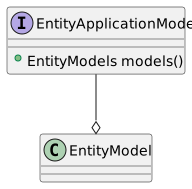
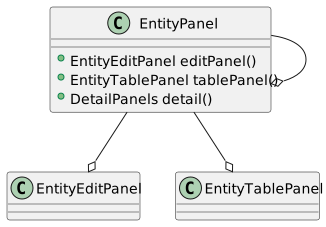
Note
SQL Tracing is only available when using a local EntityConnection.
Application **SQL Tracing** can be enabled via the [EntityApplicationPanel.SQL_TRACING](https://codion.is/doc/0.18.88/api/is.codion.swing.framework.ui/is/codion/swing/framework/ui/EntityApplicationPanel.html#SQL_TRACING) configuration value. This configures the underlying EntityConnection to trace its queries and adds a **SQL Trace** item under **Help** → **Log** main menu, with actions to enable tracing and view the trace log. Disabling SQL Tracing clears the trace log. ``` java EntityApplicationPanel.SQL_TRACING.set(true); ``` ##### Examples - [Employees application panel](https://codion.is/doc/0.18.88/tutorials/employees/employees.html#_main_application_panel) - [Chinook application panel](https://codion.is/doc/0.18.88/tutorials/chinook/chinook.html#_chinookapppanel) - [Petstore application panel](https://codion.is/doc/0.18.88/tutorials/petstore/petstore.html#_main_application_panel) #### 1.3.7. EntitySearchField The [EntitySearchField](https://codion.is/doc/0.18.88/api/is.codion.swing.framework.ui/is/codion/swing/framework/ui/component/EntitySearchField.html) is a powerful UI component for entity selection through text-based searching. It extends `HintTextField` and provides a search interface that triggers on ENTER key, displaying results based on the configured search criteria. ##### Overview `EntitySearchField` provides: - Text-based entity searching with automatic result handling - Single entity selection, several entities collected via a `MultiInput` - Customizable result selection UI (list, table, or custom) - Optional add/edit functionality for creating or modifying entities - Search progress indication (wait cursor or progress bar) - Automatic search on focus loss (optional) - Keyboard shortcuts for add/edit operations ##### Basic Usage Creating a basic search field ``` java EntitySearchModel searchModel = EntitySearchModel.builder() .entityType(Customer.TYPE) .connection(connection) .search(Customer.FIRSTNAME, Customer.EMAIL) .build(); EntitySearchField searchField = EntitySearchField.builder() .model(searchModel) .columns(20) .build(); ``` ##### Search Behavior The search field operates as follows: 1. User types search text and presses ENTER 2. If the search returns:
- **No results**: A message dialog is shown - **Single result**: That entity is automatically selected - **Multiple results**: A selection dialog appears, for selecting one of them
###### Collecting Entities To collect entities over several searches, wrap the search field in a [MultiInput](https://codion.is/doc/0.18.88/api/is.codion.swing.common.ui/is/codion/swing/common/ui/component/multi/MultiInput.html), as the table condition panel does for the IN operator of a foreign key condition. The entity found is shown in the field and added with ENTER or INSERT, clearing the field for the next search. The button beside the field shows how many entities have been collected, and opens a list of them, where DELETE removes the selected ones. Collecting customers for a condition ``` java MultiInput customers = Components.multiInput() .component(EntitySearchField.builder() .model(customerCondition.models().in().searchModel()) .buildValue()) // The entities collected, here the IN operand of a foreign key condition .link(customerCondition.operands().in()) .caption(customerCondition.caption().orElse(null)) .build(); ``` ##### Customization Options ###### Custom Selectors The default selector uses a list for result selection. You can provide custom selectors: Custom table selector ``` java EntitySearchField searchField = EntitySearchField.builder() .model(searchModel) .selector(new CustomerSelector()) .build(); ``` ###### Add and Edit Controls Enable inline entity creation and editing: Search field with add/edit capabilities ``` java SwingEntityEditModel editModel = new SwingEntityEditModel(Customer.TYPE, connection); EntitySearchField searchField = EntitySearchField.builder() .model(searchModel) .editPanel(() -> new CustomerEditPanel(editModel)) .confirmAdd(true) // Confirm before adding .confirmEdit(true) // Confirm before editing .build(); // Access controls searchField.addControl(); // INSERT key by default searchField.editControl(); // CTRL+INSERT by default ``` ###### Search Indicators Configure how search progress is displayed: Progress bar indicator ``` java EntitySearchField searchField = EntitySearchField.builder() .model(searchModel) .searchIndicator(SearchIndicator.PROGRESS_BAR) .build(); ``` ###### Field Configuration Various field configurations ``` java EntitySearchField searchField = EntitySearchField.builder() .model(searchModel) .columns(20) // Field width .upperCase(true) // Force uppercase .searchHintEnabled(true) // Show "Search..." hint .searchOnFocusLost(true) // Auto-search when focus lost .selectionToolTip(true) // Show the selection as a tooltip .editable(false) // Make read-only .formatter(entity -> // Custom display text entity.get(Customer.LASTNAME) + " - " + entity.get(Customer.CITY)) .build(); ``` ##### Search Control You can trigger searches programmatically: Programmatic search control ``` java EntitySearchField searchField = EntitySearchField.builder() .model(searchModel) .build(); // Get search control Control searchControl = searchField.searchControl(); // Use in toolbar or menu Controls.builder() .control(searchControl) .build(); ``` ##### Advanced Features ###### Component Value Integration A `EntitySearchField` based `ComponentValue` can be created via buildValue(): Reactive search field ``` java SwingEntityEditModel editModel = new SwingEntityEditModel(Invoice.TYPE, connection); ComponentValue searchFieldValue = EntitySearchField.builder() .model(searchModel) .buildValue(); EntitySearchField searchField = searchFieldValue.component(); // React to selection changes searchField.model().selection().entity().addConsumer(selectedEntity -> System.out.println("Selected: " + selectedEntity)); // Link to edit model editModel.editor().value(Invoice.CUSTOMER_FK).link(searchFieldValue); ``` ###### Custom Edit Component Use custom search fields in edit panels: Custom factory example from Chinook demo ``` java final class TrackEditComponent extends DefaultEditComponent { TrackEditComponent(ForeignKey trackForeignKey) { super(trackForeignKey); } @Override protected EntitySearchField.Builder searchField(ForeignKey foreignKey, SwingEntityEditor editor) { return super.searchField(foreignKey, editor) .selector(new TrackSelector()); } } ``` InvoiceLineTablePanel ``` java .editComponent(InvoiceLine.TRACK_FK, new TrackEditComponent(InvoiceLine.TRACK_FK))); ``` ##### Configuration Properties | Property | Default | Description | |----------------------------------------------------------------------------|-------------|----------------------------------------------------------------| | `is.codion.swing.framework.ui.component.EntitySearchField.searchIndicator` | WAIT_CURSOR | How to indicate ongoing searches (WAIT_CURSOR or PROGRESS_BAR) | Table 2. EntitySearchField Configuration ##### Best Practices 1. **Provide Clear Search Columns**: Configure the search model with appropriate searchable columns 2. **Consider Performance**: Use result limits in the search model for large datasets 3. **Keyboard Support**: Leverage the built-in keyboard shortcuts (INSERT for add, CTRL+INSERT for edit) 4. **Custom Selectors**: Create custom selectors for complex selection scenarios #### 1.3.8. Reporting with JasperReports Codion uses a plugin oriented approach to report viewing and provides an implementation for [JasperReports](https://github.com/TIBCOSoftware/jasperreports). With the Codion JasperReports plugin you can either design your report based on an SQL query in which case you use the JRReport class, which facilitates the report being filled using the active database connection, or you can design your report around the JRDataSource implementation provided by the [JasperReportsDataSource](https://codion.is/doc/0.18.88/api/is.codion.plugin.jasperreports/is/codion/plugin/jasperreports/JasperReportsDataSource.html) class, which is constructed around an iterator. ##### JDBC Reports Using a report based on an SQL query is the simplest way of viewing a report using Codion, just add a method similar to the one below to a **EntityTablePanel** subclass. You can then create an action calling that method and put it in for example the table popup menu as described in the [adding a print action](#_adding_a_print_action) section. ``` java public class CustomerTablePanel extends EntityTablePanel { public CustomerTablePanel(SwingEntityTableModel tableModel) { super(tableModel); // associate a custom Control with the PRINT control key, // which calls the viewCustomerReport method in this class, // enabled only when a selection is present control(PRINT).set(Control.builder() .command(this::viewCustomerReport) .caption("Customer report") .icon(FrameworkIcons.instance().print()) .enabled(model().selection().present()) .build()); } private void viewCustomerReport() { List selectedCustomers = model().selection().items().get(); Collection customerIds = Entity.values(Customer.ID, selectedCustomers); Map reportParameters = new HashMap<>(); reportParameters.put("CUSTOMER_IDS", customerIds); JasperPrint customerReport = model().connection() .report(Customer.REPORT, reportParameters); Dialogs.builder() .component(new JRViewer(customerReport)) .owner(this) .modal(false) .title("Customer Report") .size(new Dimension(800, 600)) .show(); } } ``` ##### Export A report fills to a **JasperPrint** by default, which the receiver needs JasperReports on its classpath to read. Wrapping the report in an export via [JasperReports.export()](https://codion.is/doc/0.18.88/api/is.codion.plugin.jasperreports/is/codion/plugin/jasperreports/JasperReports.html) changes what filling it produces, a **PDF** for example, in which case nothing of JasperReports reaches the receiver. The export runs wherever the report is filled, which for a remote connection is on the server, so only the exported document crosses the wire. This is what makes reports available to a client which can not host the reporting engine, an Android or a web client for example. The export is bound where the report is registered, so the report type carries the result type and the caller need not ask for a format: ``` java // Fills to a JasperPrint, which the receiver needs JasperReports to read ReportType, JasperPrint> REPORT = reportType("customer_report"); // Fills to a PDF, which the receiver needs nothing at all to read ReportType, byte[]> PDF_REPORT = reportType("customer_pdf_report"); ``` ``` java JRReport customerReport = classPathReport(ReportDemo.class, "customer_report.jasper"); add(Customer.REPORT, customerReport); // The export runs where the report is filled, on the server for a remote // connection, so only the PDF crosses the wire. Both report types share // the one loaded report and its cache add(Customer.PDF_REPORT, export(customerReport, PDF)); ``` ``` java JasperPrint print = connection.report(Customer.REPORT, reportParameters); byte[] pdf = connection.report(Customer.PDF_REPORT, reportParameters); ``` [JRExport](https://codion.is/doc/0.18.88/api/is.codion.plugin.jasperreports/is/codion/plugin/jasperreports/JRExport.html) provides **PRINT**, **PDF** and **XML**, any other JasperReports exporter being a lambda.
Note
JRExport.PDF requires the net.sf.jasperreports:jasperreports-pdf artifact, which is not a dependency of the plugin. It registers itself through a jasperreports_extension.properties resource scanned off the classpath, so nothing requires its module, and it is neither resolved on the module path nor included in a jlink image unless named explicitly, via --add-modules net.sf.jasperreports.pdf.
##### JRDataSource Reports The JRDataSource implementation provided by the JasperReportsDataSource simply iterates through the iterator received via the constructor and retrieves the field values from the underlying entities. The easiest way to make this work is to design the report using field names that correspond to the attribute names, so using the Store domain example from above the fields in a report showing the available items would have to be named 'name', 'active', 'category_code' etc. ``` java EntityDefinition customerDefinition = connection.entities().definition(Customer.TYPE); Iterator customerIterator = connection.select(all(Customer.TYPE)).iterator(); JasperReportsDataSource dataSource = new JasperReportsDataSource<>(customerIterator, (entity, reportField) -> entity.get(customerDefinition.attributes().getOrThrow(reportField.getName()))); JRReport customerReport = fileReport("reports/customer.jasper"); JasperPrint jasperPrint = JasperReports.fillReport(customerReport, dataSource); ``` ##### Examples - [Employees UI layer](https://codion.is/doc/0.18.88/tutorials/employees/employees.html#_ui) - [Chinook UI layer](https://codion.is/doc/0.18.88/tutorials/chinook/chinook.html#_chinook_tutorial) - [World UI layer](https://codion.is/doc/0.18.88/tutorials/world/world.html#_ui) #### 1.3.9. Keyboard shortcuts Codion applications are keyboard-first: every panel, control and navigation action is reachable without the mouse, and every shortcut is discoverable and configurable. The complete, always-current reference for a running application is available via its **Help** menu (**Keyboard shortcuts**). ##### ControlKeys Each UI class declares its controls in a **ControlKeys** class — [EntityTablePanel.ControlKeys](https://codion.is/doc/0.18.88/api/is.codion.swing.framework.ui/is/codion/swing/framework/ui/EntityTablePanel.ControlKeys.html), [EntityEditPanel.ControlKeys](https://codion.is/doc/0.18.88/api/is.codion.swing.framework.ui/is/codion/swing/framework/ui/EntityEditPanel.ControlKeys.html), [EntityPanel.ControlKeys](https://codion.is/doc/0.18.88/api/is.codion.swing.framework.ui/is/codion/swing/framework/ui/EntityPanel.ControlKeys.html) — where each key identifies a control and carries its default keystroke. The javadoc of each **ControlKeys** class is the authoritative shortcut listing for that component. Keystrokes are configurable at two levels: **Application-wide** — modify a default keystroke before the panels are created, typically in **main()**: ``` java // Add a CTRL modifier to the DELETE key shortcut for table panels EntityTablePanel.ControlKeys.DELETE.defaultKeystroke().update(keyStroke -> keyStroke(keyStroke.getKeyCode(), MENU_SHORTCUT_MASK)); ``` **Per panel** — via the panel configuration: ``` java new EntityTablePanel(tableModel, config -> config.keyStroke(EntityTablePanel.ControlKeys.REFRESH, keyStroke -> keyStroke.set(KeyStroke.getKeyStroke(VK_F5, 0)))); ``` ##### Custom key bindings For key bindings beyond the built-in controls, the [KeyEvents](https://codion.is/doc/0.18.88/api/is.codion.swing.common.ui/is/codion/swing/common/ui/key/KeyEvents.html) builder associates keystrokes with actions on any component — see the [KeyBinding tutorial](https://codion.is/doc/0.18.88/tutorials/keybinding.html#_keybinding_tutorial) for a complete example. ##### The essentials A few defaults worth knowing from the start, since they shape how applications feel: - **Navigation**: CTRL-ALT-UP/DOWN between master and detail panels, CTRL-ALT-LEFT/RIGHT between siblings — focus follows. - **Focus**: CTRL-E edit panel, CTRL-T table, CTRL-I initial input field, CTRL-F table search field. - **Table**: INSERT adds, CTRL-INSERT edits the selected row, SHIFT-INSERT edits one value for the whole selection, DELETE deletes. - **Transfer focus on enter**: ENTER moves to the next input component in edit panels, so data entry never touches the mouse.
Note
CTRL above refers to the platform menu shortcut key — CTRL on Windows/Linux, ⌘ on macOS.
#### 1.3.10. Development tools The framework ships a set of inspection tools for looking **into** a running application — the live query, the editor state, an entity’s data graph. The inspectors are excluded by default and enabled via configuration values, typically during development. ##### Entity viewer Displays the selected entity as a navigable tree: every attribute with its type and value, original values for modified attributes, and foreign key references expandable into the referenced entity’s tree — the fastest way to answer "what is **actually** in this row". Included by default in every table panel, on CTRL-ALT-V; excluded via [EntityTablePanel.Config.INCLUDE_ENTITY_VIEWER](https://codion.is/doc/0.18.88/api/is.codion.swing.framework.ui/is/codion/swing/framework/ui/EntityTablePanel.Config.html#INCLUDE_ENTITY_VIEWER). ##### Query inspector Displays the **SELECT** statement the table’s query model will run, updated live as conditions change — see [Query Inspector](#_table_query_inspector). Enabled via **EntityTablePanel.Config.INCLUDE_INSPECTOR**, opened with CTRL-ALT-Q.
Note
The query inspector requires the codion-framework-db-local module on the classpath, since it renders SQL — on a purely remote client it is unavailable.
##### Editor inspector Displays the state of an edit panel’s editor: each attribute’s value, original value, modified/valid/present flags and validation message, along with the **INSERT** and **UPDATE** statements the current state would produce. Detail editors appear as nested inspectors. Enabled via **EntityEditPanel.Config.INCLUDE_INSPECTOR**, opened with CTRL-ALT-R when the edit panel is focused. ``` java EntityTablePanel.Config.INCLUDE_INSPECTOR.set(true); EntityEditPanel.Config.INCLUDE_INSPECTOR.set(true); ``` ##### Dependencies viewer Displays the entities **depending on** the selected rows — the incoming foreign key references — as a tabbed pane of table panels, one per dependent entity type, navigable with CTRL-ALT-LEFT/RIGHT. Available from the table popup menu, and shown automatically when a delete fails on a referential integrity constraint, if [ReferentialIntegrityErrorHandling](https://codion.is/doc/0.18.88/api/is.codion.swing.framework.ui/is/codion/swing/framework/ui/ReferentialIntegrityErrorHandling.html) is set to **DISPLAY_DEPENDENCIES**. ##### SQL tracing Traces the queries a local connection runs — see [EntityApplicationPanel](#_entityapplicationpanel). ##### Server monitor For inspecting a running **EntityServer** — connected clients, connection pools, performance charts and client method tracing — see the server monitor in the technical documentation. ### 1.4. Framework Utilities #### 1.4.1. Domain Model Generator The Domain Model Generator is a desktop application that automatically generates Codion domain model source code from existing database schemas. Instead of manually writing entity definitions, columns, foreign keys, and attribute configurations, you connect to a database, select a schema, and generate fully-formed Codion domain code. This tool accelerates development, ensures consistency across entities, and serves as a starting point for new projects or when integrating with legacy databases. ##### Overview The generator transforms database metadata into type-safe Codion domain models, supporting: - **API/Implementation separation** - Generates separate interface and implementation files for cleaner client dependencies - **Combined mode** - Single-file output for simpler project structures - **DTO generation** - Optional Java records for data transfer without Entity framework overhead - **Internationalization** - Optional resource bundle generation for captions and descriptions - **Test generation** - Optional JUnit test class for domain model validation - **Schema customization** - Configurable naming conventions, audit columns, and identifier casing The generated code uses the same patterns as hand-written Codion domain models, including proper primary key generators, foreign key relationships, nullability constraints, and column metadata. ##### Architecture The generator consists of three layered modules: [codion-tools-generator-domain](https://codion.is/doc/0.18.88/technical/technical.html#_codion_tools_generator_domain) Code generation engine that uses [Palantir JavaPoet](https://github.com/palantir/javapoet) to produce syntactically correct Java source code, coordinates generation of API interfaces, implementation classes, DTO records, and i18n properties. Uses [codion-framework-domain-db](https://codion.is/doc/0.18.88/technical/technical.html#_codion_framework_domain_db) for schema instrospection [codion-tools-generator-model](https://codion.is/doc/0.18.88/technical/technical.html#_codion_tools_generator_model) MVC model layer providing which coordinates schema discovery, entity selection, and real-time code preview. Contains FilterTableModels for schema and entity selection with observable state management. [codion-tools-generator-ui](https://codion.is/doc/0.18.88/technical/technical.html#_codion_tools_generator_ui) Swing desktop interface providing schema browser, entity selection, configuration dialogs, and code preview with search. [codion-tools-generator-cli](https://codion.is/doc/0.18.88/technical/technical.html#_codion_tools_generator_cli) Command line interface generating the domain source code for a whole schema, for scripted use, see [Command Line Interface](#_command_line_interface). ##### Project Setup To use the generator in your project, create a Gradle (or the Maven equivalent) build configuration similar to the included demo: *build.gradle.kts* ``` java plugins { application } dependencies { runtimeOnly("is.codion:codion-tools-generator-ui:{codion-version}") // Add your database JDBC driver runtimeOnly("is.codion:codion-dbms-h2:{codion-version}") runtimeOnly("com.h2database:h2:{h2-version}") // Or PostgreSQL: // runtimeOnly("is.codion:codion-dbms-postgresql:{codion-version}") // runtimeOnly("org.postgresql:postgresql:{postgresql-driver-version") // Or Oracle: // runtimeOnly("is.codion:codion-dbms-oracle:{codion-version}") // runtimeOnly("com.oracle.database.jdbc:ojdbc:{oracle-driver-version}") } application { mainModule = "is.codion.tools.generator.ui" mainClass = "is.codion.tools.generator.ui.DomainGeneratorPanel" applicationDefaultJvmArgs = listOf( "-Xmx256m", "-Dcodion.db.url=jdbc:h2:mem:h2db", "-Dcodion.tools.generator.domainPackage=com.example.domain", // Output directories (relative or absolute paths) "-Dcodion.tools.generator.combinedSourceDirectory=combined", "-Dcodion.tools.generator.apiSourceDirectory=api", "-Dcodion.tools.generator.implSourceDirectory=impl" ) } ``` Run with: `./gradlew :your-generator-module:run`
Note
See Chinook demo for a complete example.
##### Configuration The generator is configured through system properties set via JVM arguments: ###### Runtime Configuration | Property | Description | Default | |--------------------------------------------------|--------------------------------------------------------------------------------------------------|-------------------| | `codion.db.url` | JDBC connection URL | Required | | `codion.tools.generator.domainPackage` | Base package for generated code | `none` | | `codion.tools.generator.combinedSourceDirectory` | Output directory for combined mode (relative or absolute path) | Current directory | | `codion.tools.generator.apiSourceDirectory` | Output directory for API sources when using API/Impl mode (relative or absolute path) | Current directory | | `codion.tools.generator.implSourceDirectory` | Output directory for implementation sources when using API/Impl mode (relative or absolute path) | Current directory | | `codion.tools.generator.userRequired` | Specifies whether the database requires a login | true | | `codion.tools.generator.user` | Database user including password `user:pass` for direct login without login dialog | None | | `codion.tools.generator.defaultUser` | Default database credentials to display in the login dialog | None | | `codion.db.initScripts` | Comma-separated paths to SQL initialization scripts (H2 only) | None | Example: PostgreSQL configuration ``` java -Dcodion.db.url=jdbc:postgresql://localhost:5432/mydb -Dcodion.tools.generator.domainPackage=com.example.domain -Dcodion.tools.generator.combinedSourceDirectory=generated -Dcodion.tools.generator.apiSourceDirectory=api -Dcodion.tools.generator.implSourceDirectory=impl ```
Tip
Use relative paths like "api", "impl", or "../domain-api" for convenience. When using the directory selector in the UI, paths are automatically converted to relative paths from the current working directory.
Important
H2 database does not allow path traversal in init scripts. Use absolute paths as shown the Chinook demo.
###### Schema Settings Schema settings control how database metadata is interpreted and transformed into domain model code. Access via right-click → **Settings…​** on a schema row. | Setting | Description | Default | |---------------------------|---------------------------------------------------------------------------|--------------| | Primary Key Column Suffix | Suffix removed from foreign key column names when creating FK identifiers | `""` (empty) | | View Suffix | Suffix removed from view names when creating entity type names | `""` (empty) | | View Prefix | Prefix removed from view names when creating entity type names | `""` (empty) | | Audit Column Names | Comma-separated list of audit column names to mark as read-only | `""` (empty) | | Hide Audit Columns | Hide audit columns from UI components | `false` | | Lowercase Identifiers | Use lowercase for entity type and attribute names | `true` | Primary Key Column Suffix When database foreign key columns follow a naming convention like `CUSTOMER_ID` (referencing `CUSTOMER.ID`), the generator creates a foreign key constant like `CUSTOMER_ID_FK`. Setting a suffix of `"ID"` or `"_ID"` strips this from the FK name, resulting in the cleaner `CUSTOMER_FK`. Example without suffix: ``` java Column CUSTOMER_ID = TYPE.integerColumn("customer_id"); ForeignKey CUSTOMER_ID_FK = TYPE.foreignKey("customer_id_fk", CUSTOMER_ID, Customer.ID); ``` Example with suffix "ID": ``` java Column CUSTOMER_ID = TYPE.integerColumn("customer_id"); ForeignKey CUSTOMER_FK = TYPE.foreignKey("customer_fk", CUSTOMER_ID, Customer.ID); ``` View Suffix Databases often suffix view names with `_VW`, `_VIEW`, or similar. Setting this suffix removes it from the caption before "View" is appended to the interface name.
Important
The EntityType identifier always matches the actual database view name. "View" is ALWAYS appended to view interface names to avoid collisions with table names. The suffix configuration only affects whether the suffix is removed from the caption first.
Example: View suffix "\_v" ``` java CREATE VIEW ORDERS_V AS SELECT ... ``` Without suffix configured - EntityType: `DOMAIN.entityType("orders_v")` - Interface: `interface OrdersVView` ("Orders v" → PascalCase + "View") - Caption: `"Orders v"` With suffix "\_v" configured - EntityType: `DOMAIN.entityType("orders_v")` (unchanged - always matches database) - Interface: `interface OrdersView` (suffix removed → "Orders" → PascalCase + "View") - Caption: `"Orders"` (clean caption without suffix) View Prefix Databases sometimes prefix view names with `VW_`, `V_`, or similar. Setting this prefix removes it from the caption before "View" is appended to the interface name.
Important
The EntityType identifier always matches the actual database view name. "View" is ALWAYS appended to view interface names to avoid collisions with table names. The prefix configuration only affects whether the prefix is removed from the caption first.
Example: View prefix "vw\_" ``` java CREATE VIEW VW_ORDERS AS SELECT ... ``` Without prefix configured - EntityType: `DOMAIN.entityType("vw_orders")` - Interface: `interface VwOrdersView` ("Vw orders" → PascalCase + "View") - Caption: `"Vw orders"` With prefix "vw\_" configured - EntityType: `DOMAIN.entityType("vw_orders")` (unchanged - always matches database) - Interface: `interface OrdersView` (prefix removed → "Orders" → PascalCase + "View") - Caption: `"Orders"` (clean caption without prefix)
Note
Both view prefix and view suffix can be used simultaneously. The prefix is removed first, then the suffix. This prevents collisions when both a table and view exist with similar names (e.g., orders table and orders_v view).
Audit Columns Many schemas include audit columns like `INSERT_USER`, `INSERT_TIME`, `UPDATE_USER`, `UPDATE_TIME`. Specifying these column names (comma-separated, case-insensitive) marks them as read-only in generated definitions. Example: Audit columns "insert_user,insert_time,update_user,update_time" ``` java Customer.INSERT_USER.as() .column() .readOnly(true) .hidden(true) // If "Hide Audit Columns" enabled ``` ##### User Workflow 1. **Launch the application**
``` rouge ./gradlew :your-generator-module:run ```
2. **Authenticate** (if required)
Enter database credentials in the login dialog. Set `codion.tools.generator.user` to pre-fill the username field.
3. **Select a schema**
The schema table lists all available database schemas with their catalog names. Click to select.
4. **Populate the schema**
Double-click the schema row or press Cmd+Enter (macOS) / Ctrl+Enter (other) to load entity definitions. This introspects database metadata and populates the entity table.
5. **Configure schema settings** (optional)
Right-click the schema row and select **Settings…​** to customize naming conventions and audit column handling. Settings are persisted in user preferences.
6. **Review entities**
The entity table shows all tables and views discovered in the schema, including their type (TABLE/VIEW) and metadata.
7. **Select entities for DTO generation** (optional)
Check the **DTO** column for entities that should generate DTO record classes. Foreign key attributes are only included in the DTO if the referenced entity also has a DTO.
8. **Enable generation options**
- **DTOs** checkbox - Generate DTO records for selected entities - **i18n** checkbox - Generate resource bundle properties files - **Test** checkbox - Generate a JUnit test class for domain validation
9. **Preview generated code**
Select a tab to view generated code:
- **API / Impl** - Split view showing separate API interface and implementation files
- **API Source Directory** - Where to write the API interface (default: current directory) - **Implementation Source Directory** - Where to write the implementation class (default: current directory)
- **Combined** - Single-file domain model
- **Combined Source Directory** - Where to write the combined file (default: current directory)
- **i18n** - Resource bundle properties (if enabled)
Use the search field to highlight occurrences of text in the code view. Click the **…​** button next to any directory field to select a different output directory.
10. **Configure output directories** (optional)
Each tab has directory fields showing where files will be written. Click **…​** to select a directory. The generator automatically converts absolute paths to relative paths from your working directory for portability.
11. **Save to filesystem**
Click **Save** on the appropriate tab to write files. Existing files trigger an overwrite confirmation dialog. Generated files can be copied to actual module directories as needed.
Tip
Use keyboard shortcuts Alt+1 through Alt+5 to navigate between major UI sections (schema table, entity table, tabs, etc.).
##### Command Line Interface The [codion-tools-generator-cli](https://codion.is/doc/0.18.88/technical/technical.html#_codion_tools_generator_cli) module generates the domain source code for a whole schema without the UI, for scripted use, such as regenerating the domain model after a schema migration. Without an output directory the combined source is printed to standard output, with diagnostics on standard error, so it can be piped or redirected. ``` java java -m is.codion.tools.generator.cli \ --url jdbc:h2:mem:h2db \ --init-scripts /path/to/create_schema.sql \ --user sa \ --schema PETCLINIC \ --package is.codion.demos.petclinic.domain > Petclinic.java ``` The dbms module and the JDBC driver for the database in question must be available at runtime, as must the domain generator itself, the following writes the api and implementation to a source directory, along with the i18n resource bundles and the domain unit test. *build.gradle.kts* ``` java plugins { application } dependencies { runtimeOnly("is.codion:codion-tools-generator-cli:{codion-version}") // Add your database JDBC driver runtimeOnly("is.codion:codion-dbms-postgresql:{codion-version}") runtimeOnly("org.postgresql:postgresql:{postgresql-driver-version}") } application { mainModule = "is.codion.tools.generator.cli" mainClass = "is.codion.tools.generator.cli.DomainGeneratorCli" } ``` ``` java ./gradlew :your-generator-module:installDist ./build/install/your-generator-module/bin/your-generator-module \ --url jdbc:postgresql://localhost:5432/mydb \ --user scott:tiger \ --schema store \ --package com.example.domain \ --output-dir src/main/java \ --resource-dir src/main/resources \ --test-dir src/test/java \ --split-api-impl --i18n --test --overwrite ``` | Option | Description | |--------------------------|---------------------------------------------------------------------------------------------------------------------------------------------------------------| | `--url ` | The database url, falls back to `codion.db.url` | | `--init-scripts ` | Database init scripts, comma separated, falls back to `codion.db.initScripts` | | `--user ` | The database user, on the form `username` or `username:password` | | `--schema ` | The schema to generate a domain model for (required) | | `--package ` | The domain package (required) | | `--output-dir ` | The source directory to write the domain source to, the package directories are created below it, when not specified the source is printed to standard output | | `--resource-dir ` | The resource directory to write the i18n properties to, required by `--i18n` | | `--test-dir ` | The test source directory to write the domain unit test to, required by `--test` | | `--split-api-impl` | Write the domain api and implementation to separate source files | | `--i18n` | Generate i18n resource bundles for the entity and attribute captions | | `--test` | Generate a domain unit test | | `--dtos` | Generate a record based dto for each entity | | `--overwrite` | Overwrite existing source files | | `--help` | Print the available options | Exit codes: 0 success, 1 failure, 2 usage error.
Note
The CLI generates the domain model for the whole schema, using the default schema settings, entity selection and schema settings require the UI.
##### Generated Output ###### File Structure The generator writes files to the configured output directories. By default, files are written to simple directories in your working directory (e.g., `api/`, `impl/`, `combined/`), which can later be copied to actual module source directories as needed. API/Implementation Mode Generates separate API and implementation files. When configured with directories `"api"` and `"impl"`: ``` java api/src/main/java//api/ └── .java # Public API interface api/src/main/resources//api/ └── $.properties # i18n resources (if enabled) impl/src/main/java// └── Impl.java # Implementation class impl/src/test/java// └── Test.java # JUnit test (if enabled) ```
Note
These files can be copied to separate Gradle/Maven modules (e.g., domain-api and domain-impl) for applications using RMI or HTTP connections where clients only need the API on their classpath.
API interface (simplified) ``` java package is.codion.manual.tools.generator.apiimpl.api; import is.codion.framework.domain.DomainType; import is.codion.framework.domain.entity.EntityType; import is.codion.framework.domain.entity.attribute.Column; import is.codion.framework.domain.entity.attribute.ForeignKey; import static is.codion.framework.domain.DomainType.domainType; public interface Store { DomainType DOMAIN = domainType(Store.class); interface Customer { EntityType TYPE = DOMAIN.entityType("customer"); Column ID = TYPE.integerColumn("id"); Column NAME = TYPE.stringColumn("name"); Column EMAIL = TYPE.stringColumn("email"); } interface Order { EntityType TYPE = DOMAIN.entityType("order"); Column ID = TYPE.integerColumn("id"); Column CUSTOMER_ID = TYPE.integerColumn("customer_id"); ForeignKey CUSTOMER_FK = TYPE.foreignKey("customer_fk", CUSTOMER_ID, Customer.ID); } } ``` Implementation class (simplified) ``` java package is.codion.manual.tools.generator.apiimpl; import is.codion.framework.domain.DomainModel; import is.codion.framework.domain.entity.EntityDefinition; import is.codion.manual.tools.generator.apiimpl.api.Store.Customer; import is.codion.manual.tools.generator.apiimpl.api.Store.Order; import static is.codion.framework.domain.entity.attribute.Column.Generator.identity; import static is.codion.manual.tools.generator.apiimpl.api.Store.DOMAIN; public final class StoreImpl extends DomainModel { public StoreImpl() { super(DOMAIN); add(customer(), order()); } EntityDefinition customer() { return Customer.TYPE.as() .attributes( Customer.ID.as() .primaryKey() .generator(identity()), Customer.NAME.as() .column() .caption("Name") .nullable(false) .maximumLength(100), Customer.EMAIL.as() .column() .caption("Email") .maximumLength(255)) .caption("Customer") .build(); } EntityDefinition order() { return Order.TYPE.as() .attributes( Order.ID.as() .primaryKey() .generator(identity()), Order.CUSTOMER_ID.as() .column(), Order.CUSTOMER_FK.as() .foreignKey() .caption("Customer")) .caption("Order") .build(); } } ``` Combined Mode Generates a single class containing both API and implementation. When configured with directory `"combined"`: ``` java combined/src/main/java// └── .java # Combined API + implementation combined/src/main/resources// └── $.properties # i18n resources (if enabled) combined/src/test/java// └── Test.java # JUnit test (if enabled) ```
Note
This mode is suitable for simpler projects using only local JDBC connections. The generated directory can be copied directly to your application’s source tree.
Combined class (simplified) ``` java package is.codion.manual.tools.generator; import is.codion.framework.domain.DomainModel; import is.codion.framework.domain.DomainType; import is.codion.framework.domain.entity.EntityDefinition; import is.codion.framework.domain.entity.EntityType; import is.codion.framework.domain.entity.attribute.Column; import is.codion.framework.domain.entity.attribute.ForeignKey; import static is.codion.framework.domain.DomainType.domainType; import static java.util.Collections.emptyList; public final class Store extends DomainModel { public static final DomainType DOMAIN = domainType(Store.class); public Store() { super(DOMAIN); add(customer(), order()); } public interface Customer { EntityType TYPE = DOMAIN.entityType("customer"); Column ID = TYPE.integerColumn("id"); Column NAME = TYPE.stringColumn("name"); // ... } public interface Order { EntityType TYPE = DOMAIN.entityType("order"); Column ID = TYPE.integerColumn("id"); Column CUSTOMER_ID = TYPE.integerColumn("customer_id"); ForeignKey CUSTOMER_FK = TYPE.foreignKey("customer_fk", CUSTOMER_ID, Customer.ID); // ... } EntityDefinition customer() { return Customer.TYPE.as().attributes(emptyList()).build(); } EntityDefinition order() { return Order.TYPE.as().attributes(emptyList()).build(); } } ``` ##### Schema Introspection The [codion-framework-domain-db](https://codion.is/doc/0.18.88/technical/technical.html#_codion_framework_domain_db) module deals with introspecting database metadata using JDBC `DatabaseMetaData` and applies schema settings to generate appropriate domain model configurations. ###### Column Mapping Database column metadata is transformed into Codion column definitions: | Database Metadata | Generated Configuration | |-----------------------|-----------------------------------------------------------------------| | Primary key column | `.primaryKey()` with optional `.primaryKey(index)` for composite keys | | Auto-increment column | `.generator(identity())` | | NOT NULL constraint | `.nullable(false)` (except for primary keys) | | VARCHAR(n) size | `.maximumLength(n)` | | DECIMAL(p,s) scale | `.fractionDigits(s)` | | Column default value | `.withDefault(true)` | | Column comment | `.description("comment")` | ###### Foreign Key Detection Foreign key constraints in the database schema are automatically detected and transformed into ForeignKey constants and definitions: ``` java CREATE TABLE orders ( id INTEGER PRIMARY KEY, customer_id INTEGER REFERENCES customers(id) ); ``` ``` java interface Order { EntityType TYPE = DOMAIN.entityType("orders"); Column ID = TYPE.integerColumn("id"); Column CUSTOMER_ID = TYPE.integerColumn("customer_id"); ForeignKey CUSTOMER_FK = TYPE.foreignKey("customer_fk", CUSTOMER_ID, Customer.ID); } Order.CUSTOMER_FK.as() .foreignKey() .caption("Customer") ``` Composite foreign keys are supported - the generator detects multi-column foreign key constraints and generates appropriate multi-reference ForeignKey definitions. ###### View Handling Database views are automatically marked as read-only entities: ``` java EntityDefinition customerSummary() { return CustomerSummary.TYPE.as(/* ... */) .caption("Customer summary") .readOnly(true) // Automatically added for views .build(); } ``` ###### Naming Conventions The generator applies consistent naming transformations: | Database Name | Generated Name | |----------------------------|------------------------------------------------------------------------------------| | Table: `CUSTOMER_ORDER` | EntityType: `customer_order` (or `CUSTOMER_ORDER` if `lowerCaseIdentifiers=false`) | | Column: `order_date` | Column constant: `ORDER_DATE` | | Column: `customer_id` (FK) | ForeignKey constant: `CUSTOMER_FK` (with `primaryKeyColumnSuffix="ID"`) | | View: `ACTIVE_ORDERS_VW` | EntityType: `active_orders` (with `viewSuffix="VW"`) | ##### DTO Generation Data Transfer Object (DTO) generation creates Java record classes for entities, providing a lightweight alternative to the full Entity framework for data transfer scenarios. ###### When to Generate DTOs Enable DTO generation for entities that: - Need to be serialized for REST APIs or messaging systems - Represent simple data structures without complex Entity behaviors - Are frequently transferred between application layers See [Chinook demo](https://codion.is/doc/0.18.88/tutorials/chinook/chinook.html#_chinook_tutorial) ###### DTO Structure For each entity with DTO generation enabled, the generator creates a nested `Dto` record within the entity interface: ``` java interface Customer { EntityType TYPE = DOMAIN.entityType("customer"); Column ID = TYPE.integerColumn("id"); Column NAME = TYPE.stringColumn("name"); Column EMAIL = TYPE.stringColumn("email"); // Generated DTO record public static record Dto( Integer id, String name, String email) { public Entity entity(Entities entities) { return entities.entity(TYPE) .with(ID, id) .with(NAME, name) .with(EMAIL, email) .build(); } } // Conversion method public static Dto dto(Customer customer) { return customer == null ? null : new Dto( customer.get(ID), customer.get(NAME), customer.get(EMAIL)); } } ``` ###### Foreign Key DTOs When an entity with a DTO references another entity via foreign key, the foreign key attribute is included in the DTO only if the referenced entity also has DTO generation enabled. The generator creates nested DTOs for included foreign keys: ``` java interface Order { Column CUSTOMER_ID = TYPE.integerColumn("customer_id"); ForeignKey CUSTOMER_FK = TYPE.foreignKey("customer_fk", CUSTOMER_ID, Customer.ID); public static record Dto( Integer id, Customer.Dto customer) { // Nested DTO reference (only if Customer has DTO) public Entity entity(Entities entities) { return entities.entity(TYPE) .with(ID, id) .with(CUSTOMER_FK, customer.entity(entities)) .build(); } } } ```
Note
Foreign keys are selectively included - if Order references Customer and Customer is marked for DTO generation, Order’s DTO will include Customer.Dto. If Customer is not marked for DTOs, the CUSTOMER_FK attribute is simply excluded from Order’s DTO.
###### Usage Example ``` java // Entity to DTO Entity customer = connection.selectSingle(Customer.ID.equalTo(42)); Customer.Dto dto = Customer.dto(customer); // DTO to Entity Entities entities = connection.entities(); Entity newCustomer = dto.entity(entities); connection.insert(newCustomer); ``` ##### Internationalization When i18n generation is enabled, the generator creates resource bundle property files for entity and attribute captions and descriptions. ###### Generated Properties Format *Store\$Customer.properties* ``` java customer=Customer customer.description=Customer master data id=Id name=Name email=Email email.description=Customer email address ``` The generator creates one properties file per entity, using the naming convention `$.properties`. ###### i18n Mode vs Literal Mode The generator supports two caption strategies: **Literal Mode** (i18n disabled) Captions and descriptions are embedded directly in the generated code: ``` java Customer.NAME.as() .column() .caption("Name") .description("Customer full name") ``` **i18n Mode** (i18n enabled) Captions and descriptions are loaded from resource bundles: ``` java // EntityType with resource bundle reference EntityType TYPE = DOMAIN.entityType("customer", Customer.class.getName()); // No caption() or description() calls - loaded from properties Customer.NAME.as() .column() .nullable(false) ``` The framework automatically loads captions and descriptions from the properties file matching the fully qualified class name of the entity interface.
Note
When using i18n mode, create additional properties files with locale suffixes (e.g., Store$Customer_de.properties, Store$Customer_fr.properties) for internationalization support.
##### Test Generation When test generation is enabled, the generator creates a JUnit test class that extends [DomainTest](https://codion.is/doc/0.18.88/api/is.codion.framework.domain.test/is/codion/framework/domain/test/DomainTest.html) to verify domain model integrity. The test class includes a test method per entity that exercises full CRUD operations and validates constraints. The test may need further configuration to run successfully. For further information see [Domain model testing](https://codion.is/doc/0.18.88/manual/manual.html#_domain_unit_testing). ##### Best Practices ###### Choosing Output Mode **Use API/Implementation separation when:** - Building applications with RMI or HTTP connections - Multiple client applications share the same domain API - You want lighter client classpaths (API only, no implementation) - Following strict architectural separation **Use Combined mode when:** - Building simple local-JDBC applications - The domain model is small (\<20 entities) - You prefer fewer files to maintain - Deployment simplicity outweighs architectural purity ###### Output Directory Strategy The generator can write to any directory (relative or absolute paths). A simple workflow: 1. **Generate to local directories** - Use simple relative paths like `"api"`, `"impl"`, or `"combined"` in your working directory 2. **Review and customize** - Examine the generated code, make any immediate adjustments 3. **Copy to modules** - If using separate modules, copy the generated directories to your module source trees This approach keeps the generator configuration simple while supporting any project structure. There’s no need to configure the generator to write directly into complex module hierarchies.
Tip
Domain generation is typically a one-shot operation. Generating to simple local directories and copying files manually provides more control and flexibility than trying to configure direct module paths.
###### DTO Selection Strategy - Enable DTOs for entities that cross architectural boundaries (e.g., REST APIs, messaging systems) - If you want nested foreign key references in DTOs, enable DTOs for those referenced entities as well - Foreign keys to entities without DTOs are simply excluded from the DTO - Not every entity needs a DTO - be selective based on your application’s needs ###### Schema Settings Workflow 1. Connect to database 2. Select schema but **don’t populate yet** 3. Right-click → Settings to configure naming conventions 4. Now populate schema with Cmd+Enter or double-click 5. Settings are saved in user preferences and reused next time ###### Version Control - **Commit generated code** - It’s source code, not build artifacts - **Customize after generation** - The generator output is a starting point - **Don’t regenerate blindly** - Manual customizations will be lost - **Use version control to track changes** - Diff generated vs customized code ###### Customization Pattern The generator produces standard Codion domain models. After generation, customize as needed: - Add [EntityValidator](https://codion.is/doc/0.18.88/api/is.codion.framework.domain/is/codion/framework/domain/entity/EntityValidator.html) implementations for business rules - Define [derived attributes](https://codion.is/doc/0.18.88/api/is.codion.framework.domain/is/codion/framework/domain/entity/attribute/DerivedValue.html) for calculated values - Add denormalized attributes for performance optimization - Configure foreign key fetch depth with `referenceDepth()` - Implement custom [toString()](https://codion.is/doc/0.18.88/api/is.codion.framework.domain/is/codion/framework/domain/entity/EntityFormatter.html) formatters - Add [custom condition types](https://codion.is/doc/0.18.88/api/is.codion.framework.domain/is/codion/framework/domain/entity/condition/ConditionType.html) for complex queries
Tip
Generate once, customize as needed, and use version control to preserve your customizations. Don’t treat the generator as a round-trip tool.
###### Database Support The generator works with any JDBC-compliant database. Each database requires its appropriate JDBC driver on the runtime classpath. See [Chinook demo](https://codion.is/doc/0.18.88/tutorials/chinook/chinook.html#_chinook_tutorial).
Important
When using H2 with init scripts, H2 does not allow path traversal. Use absolute paths for codion.db.initScripts.
##### Keyboard Navigation The generator UI supports keyboard-driven workflows: | Shortcut | Action | |------------------------------------------------------------------------------------------------------------------------------------------------------------------------------------|-----------------------------------------------------------------------| | Alt+1 - Alt+5 | Navigate between UI sections (schema table, entity table, tabs, etc.) | | Cmd+Enter / Ctrl+Enter | Populate selected schema | | Ctrl+F | Focus search field in code view | | Cmd+C / Ctrl+C | Copy code to clipboard (when code view focused) |
Tip
The search field in code tabs highlights all occurrences of the search term, making it easy to locate specific entities or attributes in generated code.
##### Examples For complete working examples: - **Configuration**: [Chinook demo](https://codion.is/doc/0.18.88/tutorials/chinook/chinook.html#_chinook_tutorial) - **Generated Code**: `tools/generator/domain/src/test/resources/` (Chinook, World, Petstore) - **Hand-crafted Domains**: See domain model sections in demo tutorials:
- [Chinook domain model](https://codion.is/doc/0.18.88/tutorials/chinook/chinook.html#_chinook_tutorial) - [World domain model](https://codion.is/doc/0.18.88/tutorials/world/world.html#_domain_model) - [Petstore domain model](https://codion.is/doc/0.18.88/tutorials/petstore/petstore.html#_domain_model)
The generator produces code that follows the same patterns as these hand-crafted examples, although the structure may differ, making it easy to compare generated vs manually-written domain models. ## 2. Common ### 2.1. Common Reactive #### 2.1.1. Reactive classes Three common classes used throughout the framework are [Event](https://codion.is/doc/0.18.88/api/is.codion.common.reactive/is/codion/common/reactive/event/Event.html), [State](https://codion.is/doc/0.18.88/api/is.codion.common.reactive/is/codion/common/reactive/state/State.html) and [Value](https://codion.is/doc/0.18.88/api/is.codion.common.reactive/is/codion/common/reactive/value/Value.html) and their respective observers [Observer](https://codion.is/doc/0.18.88/api/is.codion.common.reactive/is/codion/common/reactive/observer/Observer.html) and [ObservableState](https://codion.is/doc/0.18.88/api/is.codion.common.reactive/is/codion/common/reactive/state/ObservableState.html).
Note
Not all available methods are included in the diagrams below, see javadocs for details.
##### Event event diagram The [Event](https://codion.is/doc/0.18.88/api/is.codion.common.reactive/is/codion/common/reactive/event/Event.html) class is a synchronous event implementation used throughout the framework. Classes typically expose observers for their events via public accessors. Events are triggered by calling the **run** method in case no data is associated with the event or **accept** in case data should be propogated to consumers. The associated [Observer](https://codion.is/doc/0.18.88/api/is.codion.common.reactive/is/codion/common/reactive/observer/Observer.html) instance can not trigger the event and can be safely passed around. Event listeners must implement either [Runnable](https://docs.oracle.com/en/java/javase/21/docs/api/java.base/java/lang/Runnable.html) or [Consumer](https://docs.oracle.com/en/java/javase/21/docs/api/java.base/java/util/function/Consumer.html), depending on whether they are interested in the data associated with the event.
Note
Both listeners and consumer are notified each time the event is triggered, regardless of whether run or accept is used, listeners and consumers are notified in the order they were added.
Events are instantiated via factory methods in the [Event](https://codion.is/doc/0.18.88/api/is.codion.common.reactive/is/codion/common/reactive/event/Event.html) class. ``` java // specify an event propagating // a String as the event data Event event = Event.event(); // an observer manages the listeners // for an Event but can not trigger it Observer observer = event.observer(); // add a listener if you're not // interested in the event data observer.addListener(() -> System.out.println("Event occurred")); event.run();//output: 'Event occurred' // or a consumer if you're // interested in the event data observer.addConsumer(data -> System.out.println("Event: " + data)); event.accept("info");//output: 'Event: info' // Event implements Observer so // listeneres can be added directly without // referring to the Observer event.addConsumer(System.out::println); ``` ##### Observer The **Observer** class provides a way to add conditional listeners via [Observer.when()](https://codion.is/doc/0.18.88/api/is.codion.common.reactive/is/codion/common/reactive/observer/Observer.html#when(java.lang.Object)). ``` java private void observer() { // React to a specific value or predicate Value value = Value.nullable(); value.when(1) .addListener(() -> System.out.println("Value is one")); value.when(2) .addConsumer(System.out::println); value.when(Objects::isNull) .addListener(() -> System.out.println("Value is null")); value.when(1) .addListener(() -> System.out.println("one")); value.when(2) .addListener(() -> System.out.println("two")); value.when(v -> v > 10) .addConsumer(v -> System.out.println("Large value: " + v)); // React to boolean states State enabled = State.builder() .when(true, () -> System.out.println("Enabled")) .when(false, () -> System.out.println("Disabled")) .build(); } ``` ##### Value value diagram A [Value](https://codion.is/doc/0.18.88/api/is.codion.common.reactive/is/codion/common/reactive/value/Value.html) wraps a value and provides a change observer. Values are instantiated via factory methods in the [Value](https://codion.is/doc/0.18.88/api/is.codion.common.reactive/is/codion/common/reactive/value/Value.html) class. Values can be linked so that changes in one are reflected in the other. ``` java // a nullable value with 2 as the initial value Value value = Value.nullable(2); value.set(4); // a non-null value using 0 as null substitute Value otherValue = Value.nonNull(0); // linked to the value above value.link(otherValue); System.out.println(otherValue.get());// output: 0 otherValue.set(3); System.out.println(value.get());// output: 3 System.out.println(value.is(3));// output: true value.set(null); System.out.println(otherValue.get());// output: 0 value.addConsumer(System.out::println); otherValue.addListener(() -> System.out.println("Value changed: " + otherValue.get())); ``` Values can be non-nullable if a *nullValue* is specified when the value is initialized. Null is then translated to the *nullValue* when set. ``` java Integer initialValue = 42; Integer nullValue = 0; Value value = Value.builder() .nonNull(nullValue) .value(initialValue) .build(); System.out.println(value.isNullable());//output: false System.out.println(value.get());// output: 42 value.set(null); //or value.clear(); value.isNull(); //output: false; System.out.println(value.get());//output: 0 ``` ###### Linking Values of the same type can be linked, instead of synchronizing them manually with listeners. Linking is bidirectional and the current value of the original propagates to the linked value when the link is established. This is the mechanism binding input components to values throughout the framework. ``` java Value value = Value.nullable(); Value linked = Value.nullable(); // linking propagates the current value // of the original value to the linked one linked.link(value); value.set(2); System.out.println(linked.get());// output: 2 // linking is bidirectional, so a change // in either value propagates to the other linked.set(3); System.out.println(value.get());// output: 3 ``` ###### Notification strategies By default, listeners are notified only when a value actually changes ([Notify.CHANGED](https://codion.is/doc/0.18.88/api/is.codion.common.reactive/is/codion/common/reactive/value/Value.Notify.html)) — setting a value equal to the current one is a no-op. **Notify.SET** notifies on every set, whether the value changed or not. ``` java // CHANGED, the default: listeners are notified // only when the value actually changes Value counter = Value.builder() .nonNull(0) .notify(Notify.CHANGED) .build(); counter.addListener(() -> System.out.println("changed")); counter.set(1);// output: 'changed' counter.set(1);// no output, value did not change // SET: listeners are notified each // time the value is set Value status = Value.builder() .nonNull(0) .notify(Notify.SET) .build(); status.addListener(() -> System.out.println("set")); status.set(1);// output: 'set' status.set(1);// output: 'set' ``` ###### ValueCollection ``` java ValueSet valueSet = ValueSet.builder() .value(Set.of(1, 2, 3)) .build(); valueSet.addListener(() -> System.out.println("Values changed")); valueSet.add(4); //output: Values changed valueSet.add(1); //no change, no output valueSet.remove(1); //output: Values changed System.out.println(valueSet.contains(1)); //output: false valueSet.clear(); ValueList valueList = ValueList.builder() .value(List.of(1, 2, 3)) .build(); valueList.addListener(() -> System.out.println("Values changed")); valueList.add(4); //output: Values changed valueList.add(1); //output: Values changed valueList.remove(1); //output: Values changed System.out.println(valueList.contains(1)); //output: true valueList.clear(); ``` ##### State state diagram The [State](https://codion.is/doc/0.18.88/api/is.codion.common.reactive/is/codion/common/reactive/state/State.html) class encapsulates a boolean state and provides read only access and a change observer via [ObservableState](https://codion.is/doc/0.18.88/api/is.codion.common.reactive/is/codion/common/reactive/state/ObservableState.html). States are instantiated via factory methods in the [State](https://codion.is/doc/0.18.88/api/is.codion.common.reactive/is/codion/common/reactive/state/State.html) class. ``` java // a boolean state, false by default State state = State.state(); // an observable manages the listeners for a State but can not modify it ObservableState observable = state.observable(); // a not observable is always available, which is // always the reverse of the original state ObservableState not = state.not(); // add a listener notified each time the state changes observable.addListener(() -> System.out.println("State changed")); state.set(true);//output: 'State changed' observable.addConsumer(value -> System.out.println("State: " + value)); state.set(false);//output: 'State: false' // State extends ObservableState so listeners can be added // directly without referring to the ObservableState state.addListener(() -> System.out.println("State changed")); ``` ``` java private static final class IntegerValue { private final State negative = State.state(false); private final Value integer = Value.builder() .nonNull(0) .consumer(value -> negative.set(value < 0)) .build(); /** * Increment the value by one */ public void increment() { integer.update(value -> value + 1); } /** * Decrement the value by one */ public void decrement() { integer.update(value -> value - 1); } /** * @return an observer notified each time the value changes */ public Observer changed() { return integer.observable(); } /** * @return a state observer indicating whether the value is negative */ public ObservableState negative() { return negative.observable(); } } ``` Any **Action** or **JComponent** enabled status can be linked to a **State** instance via the **Utilities.enabled()** method. ###### State composition ``` java State updateEnabled = State.state(); State insertEnabled = State.state(); State recordNew = State.state(); State recordModified = State.state(); ObservableState saveButtonEnabled = State.and( State.or(insertEnabled, updateEnabled), State.or(recordNew, recordModified)); JButton saveButton = new JButton("Save"); Utilities.enabled(saveButtonEnabled, saveButton); ``` ``` java State state = State.state(); Action action = new AbstractAction("action") { @Override public void actionPerformed(ActionEvent e) { System.out.println("Hello Action"); } }; Utilities.enabled(state, action); System.out.println(action.isEnabled());// output: false state.set(true); System.out.println(action.isEnabled());// output: true ``` Controls can also be linked to a **State** instance. ``` java State state = State.state(); CommandControl control = Control.builder() .command(() -> System.out.println("Hello Control")) .enabled(state) .build(); System.out.println(control.isEnabled());// output: false state.set(true); System.out.println(control.isEnabled());// output: true ```
Note
When a State or Event is linked to a Swing component, for example its enabled state, all state changes must happen on the Event Dispatch Thread.
###### State groups A [State.Group](https://codion.is/doc/0.18.88/api/is.codion.common.reactive/is/codion/common/reactive/state/State.Group.html) ensures that at most a single member state is active at a time — radio button semantics: ``` java // a state group ensures that only a single // state is active at a time, like radio buttons State one = State.state(); State two = State.state(); State three = State.state(); State.group(one, two, three); one.set(true); System.out.println(two.is());// output: false two.set(true); System.out.println(one.is());// output: false ``` #### 2.1.2. Weak listeners Every observer accepts listeners via weak references — **addWeakListener()**, **addWeakConsumer()** — which do not prevent the listener from being garbage collected. A short-lived component observing a long-lived model should use a weak listener (or remove its listeners when discarded), otherwise the model keeps the discarded component reachable forever. Dead references are cleaned up automatically; the caller must simply ensure something holds a strong reference to the listener for as long as it should stay active. ``` java Value value = Value.nullable(); Runnable listener = () -> System.out.println("Value changed"); // a weak listener does not prevent garbage collection of the // listener instance; a component observing a model that outlives // it should use a weak listener, or remove its listeners when discarded. // Note that something must keep a strong reference to the listener, // here it is a local variable, so this only works within this scope value.addWeakListener(listener); value.set(42);// output: 'Value changed' // weak references to garbage collected // listeners are cleaned up automatically ``` #### 2.1.3. Threading Listener management — adding and removing — is thread-safe on all reactive classes. Mutation and notification are **not**: **set()**, **run()** and **accept()** are designed to be called from a single thread, the UI thread in a typical application. A background thread with a result for a value hands it to the UI thread first — in Swing via **SwingUtilities.invokeLater** or, better, a **ProgressWorker** whose **onResult** already runs there. Listeners are notified synchronously, in the order they were added, and an exception thrown by a listener prevents the remaining ones from being notified — listeners performing risky work handle their own exceptions. ### 2.2. Common Database Core JDBC related classes. #### 2.2.1. Database The [Database](https://codion.is/doc/0.18.88/api/is.codion.common.db/is/codion/common/db/database/Database.html) class represents a DBMS instance and provides connections to that instance. There are multiple ways to aquire a Database instance. - By specifying a JDBC url via a system property. ``` java System.setProperty("codion.db.url", "jdbc:h2:mem:h2db"); Database database = Database.instance(); ``` - By setting the JDBC url configuration value directly (which also sets the system property). ``` java Database.URL.set("jdbc:h2:mem:h2db"); Database database = Database.instance(); ``` - By instantiating a DatabaseFactory directly. ``` java String url = "jdbc:h2:mem:h2db"; DatabaseFactory databaseFactory = DatabaseFactory.instance(url); Database database = databaseFactory.create(url); ``` - By instantiating a DBMS specific DatabaseFactory directly. ``` java String url = "jdbc:h2:mem:h2db"; H2DatabaseFactory databaseFactory = new H2DatabaseFactory(); Database database = databaseFactory.create(url); ``` A Database instance provides **java.sql.Connection** instances via the **createConnection** method. ``` java Database.URL.set("jdbc:h2:mem:h2db"); Database database = Database.instance(); User user = User.parse("scott:tiger"); java.sql.Connection connection = database.createConnection(user); ``` #### 2.2.2. Exceptions A **java.sql.SQLException** is turned into a [DatabaseException](https://codion.is/doc/0.18.88/api/is.codion.common.db/is/codion/common/db/exception/DatabaseException.html) by **Database.exception()**. The DBMS modules recognize the most common errors, each represented by an [ErrorType](https://codion.is/doc/0.18.88/api/is.codion.common.db/is/codion/common/db/exception/ErrorType.html), a unique constraint violation, a missing value or a locked row for example. Some error types have their own exception class, **UniqueConstraintException**, **ReferentialIntegrityException**, **QueryTimeoutException** and **AuthenticationException**, the others result in a plain **DatabaseException**. An exception based on an error type does not carry a message, it carries the error type along with the detail provided by the database, if any, usually the name of the constraint, column or table involved, see **errorType()** and **detail()**. The message, a user-friendly description of the error type followed by the detail, is put together each time it is read. An exception travelling from a server to a client thereby presents its message in the language of the client, regardless of the language of the server. **getMessage()** uses the default locale, **message(Locale)** a given one, for a web server serving users of different languages, where the default locale is not that of the reader. An error the DBMS module does not recognize results in a **DatabaseException** without an error type, its message the one from the database. ### 2.3. Common Model #### 2.3.1. File Preferences [FilePreferences.filePreferences(String)](https://codion.is/doc/0.18.88/api/is.codion.common.model/is/codion/common/model/preferences/FilePreferences.html#filePreferences(java.lang.String)) provides a file-based implementation of the Java Preferences API that removes the restrictive length limitations of the default implementation. ##### Motivation The default Java Preferences API imposes the following restrictions: - Maximum key length: 80 characters - Maximum value length: 8,192 characters (8 KB) - Maximum node name length: 80 characters These limits can be problematic when storing configuration data such as serialized table column preferences or other structured data that may exceed these limits. ##### Usage ``` java // Then use preferences normally Preferences prefs = UserPreferences.file("my.config.file"); prefs.put("my.very.long.key.name.that.exceeds.80.chars", "my huge value..."); prefs.flush(); // Writes to ~/.codion/my.config.file.json ``` ##### File Storage Preferences are stored in a JSON file at a platform-specific location: - **Windows**: `%LOCALAPPDATA%\Codion\{filename}.json` - **macOS**: `~/Library/Preferences/Codion/{filename}.json` - **Linux**: `~/.config/codion/{filename}.json` (follows XDG Base Directory specification) - **Other**: `~/.codion/{filename}.json`
Note
The global preferences file location can also be specified via FilePreferences.PREFERENCES_LOCATION if these default locations do not fit your use-case.
The file uses the following JSON format: ``` java { "normal.key": "normal value", "very.long.key.that.exceeds.eighty.characters": "value", "key.with.large.value": "... 100KB of text ...", "key.with.newlines": "Line 1\nLine 2\nLine 3" } ```
Note
When storing JSON data as a preference value (such as serialized column preferences), it becomes a nested JSON structure.
##### Features - **No length restrictions** - Keys and values can be of any length - **JSON format** - Human-readable and easily editable - **Thread-safe** - Safe for concurrent access within a single JVM - **Multi-JVM safe** - File locking ensures safe concurrent access from multiple JVMs - **Atomic writes** - Changes are written atomically to prevent corruption - **Drop-in replacement** - Uses the standard Java Preferences API - **Full hierarchy support** - Create nested preference nodes with paths ##### Hierarchy Support The file preferences implementation supports the full Java Preferences node hierarchy: ``` java Preferences root = UserPreferences.file("my.config.file"); // Create nested preference nodes Preferences appNode = root.node("myapp"); Preferences uiNode = appNode.node("ui"); Preferences dbNode = appNode.node("database"); // Store preferences at different levels uiNode.put("theme", "dark"); uiNode.put("font.size", "14"); dbNode.put("connection.url", "jdbc:postgresql://localhost/mydb"); dbNode.put("connection.pool.size", "10"); // Navigate to nodes using paths Preferences ui = root.node("myapp/ui"); String theme = ui.get("theme", "light"); // "dark" // List child nodes String[] appChildren = appNode.childrenNames(); // ["ui", "database"] // Remove entire node and its children dbNode.removeNode(); root.flush(); ``` The hierarchical structure is stored as nested JSON objects: ``` java { "myapp": { "ui": { "theme": "dark", "font.size": "14" }, "database": { "connection.url": "jdbc:postgresql://localhost/mydb", "connection.pool.size": "10" } } } ``` ##### Concurrency and Multi-JVM Access The file preferences implementation is designed to be safe for concurrent access: - **Within a single JVM**: All operations are synchronized using internal locks - **Across multiple JVMs**: File locking ensures only one JVM can write at a time - **Atomic writes**: Changes are written to a temporary file and atomically moved - **External changes**: The `sync()` method reloads the file if modified externally ``` java // JVM 1 Preferences prefs1 = UserPreferences.file("my.config.file"); prefs1.put("shared.value", "from JVM 1"); prefs1.flush(); // JVM 2 Preferences prefs1 = UserPreferences.file("my.config.file"); prefs2.sync(); // Reload to see changes from JVM 1 String value = prefs2.get("shared.value", null); // "from JVM 1" ``` The implementation uses a 5-second timeout for acquiring file locks to prevent deadlocks. ### 2.4. ProgressWorker [ProgressWorker](https://codion.is/doc/0.18.88/api/is.codion.common.model/is/codion/common/model/worker/ProgressWorker.html) provides a fluent API for constructing background task workers for a variety of task types.
Note
ProgressWorker instances can not be reused. Tasks, on the other hand, can be made stateful and reusable if required.
#### 2.4.1. [Task](https://codion.is/doc/0.18.88/api/is.codion.common.model/is/codion/common/model/worker/ProgressWorker.Task.html) ``` java // A non-progress aware task, producing no result ProgressWorker.Task task = () -> { // Perform the task }; ProgressWorker.builder() .task(task) .onException(exception -> Dialogs.exception() .owner(applicationFrame) .show(exception)) .execute(); ``` #### 2.4.2. [TaskHandler](https://codion.is/doc/0.18.88/api/is.codion.common.model/is/codion/common/model/worker/ProgressWorker.TaskHandler.html) ``` java // TaskHandler encapsulates the task and its handlers in a single class. // Handler interface methods are called first, followed by // any handlers added via the builder, in the order they were added. // This enables a layered approach where the handler interface // handles model-level concerns (logging, state updates) while // builder handlers handle UI-level concerns (displaying dialogs). ProgressWorker.TaskHandler task = new TaskHandler() { @Override public void execute() throws Exception { // Perform the task } // Called first on exception: log the error (model-level) @Override public void onException(Exception exception) { LOG.log(Level.WARNING, exception.getMessage()); } }; ProgressWorker.builder() .task(task) // Called after the handler's onException: display the error (UI-level) .onException(exception -> Dialogs.exception() .owner(applicationFrame) .show(exception)) .execute(); ``` #### 2.4.3. [ResultTask](https://codion.is/doc/0.18.88/api/is.codion.common.model/is/codion/common/model/worker/ProgressWorker.ResultTask.html) ``` java // A non-progress aware task, producing a result ProgressWorker.ResultTask task = () -> { // Perform the task return "Result"; }; ProgressWorker.builder() .task(task) .onResult(result -> showMessageDialog(applicationFrame, result)) .onException(exception -> Dialogs.exception() .owner(applicationFrame) .show(exception)) .execute(); ``` #### 2.4.4. [ResultTaskHandler](https://codion.is/doc/0.18.88/api/is.codion.common.model/is/codion/common/model/worker/ProgressWorker.ResultTaskHandler.html) ``` java // ResultTaskHandler encapsulates a result-producing task and its handlers. // The handler's onResult and onException are called first (model-level), // then the builder's handlers are called after (UI-level). ResultTaskHandler task = new ResultTaskHandler() { @Override public String execute() throws Exception { // Perform the task return "Result"; } // Called first on success: log the result (model-level) @Override public void onResult(String result) { LOG.log(Level.INFO, result); } // Called first on exception: log the error (model-level) @Override public void onException(Exception exception) { LOG.log(Level.WARNING, exception.getMessage()); } }; ProgressWorker.builder() .task(task) // Called after the handler's onResult: display the result (UI-level) .onResult(result -> showMessageDialog(applicationFrame, result)) // Called after the handler's onException: display the error (UI-level) .onException(exception -> Dialogs.exception() .owner(applicationFrame) .show(exception)) .execute(); ``` #### 2.4.5. [ProgressTask](https://codion.is/doc/0.18.88/api/is.codion.common.model/is/codion/common/model/worker/ProgressWorker.ProgressTask.html) ``` java // A progress aware task, producing no result ProgressWorker.ProgressTask task = progress -> { // Perform the task progress.report(42); progress.publish("Message"); }; ProgressWorker.builder() .task(task) .onProgress(progress -> System.out.println("Progress: " + progress)) .onPublish(message -> showMessageDialog(applicationFrame, message)) .onException(exception -> Dialogs.exception() .owner(applicationFrame) .show(exception)) .execute(); ``` #### 2.4.6. [ProgressTaskHandler](https://codion.is/doc/0.18.88/api/is.codion.common.model/is/codion/common/model/worker/ProgressWorker.ProgressTaskHandler.html) ``` java // ProgressTaskHandler encapsulates a progress-aware task and its handlers. // The handler's methods are called first (model-level), // then the builder's handlers are called after (UI-level). ProgressTaskHandler task = new ProgressTaskHandler() { @Override public void execute(ProgressReporter progress) throws Exception { // Perform the task for (int i = 0; i < maximum(); i++) { progress.report(i); progress.publish("Message " + i); } } @Override public void onProgress(int progress) { System.out.println("Progress: " + progress); } @Override public void onPublish(List message) { displayMessage(message); } // Called first on exception: log the error (model-level) @Override public void onException(Exception exception) { LOG.log(Level.WARNING, exception.getMessage()); } }; ProgressWorker.builder() .task(task) // Called after the handler's onException: display the error (UI-level) .onException(exception -> Dialogs.exception() .owner(applicationFrame) .show(exception)) .execute(); ``` #### 2.4.7. [ProgressResultTask](https://codion.is/doc/0.18.88/api/is.codion.common.model/is/codion/common/model/worker/ProgressWorker.ProgressResultTask.html) ``` java // A reusable, cancellable task, producing a result. // Displays a progress bar in a dialog while running. var task = new DemoProgressResultTask(); ProgressWorker.builder() .task(task.prepare(142)) .execute(); ``` ``` java static final class DemoProgressResultTask implements ProgressResultTaskHandler { private final JProgressBar progressBar = progressBar() .indeterminate(false) .stringPainted(true) .string("") .build(); // Indicates whether the task has been cancelled private final AtomicBoolean cancelled = new AtomicBoolean(); // A Control for setting the cancelled state private final Control cancel = Control.builder() .command(() -> cancelled.set(true)) .caption("Cancel") .mnemonic('C') .build(); // A panel containing the progress bar and cancel button private final JPanel progressPanel = borderLayoutPanel() .center(progressBar) .east(button() .control(cancel)) .build(); // The dialog displaying the progress panel private final JDialog dialog = Dialogs.builder() .component(progressPanel) .owner(applicationFrame) // Trigger the cancel control with the Escape key .keyEvent(KeyEvents.builder() .keyCode(VK_ESCAPE) .action(cancel)) // Prevent the dialog from closing on Escape .disposeOnEscape(false) .build(); private int taskSize; @Override public Integer execute(ProgressReporter progress) throws Exception { List result = new ArrayList<>(); for (int i = 0; i < taskSize; i++) { Thread.sleep(50); if (cancelled.get()) { throw new CancelException(); } result.add(i); reportProgress(progress, i); } return result.stream() .mapToInt(Integer::intValue) .sum(); } @Override public int maximum() { return taskSize; } @Override public void onStarted() { dialog.setVisible(true); } @Override public void onProgress(int progress) { progressBar.setValue(progress); } @Override public void onPublish(List strings) { progressBar.setString(strings.get(0)); } @Override public void onDone() { dialog.setVisible(false); } @Override public void onCancelled() { showMessageDialog(applicationFrame, "Cancelled"); } @Override public void onException(Exception exception) { Dialogs.exception() .owner(applicationFrame) .show(exception); } @Override public void onResult(Integer result) { showMessageDialog(applicationFrame, "Result : " + result); } // Makes this task reusable by resetting the internal state private DemoProgressResultTask prepare(int taskSize) { this.taskSize = taskSize; progressBar.getModel().setMaximum(taskSize); cancelled.set(false); return this; } private void reportProgress(ProgressReporter reporter, int progress) { reporter.report(progress); if (progress < taskSize * 0.5) { reporter.publish("Going strong"); } else if (progress > taskSize * 0.5 && progress < taskSize * 0.85) { reporter.publish("Half way there"); } else if (progress > taskSize * 0.85) { reporter.publish("Almost done"); } } } ``` ### 2.5. Swing Common Model #### 2.5.1. Table Model ##### FilterTableModel filter table model diagram The [SwingFilterTableModel](https://codion.is/doc/0.18.88/api/is.codion.swing.common.model/is/codion/swing/common/model/component/table/SwingFilterTableModel.html) is a table model central to the framework. ``` java // Define a record representing the table rows public record Person(String name, int age) { // Constants identifying the table columns, // used as column header captions by default. public static final String NAME = "Name"; public static final String AGE = "Age"; } ``` ``` java // Implement TableColumns, which specifies the column identifiers, // the column type and how to extract column values from row objects public static final class PersonColumns implements TableColumns { private static final List COLUMNS = List.of(NAME, AGE); @Override public List identifiers() { return COLUMNS; } @Override public Class type(String column) { return switch (column) { case NAME -> String.class; case AGE -> Integer.class; default -> throw new IllegalArgumentException(); }; } @Override public Object value(Person person, String column) { return switch (column) { case NAME -> person.name(); case AGE -> person.age(); default -> throw new IllegalArgumentException(); }; } } ``` ``` java // Implement a Editor for handling row edits private static final class PersonEditor implements RowEditor { // We need the underlying IncludedItems instance to replace the edited // row since the row objects are records and thereby immutable private final IncludedItems items; private PersonEditor(SwingFilterTableModel tableModel) { this.items = tableModel.items().included(); } @Override public boolean editable(Person person, String identifier) { // Both columns editable return true; } @Override public void set(Object value, int rowIndex, Person person, String identifier) { switch (identifier) { case NAME -> items.set(rowIndex, new Person((String) value, person.age())); case AGE -> items.set(rowIndex, new Person(person.name(), (Integer) value)); } } } ``` ``` java // Implement an item supplier responsible for supplying // the data when the table items are refreshed. // Without one the model can be populated by adding items manually Supplier> items = () -> List.of( new Person("John", 42), new Person("Mary", 43), new Person("Andy", 33), new Person("Joan", 37)); // Build the table model, providing the TableColumns // implementation along with the item supplier and row editor. SwingFilterTableModel tableModel = SwingFilterTableModel.builder() .columns(new PersonColumns()) .items(items) .rowEditor(PersonEditor::new) // Populate the model right away .refresh(true) .build(); ``` ###### Selection ``` java FilterListSelection selection = tableModel.selection(); // Print the selected items when they change selection.items().addConsumer(System.out::println); // Print a message when the minimum selected index changes selection.index().addListener(() -> System.out.println("Selected index changed")); // Select the first row selection.index().set(0); // Select the first two rows selection.indexes().set(List.of(0, 1)); // Fetch the selected items List items = selection.items().get(); // Or just the first (minimum index) Person item = selection.item().get(); // Select a specific person selection.item().set(new Person("John", 42)); // Select all persons over 40 selection.items().set(person -> person.age() > 40); // Increment all selected indexes by // one, moving the selection down selection.indexes().increment(); // Clear the selection selection.clear(); ``` ###### Filters ``` java TableConditionModel filters = tableModel.filters(); // Filter out people under 40 years old ConditionModel ageFilter = filters.get(Person.AGE); ageFilter.set().greaterThanOrEqualTo(40); // Not necessary since filters auto-enable by default // when operators and operands are specified ageFilter.enabled().set(true); // Filter is automatically disabled when it is cleared ageFilter.clear(); // Filter out anyone besides John and Joan ConditionModel nameFilter = filters.get(NAME); nameFilter.caseSensitive().set(false); nameFilter.set().equalTo("jo%"); // Clear all filters filters.clear(); ``` ###### Sorting ``` java FilterTableSort sort = tableModel.sort(); // Sort by age and name, ascending sort.ascending(AGE, NAME); // Sort by age, descending, // set() clears the previous sort sort.order(AGE).set(DESCENDING); // add sorting by name, ascending, // add() adds to any previous sort sort.order(NAME).add(ASCENDING); // Clear the sorting sort.clear(); ``` ###### Export ``` java String tabDelimited = tableModel.export() // Specify columns (default all, so not really necessary here) .columns(List.of(Person.NAME, Person.AGE)) // Tab delimited .delimiter('\t') // Include header .header(true) // Only selected rows .selected(true) .get(); ``` ### 2.6. Swing Common UI The Swing Common UI module is a toolkit for building Swing user interfaces. It is what the entity based UI is built with, but it knows nothing of entities, databases or servers, and can be used by itself, in any Swing application. It does not replace Swing, wrap it in another component model or take over painting. A builder produces a plain Swing component, a **JTextField**, a **JSpinner**, a **JTable** subclass, and is then done with it, everything known about Swing components applies to the result, as do look and feels and layout managers. What it adds: - [Value](#_value) and [State](#_state), observable values and boolean states, a model consisting of those, with no reference to Swing. - [Component builders](#_input_components), for the standard input components and a few additional ones, linking a component to a **Value** in a single call, no listeners involved. - [Control](#_control), an action enabled by a **State**, a [combination](#_state_composition) of states if need be, used for buttons, menus, toolbars and key bindings alike. - [ProgressWorker](#_progressworker), for performing a task in a background thread, handling the result on the Event Dispatch Thread. - [FilterTable](https://codion.is/doc/0.18.88/api/is.codion.swing.common.ui/is/codion/swing/common/ui/component/table/FilterTable.html), a table with sorting, filtering, searching and selection, based on a typed row and column model. - [Dialogs](#_dialogs), for input, selection, progress, exceptions and more. - Keyboard navigation throughout, with configurable [key bindings](https://codion.is/doc/0.18.88/api/is.codion.swing.common.ui/is/codion/swing/common/ui/key/KeyEvents.html). #### 2.6.1. Using it by itself A single dependency, with the versions managed by the common BOM. ``` java dependencies { implementation(platform("is.codion:codion-common-bom:0.18.88")) implementation("is.codion:codion-swing-common-ui") } ``` This brings along the **is.codion.common.reactive**, **utilities**, **model** and **i18n** modules and **is.codion.swing.common.model**, about 1.5 MB combined, plus [jsvg](https://github.com/weisJ/jsvg), [org.json](https://github.com/stleary/JSON-java), [slf4j-api](https://www.slf4j.org) and [jspecify](https://jspecify.dev), another 1 MB. No database or server related modules are involved. The [Flat Look and Feel](https://www.formdev.com/flatlaf) is optional, available via the **codion-plugin-flatlaf-themes** and **codion-plugin-flatlaf-intellij-themes** plugin modules. The application below uses one of the standard themes. ``` java implementation("is.codion:codion-plugin-flatlaf-themes") ``` ##### A complete application The model consists of values and states, the state of the action is derived from those. Nothing in it refers to Swing, it can be unit tested as is. ``` java // The model, observable values and states, no Swing in sight static final class GreeterModel { Value name = Value.nullable(); Value exclamations = Value.nonNull(1); State shout = State.state(); Value greeting = Value.nullable(); State working = State.state(); // derived, active while a name is present and no greeting is in the works ObservableState ready = State.and(State.present(name), working.not()); // a task to perform in a background thread String createGreeting() throws InterruptedException { Thread.sleep(500);// greeting is hard work String result = "Hello " + name.get() + "!".repeat(exclamations.getOrThrow()); return shout.is() ? result.toUpperCase() : result; } } ``` The view builds plain Swing components linked to the model, the factory methods of [Components](https://codion.is/doc/0.18.88/api/is.codion.swing.common.ui/is/codion/swing/common/ui/component/Components.html) being statically imported. No listeners are added by hand: typing a name enables the button, the button is disabled while the task is running, and the label displays the result when it arrives. ``` java // The view, plain Swing components, built and bound to the model // is.codion.swing.common.ui.component.Components.* is statically imported static JPanel createPanel(GreeterModel model) { // An action, enabled only while the model is ready, // performing its work off the Event Dispatch Thread Control greet = Control.builder() .command(() -> ProgressWorker.builder() .task(model::createGreeting) .onWorking(model.working::set) .onResult(model.greeting::set) .onException(Dialogs.exception()::show) .execute()) .caption("Greet") .mnemonic('G') .enabled(model.ready) .build(); JPanel form = form() .add(stringField() .link(model.name) .label("Name") .columns(15)) .add(integerSpinner() .link(model.exclamations) .label("Exclamations") .range(0, 5)) .add(checkBox() .link(model.shout) .text("Shout")) .build(); return borderLayoutPanel() .center(form) .south(gridLayoutPanel(2, 1) .add(label() .text(model.greeting) .horizontalAlignment(CENTER) .border(createEtchedBorder())) .add(button() .control(greet))) .border(emptyBorder()) .build(); } ``` ``` java public static void main(String[] args) { FlatLookAndFeelThemes.addAll(); SwingUtilities.invokeLater(GreeterDemo::start); } private static void start() { LookAndFeelProvider.findLookAndFeel(FlatDarculaLaf.class) .ifPresent(LookAndFeelEnabler::enable); Frames.builder() .component(createPanel(new GreeterModel())) .title("Greeter") .defaultCloseOperation(EXIT_ON_CLOSE) .center(true) .show(); } ``` For a full application built this way, see the [SDKBOY tutorial](https://codion.is/doc/0.18.88/tutorials/sdkboy/sdkboy.html) ([Github](https://github.com/codion-is/sdkboy)), a [SDKMAN](https://sdkman.io) desktop client. #### 2.6.2. Table UI ##### FilterTable filter table diagram The [FilterTable](https://codion.is/doc/0.18.88/api/is.codion.swing.common.ui/is/codion/swing/common/ui/component/table/FilterTable.html) is a **JTable** subclass central to the framework. ``` java // See FilterTableModel example SwingFilterTableModel tableModel = createFilterTableModel(); FilterTable table = FilterTable.builder() .model(tableModel) .cellRenderer(Person.AGE, Integer.class, renderer -> renderer .horizontalAlignment(SwingConstants.CENTER)) .doubleClick(Control.command(() -> tableModel.selection().item().optional() .ifPresent(System.out::println))) .autoResizeMode(JTable.AUTO_RESIZE_ALL_COLUMNS) .build(); ``` ###### Columns ``` java FilterTableColumnModel columns = table.columns(); // Reorder the columns columns.visible().set(Person.AGE, Person.NAME); // Print hidden columns when they change columns.hidden().addConsumer(System.out::println); // Hide the age column columns.visible(Person.AGE).set(false); // Only show the age column columns.visible().set(Person.AGE); // Reset columns to their default location and visibility columns.reset(); ``` ###### Filtering A **FilterTable** comes with a filter panel, available via [filters()](https://codion.is/doc/0.18.88/api/is.codion.swing.common.ui/is/codion/swing/common/ui/component/table/FilterTable.html#filters()), containing a filter component for each column, based on the filters of the underlying table model, see [Filters](#_filters). The filter components keep to the width and position of their columns. The table displays the filter panel itself when asked to, via [filters(Filters)](https://codion.is/doc/0.18.88/api/is.codion.swing.common.ui/is/codion/swing/common/ui/component/table/FilterTable.Builder.html#filters(is.codion.swing.common.ui.component.table.FilterTable.Filters)), above or below the table header. The default is specified via the [FilterTable.FILTERS](https://codion.is/doc/0.18.88/api/is.codion.swing.common.ui/is/codion/swing/common/ui/component/table/FilterTable.html#FILTERS) configuration value, **Filters.NONE** unless configured. ``` java SwingFilterTableModel tableModel = createFilterTableModel(); FilterTable table = FilterTable.builder() .model(tableModel) // The table displays its filter panel, above the table header .filters(Filters.ABOVE_HEADER) // A single field per column, initially .filterView(ConditionView.SIMPLE) .build(); // The filter panel is displayed in the column header of the // enclosing scroll pane, so the table must be the view of one JScrollPane scrollPane = new JScrollPane(table); ```
Note
The table lays claim to the filter panel each time it is added to a scroll pane, so do not lay out the filter panel manually as well unless using Filters.NONE, a component having a single parent.
Filter view Whether the filter panel is visible, and in which form, is controlled separately, via the [view()](https://codion.is/doc/0.18.88/api/is.codion.swing.common.ui/is/codion/swing/common/ui/component/table/TableConditionPanel.html#view()) value of the filter panel: **HIDDEN**, **SIMPLE**, a single field per column, or **ADVANCED**, adding the operator selection. The initial view is specified via [filterView(ConditionView)](https://codion.is/doc/0.18.88/api/is.codion.swing.common.ui/is/codion/swing/common/ui/component/table/FilterTable.Builder.html#filterView(is.codion.swing.common.ui.component.table.ConditionPanel.ConditionView)), **HIDDEN** by default, so a table displaying its filters shows nothing until the view is changed. ``` java TableConditionPanel filters = table.filters(); // Hidden, one field per column or the // operator and both bounds per column filters.view().set(ConditionView.HIDDEN); filters.view().set(ConditionView.SIMPLE); filters.view().set(ConditionView.ADVANCED); // The view is an observable Value, base your own controls on it State advanced = State.state(); advanced.addConsumer(isAdvanced -> filters.view().set(isAdvanced ? ConditionView.ADVANCED : ConditionView.SIMPLE)); JCheckBox advancedCheckBox = Components.checkBox() .link(advanced) .text("Advanced filters") .build(); // The filter panel of a single column ConditionPanel ageFilterPanel = filters.panel(Person.AGE); ``` Filter controls The filter panel provides ready-made controls for selecting the view and for clearing the filters, via [controls()](https://codion.is/doc/0.18.88/api/is.codion.swing.common.ui/is/codion/swing/common/ui/component/table/TableConditionPanel.html#controls()), suitable for a popup menu or a toolbar. Note that these controls have no caption, copy them in order to add one. You are not limited to these controls, the view being a **Value** you can base your own on, as in the check box example above. ``` java // Controls for selecting the filter view and clearing the filters. // These have no caption, copy them in order to add one. Controls filterControls = table.filters().controls().copy() .caption("Filters") .build(); // As a submenu in the table popup menu, see FilterTable.Builder.popupMenu() JPopupMenu popupMenu = Components.menu() .controls(Controls.builder() .control(filterControls) .separator() .control(Controls.builder() .caption("Columns") .control(table.createToggleColumnsControls()) .control(table.createResetColumnsControl()))) .buildPopupMenu(); ``` Laying out the filter panel manually A position below the table is not available to the table itself, a scroll pane having a column header but no column footer. For that, or any other position, leave the table at **Filters.NONE** and lay out the filter panel yourself, in a scroll pane following the horizontal scrolling of the one containing the table, see [followHorizontal(JScrollPane)](https://codion.is/doc/0.18.88/api/is.codion.swing.common.ui/is/codion/swing/common/ui/component/scrollpane/ScrollPaneBuilder.html#followHorizontal(javax.swing.JScrollPane)). The following is one way, the table scroll pane leads, the filter panel scrolling the table to the column of a filter component gaining focus. ``` java FilterTable table = FilterTable.builder() .model(tableModel) // The default, the table does not display its filter panel .filters(Filters.NONE) .filterView(ConditionView.SIMPLE) .build(); JScrollPane tableScrollPane = new JScrollPane(table); // A scroll pane without scroll bars, following // the horizontal scrolling of the table scroll pane JScrollPane filterScrollPane = Components.scrollPane() .view(table.filters()) .horizontalScrollBarPolicy(HORIZONTAL_SCROLLBAR_NEVER) .verticalScrollBarPolicy(VERTICAL_SCROLLBAR_NEVER) .followHorizontal(tableScrollPane) .build(); // The filter panel below the table JPanel tablePanel = Components.borderLayoutPanel() .center(tableScrollPane) .south(filterScrollPane) .build(); ``` ###### Search ``` java FilterTableSearchModel search = table.search(); // Search for the value "43" in the table search.predicate().set(value -> value.equals("43")); RowColumn searchResult = search.results().current().get(); System.out.println(searchResult); // row: 1, column: 1 // Print the next available result search.results().next().ifPresent(System.out::println); ``` #### 2.6.3. Input Controls ##### Control control diagram ``` java State somethingEnabledState = State.state(true); CommandControl control = Control.builder() .command(() -> System.out.println("Doing something")) .caption("Do something") .mnemonic('D') .enabled(somethingEnabledState) .build(); JButton somethingButton = new JButton(control); Control.ActionCommand actionCommand = actionEvent -> { if ((actionEvent.getModifiers() & ActionEvent.SHIFT_MASK) != 0) { System.out.println("Doing something else"); } }; CommandControl actionControl = Control.builder() .action(actionCommand) .caption("Do something else") .mnemonic('S') .build(); JButton somethingElseButton = new JButton(actionControl); ``` ##### ToggleControl ``` java State state = State.state(); ToggleControl toggleStateControl = Control.builder() .toggle(state) .build(); JToggleButton toggleButton = Components.toggleButton() .toggle(toggleStateControl) .text("Change state") .mnemonic('C') .build(); Value booleanValue = Value.nonNull(false); ToggleControl toggleValueControl = Control.builder() .toggle(booleanValue) .build(); JCheckBox checkBox = Components.checkBox() .toggle(toggleValueControl) .text("Change value") .mnemonic('V') .build(); Value nullableBooleanValue = Value.nullable(); ToggleControl nullableToggleControl = Control.builder() .toggle(nullableBooleanValue) .build(); NullableCheckBox nullableCheckBox = Components.nullableCheckBox() .toggle(nullableToggleControl) .build(); ``` ##### Controls ``` java Controls controls = Controls.builder() .control(Control.builder() .command(this::doFirst) .caption("First") .mnemonic('F')) .control(Control.builder() .command(this::doSecond) .caption("Second") .mnemonic('S')) .control(Controls.builder() .caption("Submenu") .control(Control.builder() .command(this::doSubFirst) .caption("Sub-first") .mnemonic('b')) .control(Control.builder() .command(this::doSubSecond) .caption("Sub-second") .mnemonic('u'))) .build(); JMenu menu = Components.menu() .controls(controls) .build(); Control firstControl = Control.builder() .command(this::doFirst) .caption("First") .mnemonic('F') .build(); Control secondControl = Control.builder() .command(this::doSecond) .caption("Second") .mnemonic('S') .build(); Controls twoControls = Controls.builder() .controls(firstControl, secondControl) .build(); JPanel buttonPanel = Components.buttonPanel() .controls(twoControls) .build(); ``` #### 2.6.4. Input Components Binding model data to UI components is accomplished by linking a [Value](https://codion.is/doc/0.18.88/api/is.codion.common.reactive/is/codion/common/reactive/value/Value.html) instance to an instance of its subclass [ComponentValue](https://codion.is/doc/0.18.88/api/is.codion.swing.common.ui/is/codion/swing/common/ui/component/value/ComponentValue.html), which represents a value based on an input component. ``` java //a nullable integer value, initialized to 42 Value integerValue = Value.nullable(42); //create a spinner linked to the value JSpinner spinner = Components.integerSpinner() .link(integerValue) .build(); //create a NumberField component value, basically doing the same as //the above, with an extra step to expose the underlying ComponentValue ComponentValue, Integer> numberFieldValue = Components.integerField() //linked to the same value .link(integerValue) .buildValue(); //fetch the input field from the component value NumberField numberField = numberFieldValue.component(); ``` ##### Text ###### TextField ``` java Value stringValue = Value.nullable(); JTextField textField = Components.stringField() .link(stringValue) .preferredWidth(120) .transferFocusOnEnter(true) .build(); ``` ``` java Value characterValue = Value.nullable(); JTextField textField = Components.characterField() .link(characterValue) .preferredWidth(120) .transferFocusOnEnter(true) .build(); ``` ###### TextArea ``` java Value stringValue = Value.nullable(); JTextArea textArea = Components.textArea() .link(stringValue) .rowsColumns(10, 20) .lineWrap(true) .build(); ``` ##### Numbers ###### Integer ``` java Value integerValue = Value.nullable(); NumberField integerField = Components.integerField() .link(integerValue) .range(0, 10_000) .grouping(false) .build(); ``` ###### Long ``` java Value longValue = Value.nullable(); NumberField longField = Components.longField() .link(longValue) .grouping(true) .build(); ``` ###### BigInteger ``` java Value bigIntegerValue = Value.nullable(); NumberField bigIntegerField = Components.bigIntegerField() .link(bigIntegerValue) .fractionDigits(2) .groupingSeparator('.') .decimalSeparator(',') .build(); ``` ###### Double ``` java Value doubleValue = Value.nullable(); NumberField doubleField = Components.doubleField() .link(doubleValue) .fractionDigits(3) .decimalSeparator('.') .build(); ``` ###### BigDecimal ``` java Value bigDecimalValue = Value.nullable(); NumberField bigDecimalField = Components.bigDecimalField() .link(bigDecimalValue) .fractionDigits(2) .groupingSeparator('.') .decimalSeparator(',') .build(); ``` ##### Date & Time ###### LocalTime ``` java Value localTimeValue = Value.nullable(); TemporalField temporalField = Components.localTimeField() .link(localTimeValue) .dateTimePattern("HH:mm:ss") .build(); ``` ###### LocalDate ``` java Value localDateValue = Value.nullable(); TemporalField temporalField = Components.localDateField() .link(localDateValue) .dateTimePattern("dd-MM-yyyy") .build(); ``` ###### LocalDateTime ``` java Value localDateTimeValue = Value.nullable(); TemporalField temporalField = Components.localDateTimeField() .link(localDateTimeValue) .dateTimePattern("dd-MM-yyyy HH:mm") .build(); ``` ##### Boolean ###### CheckBox ``` java //non-nullable so use this value instead of null boolean nullValue = false; Value booleanValue = Value.builder() .nonNull(nullValue) .value(true) .build(); JCheckBox checkBox = Components.checkBox() .link(booleanValue) .text("Check") .horizontalAlignment(SwingConstants.CENTER) .build(); ``` ###### NullableCheckBox ``` java //nullable boolean value Value booleanValue = Value.nullable(); NullableCheckBox checkBox = Components.nullableCheckBox() .link(booleanValue) .text("Check") .build(); ``` ###### ComboBox ``` java Value booleanValue = Value.nullable(); JComboBox> comboBox = Components.booleanComboBox() .link(booleanValue) .toolTipText("Select a value") .build(); ``` ##### Selection ###### ComboBox ``` java Value stringValue = Value.nullable(); DefaultComboBoxModel comboBoxModel = new DefaultComboBoxModel<>(new String[] {"one", "two", "three"}); JComboBox comboBox = Components.comboBox() .model(comboBoxModel) .link(stringValue) .preferredWidth(160) .build(); ``` FilterComboBoxModel ``` java Supplier> items = () -> List.of("One", "Two", "Three"); SwingFilterComboBoxModel model = SwingFilterComboBoxModel.builder() .items(items) .nullItem("-") .build(); JComboBox comboBox = Components.comboBox() .model(model) .mouseWheelScrolling(true) .build(); // Hides the 'Two' item. model.items().included().predicate() .set(item -> !item.equals("Two")); // Prints the selected item model.selection().item() .addConsumer(System.out::println); // Refreshes the items using the supplier from above model.items().refresh(); ``` Completion [Completion](https://codion.is/doc/0.18.88/api/is.codion.swing.common.ui/is/codion/swing/common/ui/component/combobox/Completion.html) provides a way to enable completion for combo boxes. The available completion modes are: [Completion.Mode#AUTOCOMPLETE](https://codion.is/doc/0.18.88/api/is.codion.swing.common.ui/is/codion/swing/common/ui/component/combobox/Completion.Mode.html) [Completion.Mode#MAXIMUM_MATCH](https://codion.is/doc/0.18.88/api/is.codion.swing.common.ui/is/codion/swing/common/ui/component/combobox/Completion.Mode.html) Combo boxes created via [Components](https://codion.is/doc/0.18.88/api/is.codion.swing.common.ui/is/codion/swing/common/ui/component/Components.html) have completion enabled by default, with [MAXIMUM_MATCH](https://codion.is/doc/0.18.88/api/is.codion.swing.common.ui/is/codion/swing/common/ui/component/combobox/Completion.Mode.html) being the default completion mode. The default completion mode is controlled via the [Completion.MODE](https://codion.is/doc/0.18.88/api/is.codion.swing.common.ui/is/codion/swing/common/ui/component/combobox/Completion.html#MODE) configuration value. Normalization Strings are normalized by default during completion, that is, accents are removed, i.e. **á**, **í** and **ú** become **a**, **i** and **u**. To enable accented character sensitivity, normalization can be turned off, either globally via the [Completion.NORMALIZE](https://codion.is/doc/0.18.88/api/is.codion.swing.common.ui/is/codion/swing/common/ui/component/combobox/Completion.html#NORMALIZE) configuration value or individually via the combo box builder. ``` java SwingFilterComboBoxModel model = SwingFilterComboBoxModel.builder() .items(List.of("Jon", "Jón", "Jónsi")) .nullItem("-") .build(); JComboBox comboBox = Components.comboBox() .model(model) // Auto completion .completionMode(Completion.Mode.AUTOCOMPLETE) // Accented characters not normalized .normalize(false) .build(); ``` ##### Custom ###### TextField In the following example we link a value based on a Person class to a component value displaying text fields for a first and last name. ``` java class Person { final String firstName; final String lastName; public Person(String firstName, String lastName) { this.firstName = firstName; this.lastName = lastName; } @Override public String toString() { return lastName + ", " + firstName; } } class PersonPanel extends JPanel { final JTextField firstNameField = new JTextField(); final JTextField lastNameField = new JTextField(); public PersonPanel() { setLayout(new GridLayout(2, 2)); add(new JLabel("First name")); add(new JLabel("Last name")); add(firstNameField); add(lastNameField); } } class PersonPanelValue extends AbstractComponentValue { public PersonPanelValue(PersonPanel component) { super(component); //We must call notifyObserver() each time this value changes, //that is, when either the first or last name changes. component.firstNameField.getDocument() .addDocumentListener((DocumentAdapter) e -> notifyObserver()); component.lastNameField.getDocument() .addDocumentListener((DocumentAdapter) e -> notifyObserver()); } @Override protected Person getComponentValue() { return new Person(component().firstNameField.getText(), component().lastNameField.getText()); } @Override protected void setComponentValue(Person value) { component().firstNameField.setText(value == null ? null : value.firstName); component().lastNameField.setText(value == null ? null : value.lastName); } } Value personValue = Value.nullable(); PersonPanel personPanel = new PersonPanel(); Value personPanelValue = new PersonPanelValue(personPanel); personPanelValue.link(personValue); ``` ##### Examples [Input components](https://codion.is/doc/0.18.88/tutorials/input-components.html#_input_components) #### 2.6.5. Dialogs ##### Component ``` java Event close = Event.event(); JButton closeButton = Components.button() .control(Control.builder() .command(close::run) .caption("Close")) .build(); Dialogs.builder() .component(closeButton) .owner(window) .title("Dialog") .disposeOnEscape(false) .closeObserver(close) .show(); ``` ##### Selection ###### Items ``` java Dialogs.select() .list(List.of("One", "Two", "Three")) .owner(window) .title("Select a number") .select() .single() .ifPresent(System.out::println); ``` ``` java Collection selected = Dialogs.select() .list(List.of("One", "Two", "Three", "Four")) .owner(window) .title("Select numbers") .select() .multiple(); ``` ###### Files ``` java File file = Dialogs.select() .files() .owner(window) .title("Select a file") .selectFile(); ``` ``` java Collection files = Dialogs.select() .files() .owner(window) .title("Select files") .filter(new FileNameExtensionFilter("PDF files", "pdf")) .selectFiles(); ``` ``` java File fileToSave = Dialogs.select() .files() .owner(window) .title("Select file to save") .confirmOverwrite(false) .filter(new FileNameExtensionFilter("Text files", "txt")) .selectFileToSave("default-filename"); ``` ``` java File directory = Dialogs.select() .files() .owner(window) .title("Select a directory") .selectDirectory(); ``` ``` java Collection directories = Dialogs.select() .files() .owner(window) .title("Select directories") .selectDirectories(); ``` ``` java File fileOrDirectory = Dialogs.select() .files() .owner(window) .title("Select file or directory") .selectFileOrDirectory(); ``` ``` java Collection filesOrDirectories = Dialogs.select() .files() .owner(window) .title("Select files and/or directories") .selectFilesOrDirectories(); ``` ##### Action Dialogs ###### Ok Cancel ``` java Dialogs.okCancel() .component(label("Message")) .owner(window) .title("Title") .onOk(this::onOk) .onCancel(this::onCancel) .show(); ``` ###### Action ``` java Dialogs.action() .component(label("Message")) .owner(window) .title("Title") .defaultAction(Control.builder() .command(this::onOk) .caption(Messages.ok()) .build()) .escapeAction(Control.builder() .command(this::onCancel) .caption(Messages.cancel()) .build()) .show(); ``` ##### Input ``` java ComponentValue, Integer> component = Components.integerField() .value(42) .buildValue(); Integer input = Dialogs.input() .component(component) .owner(window) .title("Input") .valid(State.present(component)) .show(); ``` ##### Exception ``` java Dialogs.exception() .owner(window) .title("Exception") // Don't include system properties .systemProperties(false) .show(exception); ``` ##### Calendar ``` java Dialogs.calendar() .owner(window) .title("Calendar") .selectLocalDate() .ifPresent(System.out::println); ``` ##### Progress Progress dialogs provide feedback during long-running operations. To prevent unnecessary visual noise, progress dialogs support configurable delays for both showing and hiding the dialog. The `.delay()` method accepts two parameters: the delay before showing the dialog (in milliseconds) and the delay before hiding it. These delays are based on human-computer interaction research: - **Show delay (350ms default)**: Operations completing in under ~300ms feel instantaneous to users, so showing a progress indicator would be distracting. A delay of 350ms ensures the dialog only appears for operations that users actually perceive as taking time.
[ProgressWorkerDialogBuilder.SHOW_DELAY](https://codion.is/doc/0.18.88/api/is.codion.swing.common.ui/is/codion/swing/common/ui/dialog/ProgressWorkerDialogBuilder.html#SHOW_DELAY)
- **Hide delay (800ms default)**: When an operation completes just after the dialog appears, hiding it immediately would create a jarring flash. The hide delay smooths this transition and reduces the perceived duration of short operations by avoiding the visual disruption of rapidly appearing and disappearing dialogs.
[ProgressWorkerDialogBuilder.HIDE_DELAY](https://codion.is/doc/0.18.88/api/is.codion.swing.common.ui/is/codion/swing/common/ui/dialog/ProgressWorkerDialogBuilder.html#HIDE_DELAY)
``` java Dialogs.progressWorker() .task(this::performTask) .owner(window) .title("Performing task") .delay(500, 1000) .onSuccess(this::handleResult) .onException(this::handleException) .execute(); ``` ### 2.7. Common Utilities Codion provides a few classes with miscellanous utility functions. #### 2.7.1. TaskScheduler [TaskScheduler](https://codion.is/doc/0.18.88/api/is.codion.common.utilities/is/codion/common/utilities/scheduler/TaskScheduler.html) provides a simple, lightweight way to execute tasks periodically on a background thread. ##### Basic Usage Create a scheduler that runs a task at fixed intervals: ``` java // Build a scheduler that runs a task every 5 seconds TaskScheduler scheduler = TaskScheduler.builder() .task(() -> System.out.println("Running scheduled task")) .interval(5, TimeUnit.SECONDS) .initialDelay(10) // Wait 10 seconds before first execution .name("My Task TaskSchedulerDemo") // Name for debugging .build(); // Start the scheduler scheduler.start(); // Check if it's running boolean running = scheduler.running(); // Stop the scheduler when done scheduler.stop(); ``` ##### Auto-Start Use the `start()` method to build and start the scheduler in one step: ``` java // Build and start in one step TaskScheduler scheduler = TaskScheduler.builder() .task(this::performMaintenance) .interval(30, TimeUnit.SECONDS) .name("Maintenance Task") .start(); // Builds and starts immediately ``` ##### Thread Naming The `name()` method sets the thread name, which is useful for debugging and thread dumps: ``` java TaskScheduler scheduler = TaskScheduler.builder() .task(maintenanceTask) .interval(30, TimeUnit.SECONDS) .name("Connection Maintenance") // Appears in thread dumps .start(); ```
Tip
Always name your scheduler threads descriptively to make debugging easier.
##### Custom ThreadFactory For advanced control over thread creation, provide a custom ThreadFactory: ``` java // Use a custom ThreadFactory for advanced control TaskScheduler scheduler = TaskScheduler.builder() .task(() -> System.out.println("Custom thread task")) .interval(1, TimeUnit.MINUTES) .threadFactory(runnable -> { Thread thread = new Thread(runnable); thread.setDaemon(true); thread.setPriority(Thread.MIN_PRIORITY); thread.setName("Custom Task Thread"); return thread; }) .start(); ```
Note
When using a custom threadFactory(), the name() setting is ignored since the ThreadFactory has full control over thread creation.
##### Common Use Cases TaskScheduler is ideal for: - **Connection maintenance** - Periodically cleaning up idle connections - **Cache cleanup** - Removing stale cache entries - **Statistics collection** - Gathering metrics at regular intervals - **Health checks** - Monitoring system health - **Periodic saves** - Auto-saving user preferences or state All scheduler threads are daemon threads by default, so they won’t prevent JVM shutdown. #### 2.7.2. UI [Components](https://codion.is/doc/0.18.88/api/is.codion.swing.common.ui/is/codion/swing/common/ui/component/Components.html) [TextComponents](https://codion.is/doc/0.18.88/api/is.codion.swing.common.ui/is/codion/swing/common/ui/component/text/TextComponents.html) [Dialogs](https://codion.is/doc/0.18.88/api/is.codion.swing.common.ui/is/codion/swing/common/ui/dialog/Dialogs.html) [KeyEvents](https://codion.is/doc/0.18.88/api/is.codion.swing.common.ui/is/codion/swing/common/ui/key/KeyEvents.html) [Layouts](https://codion.is/doc/0.18.88/api/is.codion.swing.common.ui/is/codion/swing/common/ui/layout/Layouts.html) [Utilities](https://codion.is/doc/0.18.88/api/is.codion.swing.common.ui/is/codion/swing/common/ui/Utilities.html) [Windows](https://codion.is/doc/0.18.88/api/is.codion.swing.common.ui/is/codion/swing/common/ui/window/Windows.html) Version 0.18.88